Custom exported forms | Community
Skip to main content
Level 1
February 2, 2026
Question

Custom exported forms

  • February 2, 2026
  • 2 replies
  • 21 views

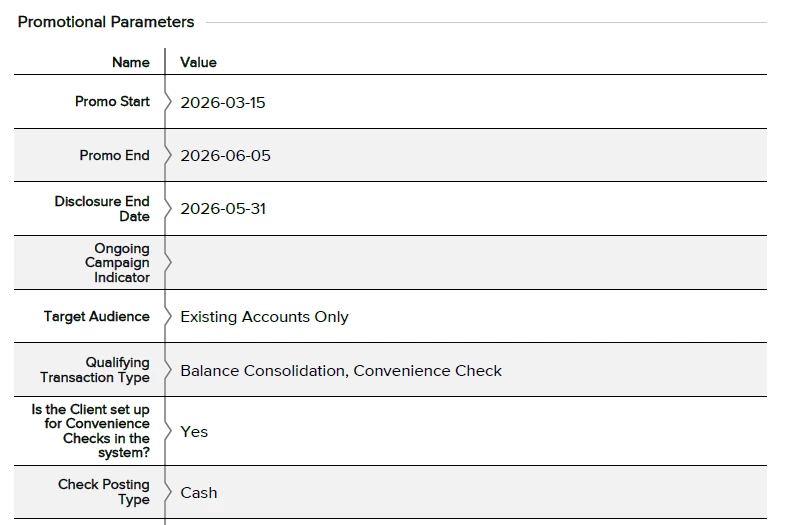
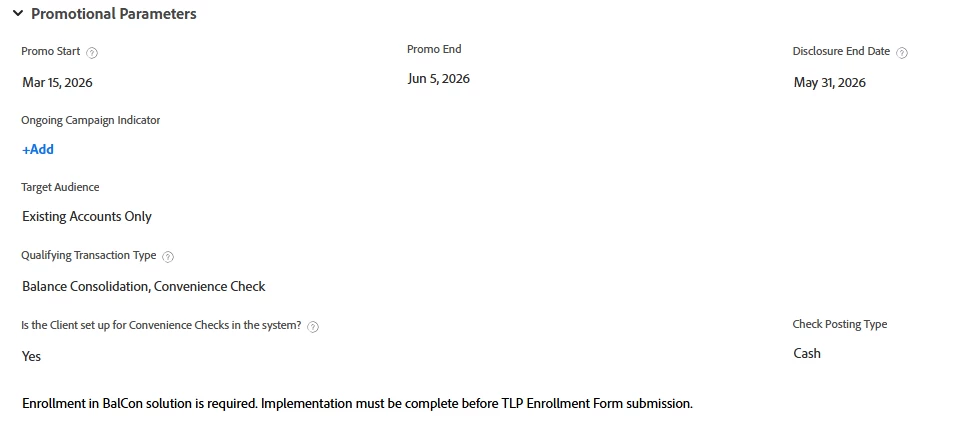
I want to create a custom PDF export that aligns closer to how it shows on WF. Example of how it’s exported and how I would like it to look. Do I have the option to customize the export? 

Exported: 
How it looks in WF:


2 replies

Patrick-antegma
Level 4
February 2, 2026

Hi ​@Mirelaa,

You can use Workfront Fusion to automate the creation of the export. Use the Word Template module to create the report and Adobe PDF Services to convert the Word document into a PDF.

If you don’t have the Adobe PDF Services, you could also use the REST API of OneDrive to convert Word into a PDF. See here.


The creation of the report can be triggered by status change or when you select a checkbox on the custom form.


MirelaaAuthor
Level 1
February 2, 2026

I would need access to the fusion version? We only use WF at the moment and do not have access to Fusion. 

Patrick-antegma
Level 4
February 2, 2026

@Patrick-antegma No, there is no real option to customize the layout of the custom form in the PDF export with the default features of WF. Fusion or another Low-Code Platform (Zapier, Microsoft Power Automate, ...) can load the data of the form to manipulate it as needed it.

Level 2
February 3, 2026

Hey ​@Mirelaa ,

Workfront does not currently allow full customization of the native PDF export, which means the exported file won’t match the layout or styling you see within the Workfront UI.

However, you can create a customized PDF by building your own API‑driven solution. Since you don’t have access to Fusion, you would need to trigger this API manually. Below is an example of how such an architecture could work:

  1. Accept the Project ID as input
    This allows the API to identify which project’s custom form data needs to be retrieved.

  2. Retrieve form data via the Workfront API
    The API call fetches all fields and values associated with that project’s custom form.

  3. Populate a pre‑designed Word template (.docx)
    You can design the template to replicate the Workfront view—including spacing, labels, sections, and overall layout.

  4. Convert the Word template into a PDF
    Most backend frameworks (e.g., .NET, Python, Node, Java) have libraries that support DOCX to PDF conversion.

  5. Return or attach the generated PDF

    • Option A: Provide the PDF as a direct API response
    • Option B: Upload the PDF to the project’s Documents section in Workfront

Because you control the template, you can fully customize the design mirroring Workfront’s look and feel with accurate formatting, tables, headers, and section structure.