A WFPro Exploration into Request Management
Happy Monday Community!
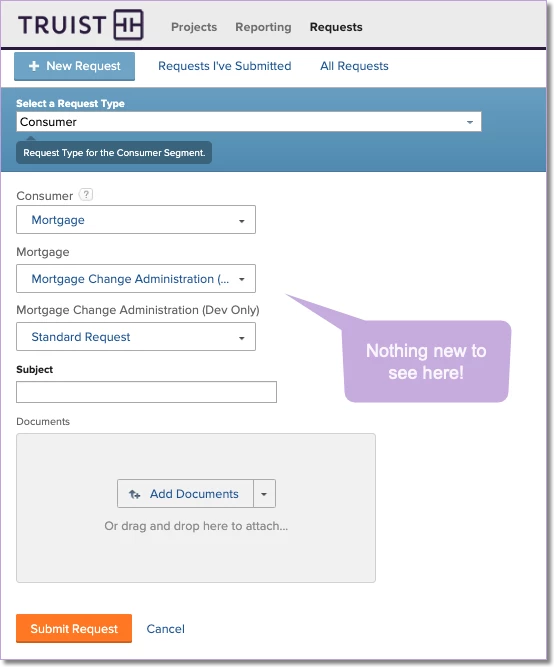
Do you use "Requests" in Workfront? If not, I suggest you get started today because streamlining the capture of unplanned work is a crucial first step towards getting organized, saving time & resources and reducing costs. In my opinion, a request is our first opportunity to negotiate work before wasting any time planning it. At Truist, we rely heavily on requests in our workflow, beginning with this user interface:
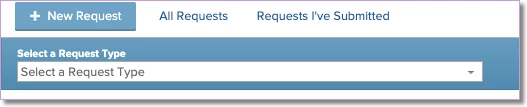
After some careful navigation through these menus, we eventually find the "right" topic to submit. This is pretty straight-forward in new instances, but with over 500 queue topics distributed across 20+ request types with complex hierarchies, we needed a better solution at Truist.
As it stands today, requesters can't easily identify answers to these questions when submitting requests:
- Who (team, user) will receive this request?
- How long (default duration + verbose explanation) before I can expect a response?
- What queue (project) will the issue land in and who owns it (group)?
- What approvals (default approval) will be required for fulfillment?
- Other context, such as possible alternative request topics that might be a better fit, links to policies, procedures, dashboards to view existing requests, etc.
For administrators, our configuration options are limited because of how "custom" this part of Workfront is. Key limitations we've experienced are:
- We're unable to delete or deactivate queue topics
- Unable to move queue topics or topic groups to different request types
- No queue topic search in "Requests". If you don't know where to look, good luck!
- Queue Topics can't be "Favorites". When we want to submit new requests, we have to start all over.
- No configured interfaces where we can zero in on subsets of topics and exclude everything else from view.
What do you think about my list? Am I missing anything that you think we need? Do you face similar challenges? If so, how have you solved for them? I'd be interested to hear your thoughts! Okay, now on to the fun stuff...
In the interest of giving our requesters (my customers) a pleasant, familiar and intuitive experience, I've drafted a dashboard for submitting requests using the package manifest as the foundation for the design. I'll be integrating this into the existing "WFPro Request Queues" package since this is a missing piece to the WFPRo request management puzzle. Here's this piece to the solution so far, and more is to come!
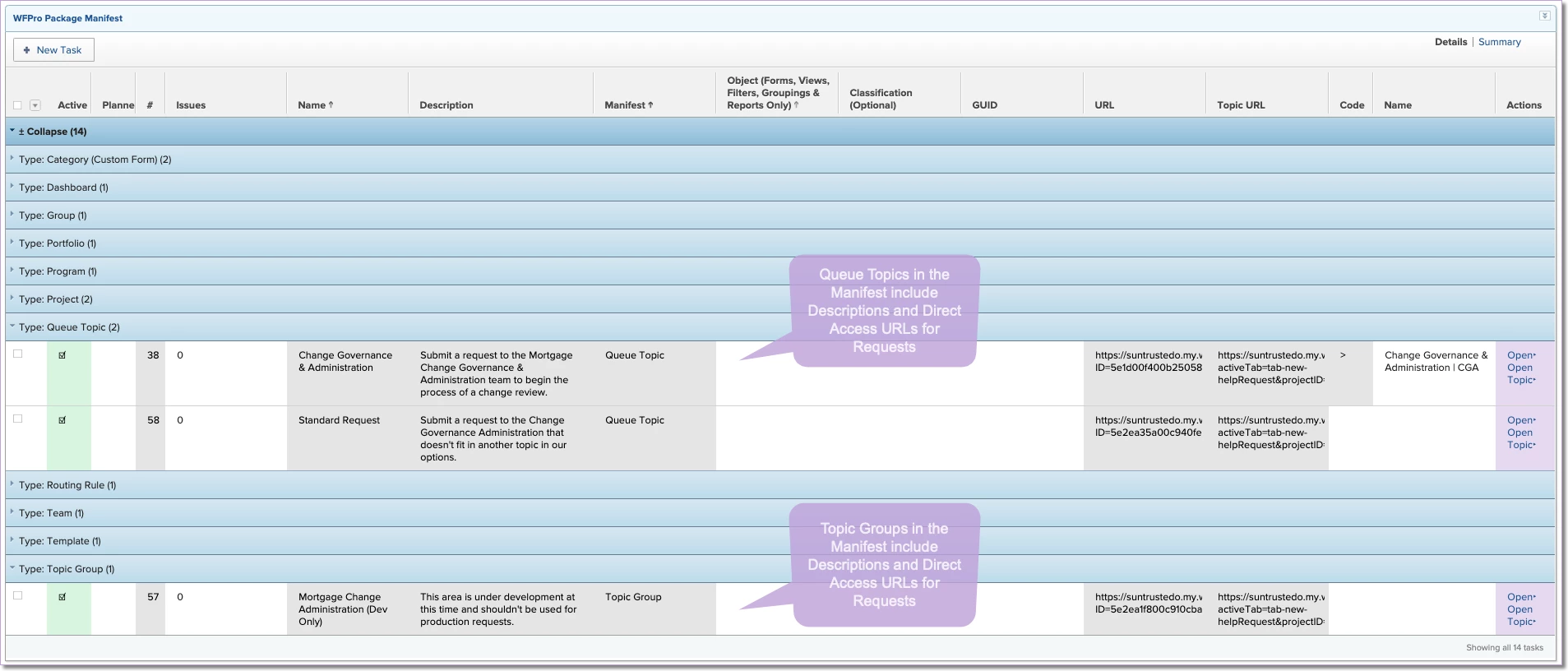
1. Admins, Group Admins, Configuration Experts Control the Manifest in "Solution" Project - Whether they're queue topics or topic groups, if we capture their unique URLs in the manifest, then we can use these URLs later. If you're unfamiliar with WFPro Package Manifest, this "WFPro Tuesday Trivia" topic is a good place to get an introduction.
2. Requests Area - Users Head to WFPro Requests and access the new dashboard. If you're administering the topics, you head over to the "Solutions" area.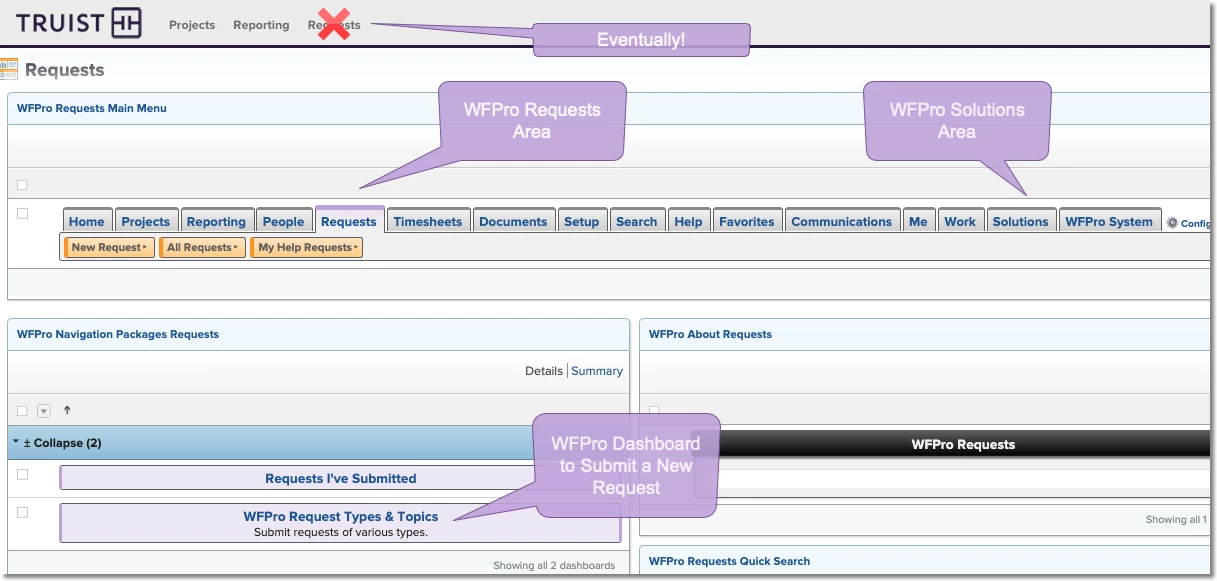
3. Choose a Topic - Request Topic Groups and Topics are Rendered using task reports with clickable links taking users directly to...
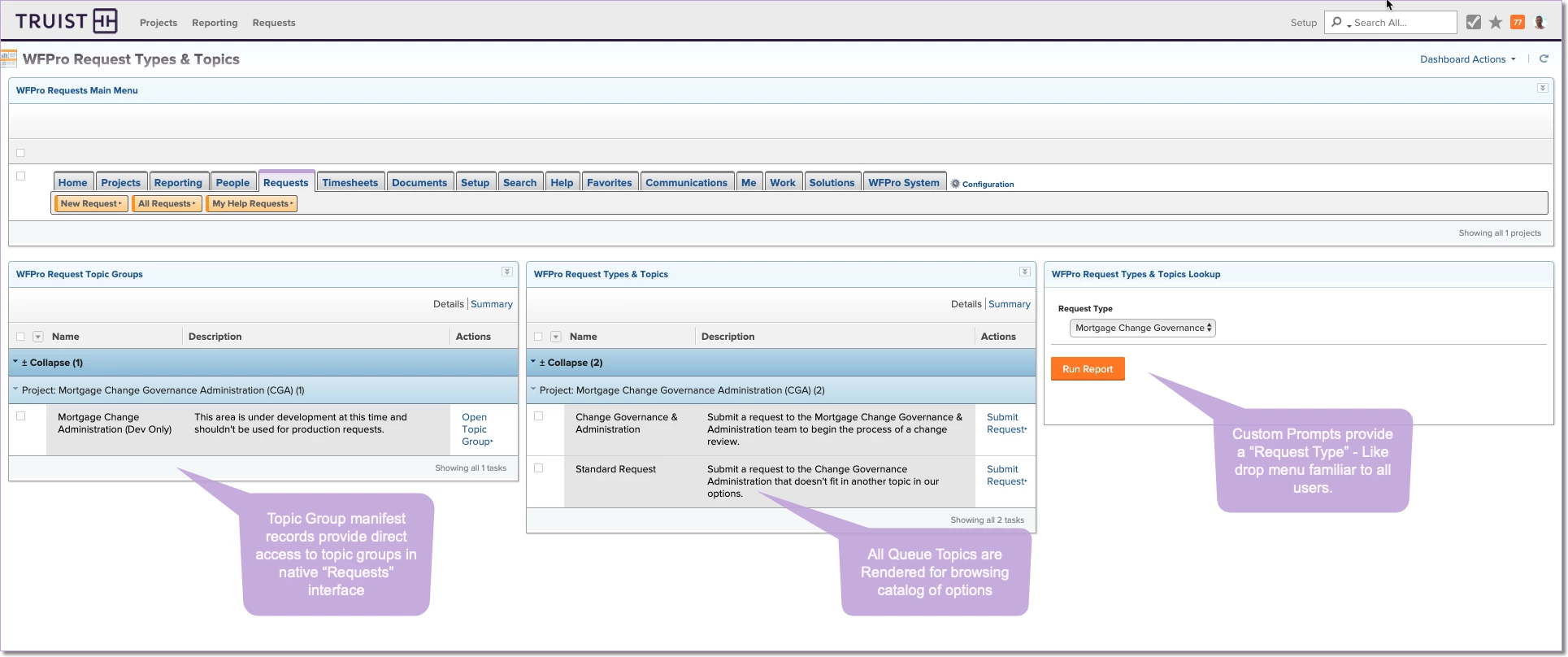
4. New Request - When Clicked, "Submit Request" takes users to the familiar queue topic or topic group, depending on the preference:
Now with queue topics and topic groups managed as configured tasks in a project, we have endless opportunity to extend the functionality to fit our unique needs. I've said it before, Workfront can't possibly provide every customer with all the features we can think of. But what they did provide us with is an excellent report and dashboard engine that allows us to take control of requests along with every other area of Workfront. #TheWFProWay
What do you think?