New Marketo Engage Features Recently Released | Community
Skip to main content
Adobe Employee
July 25, 2025
Feature

New Marketo Engage Features Recently Released

  • July 25, 2025
  • 10 replies
  • 22257 views

I would like to share some enhancements that were recently released which are aimed at helping our valued marketing users improve productivity in their day-to-day tasks. These are a few that have been requested by our customers thru discussions or come via the Nation Community Ideas in the past. There are more on the way so please so please do continue to check for latest releases and posts by the Product team here:


UI Performance Improvements

Various backend optimizations were performed in the back-end to improve UI performance when navigating thru the application and viewing certain screens.

  • Improved Admin User page performance, for faster rendering from navigation.
  • Infrastructure improvements in UI to enable faster caching and loading.
  • Improvements to enable faster data rendering for Smart Lists.


Global and Workspace My Tokens

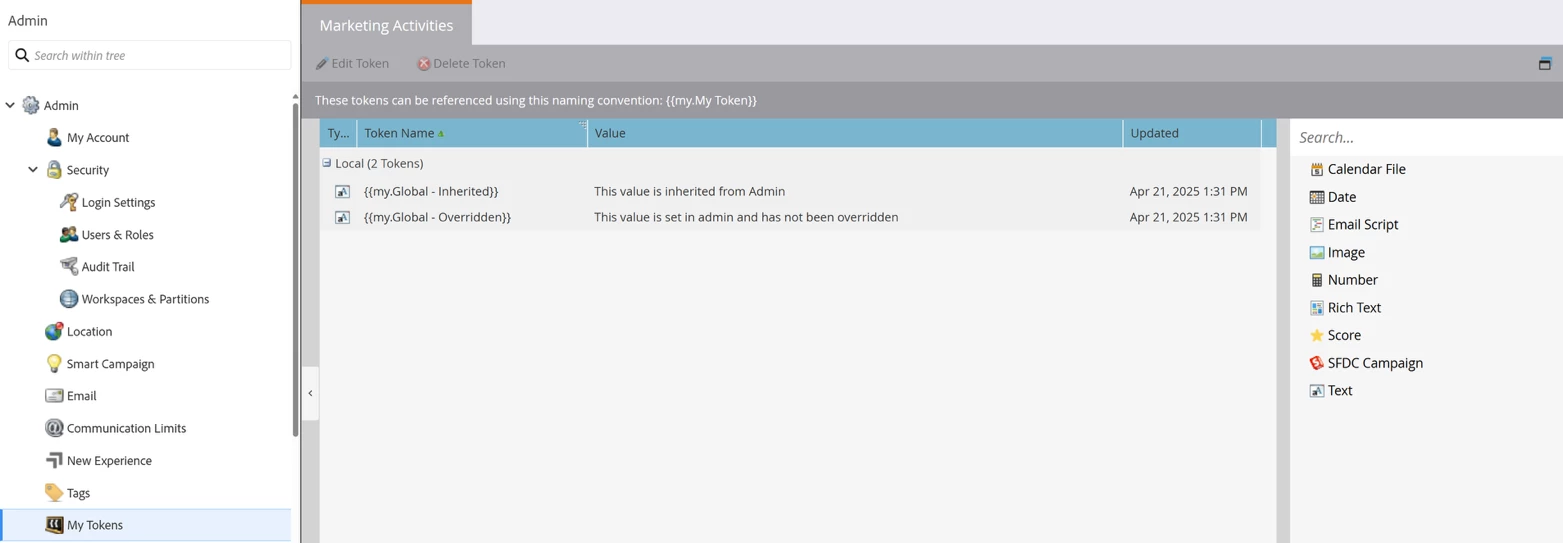
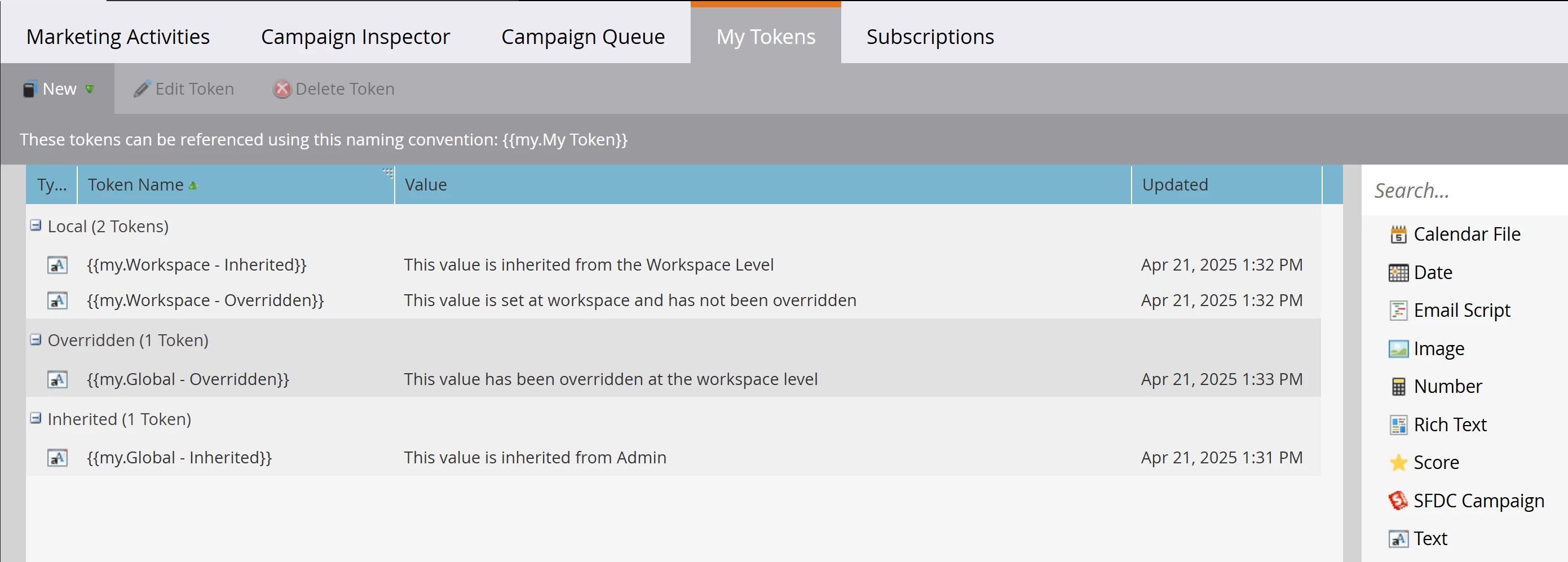
  • It now possible to make My Tokens available at the Global and Workspace level so that other users are able to use them.
  • Improves productivity by eliminating the need to create redundant sets of My Tokens in each base-level folder structure


Trigger Tokens For Any Activity Attribute

  • Triggers on Smart Campaigns can be used as Tokens.
  • Provides the ability to access all trigger activity attributes via tokens so that users can map any available data from triggering activities into campaign flow actions.


Expose ECIDs on Person Detail Record

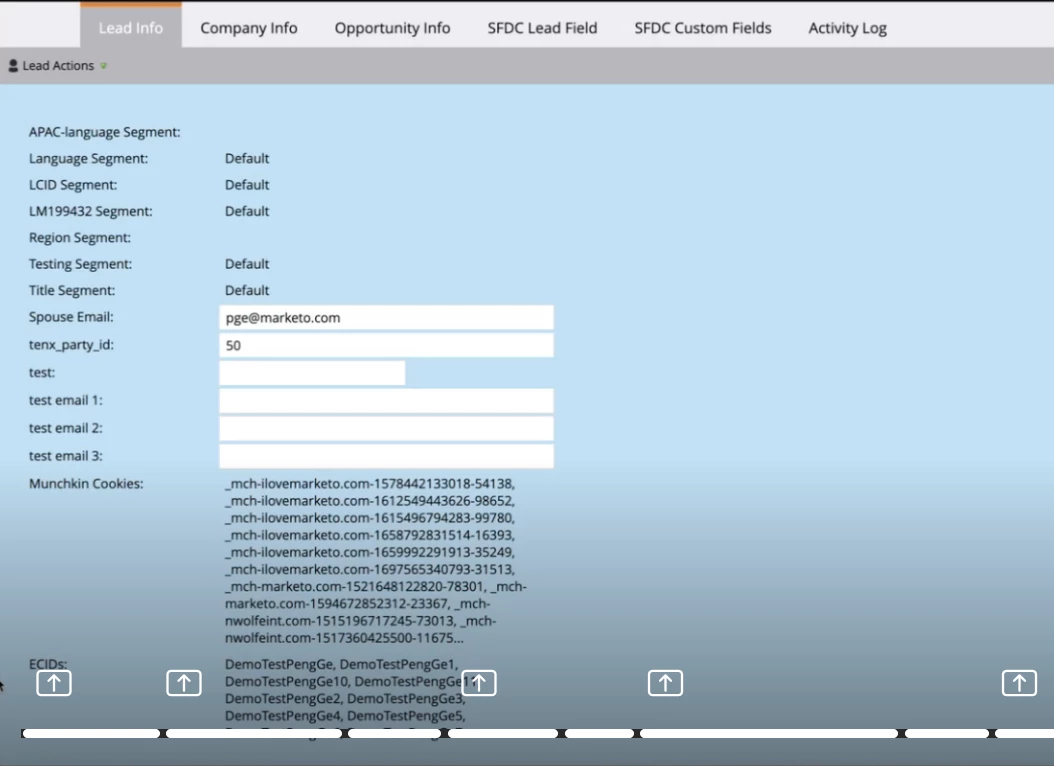
  • Customers can view the ECID information available on the web activities (e.g. visited web page and clicked link on webpage) to determine if a person has a matching value in their other Adobe solution.
  • Reduces the effort needing to use API calls for data that is already available in some activities.


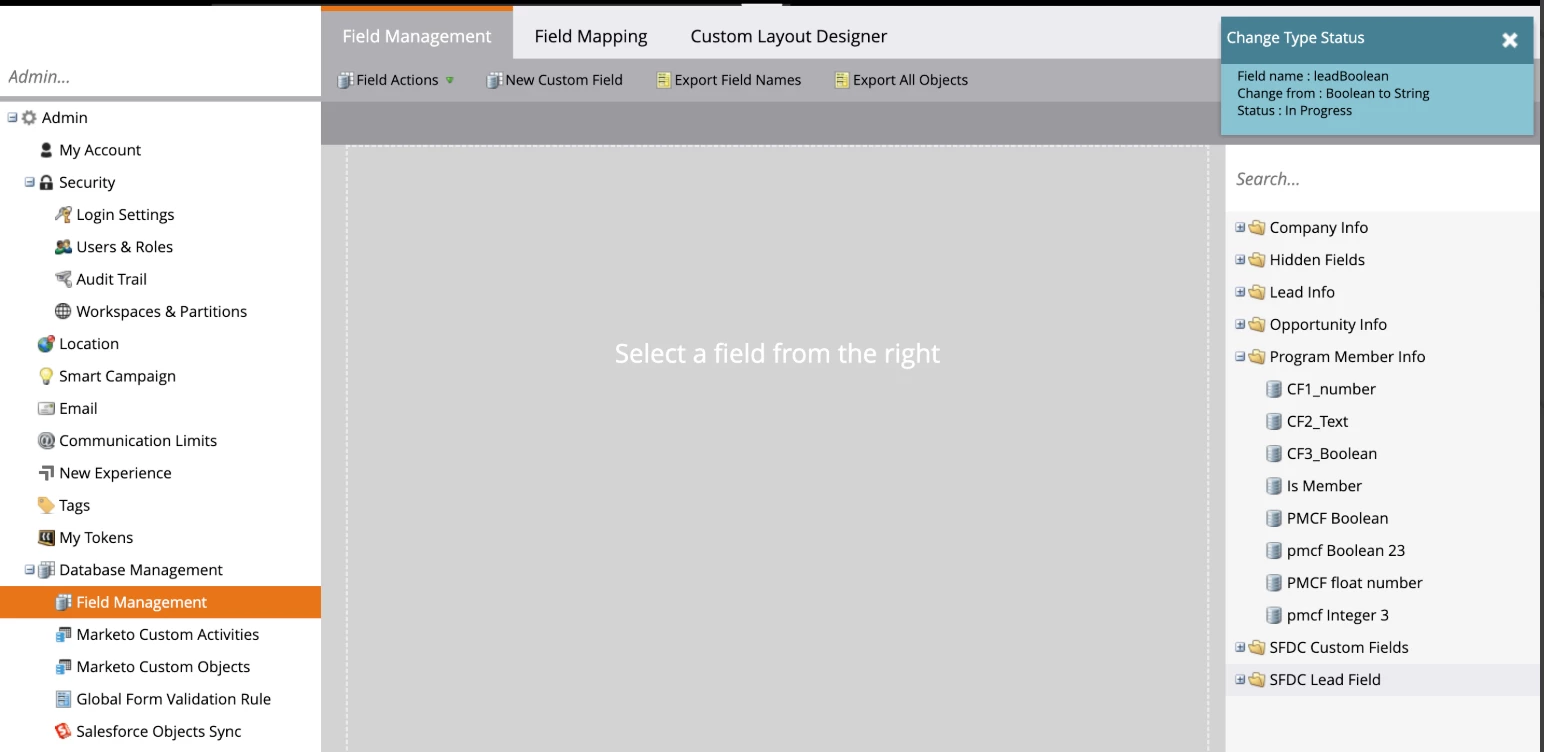
Field Management Updates

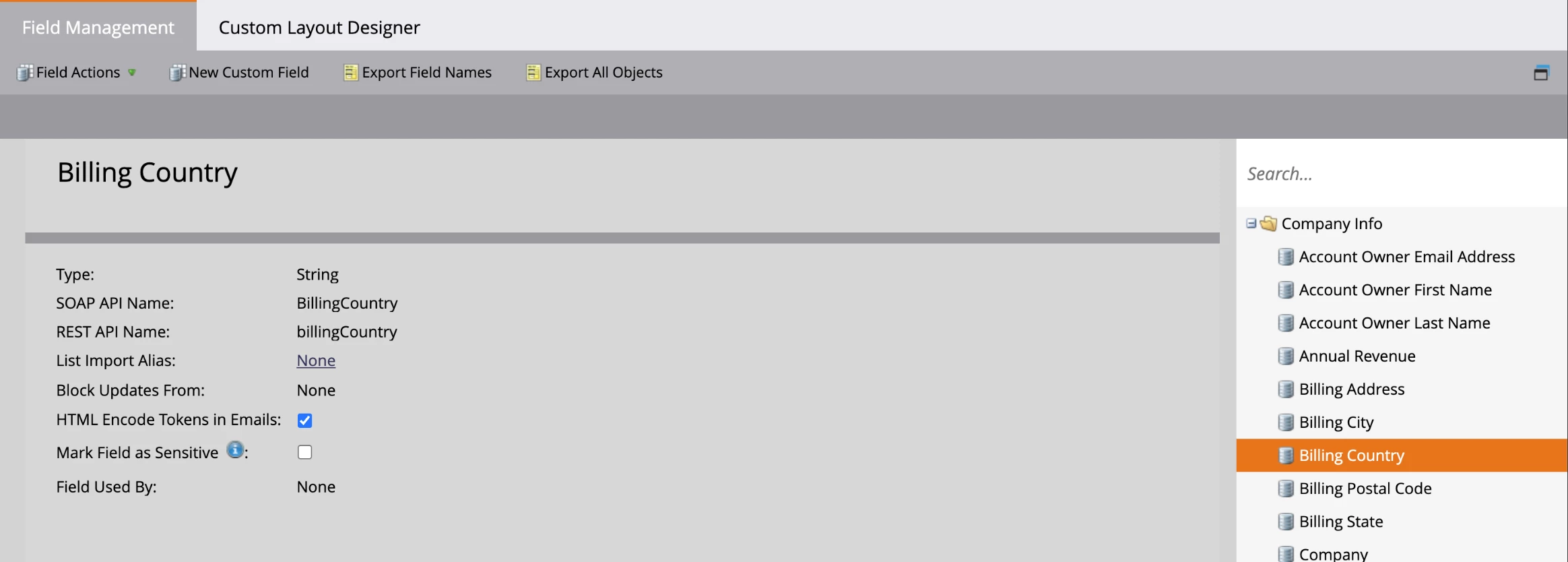
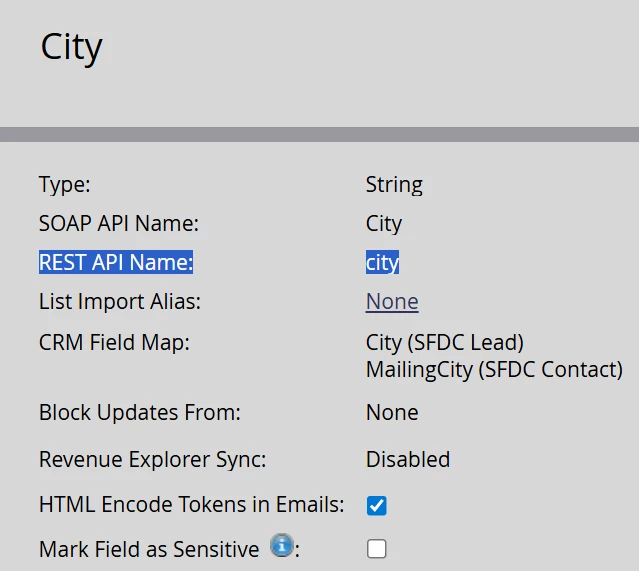
  • Now REST/SOAP API names are visible in Field Management to simplify access to API names for end users.
  • Users were previously required to download a csv field for Field data to see the REST/SOAP API names for fields so no need to do that moving forward!


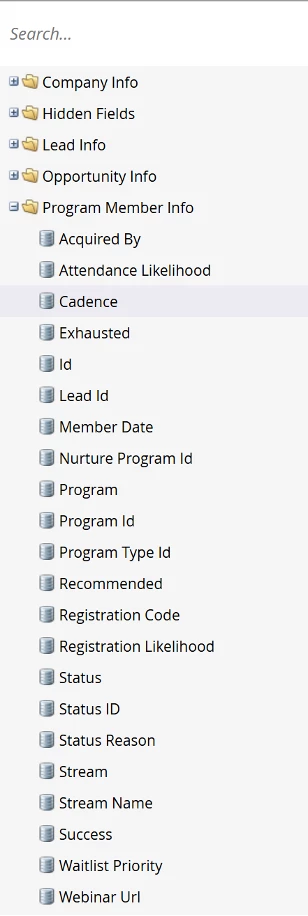
  • Also adding standard Program Member fields in addition to custom fields, to simplify data management for administrators.


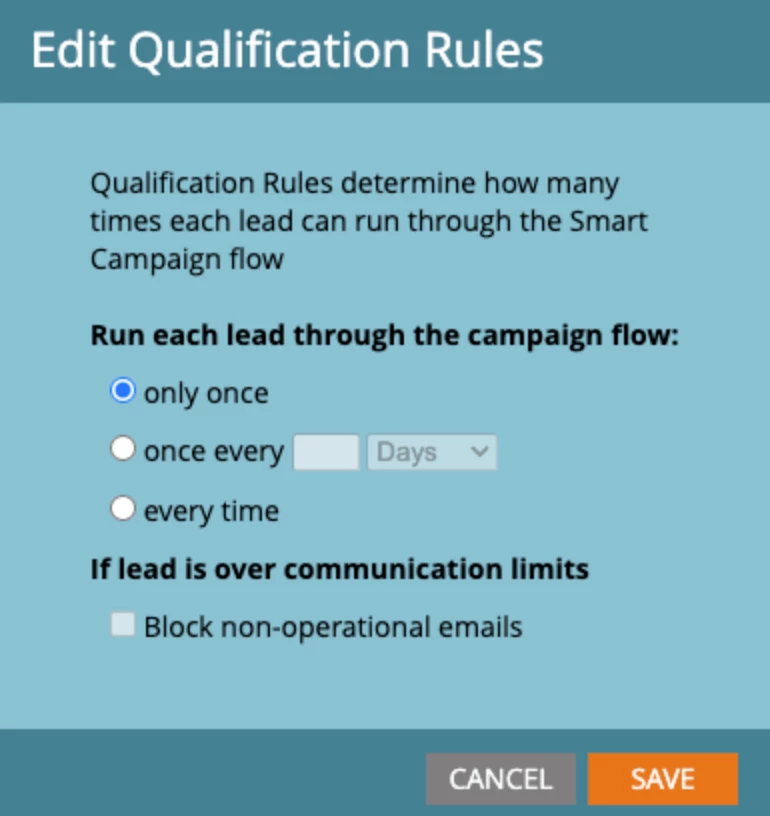
Restrict Smart Campaign Comm Limits

  • New Permission allows administrators to restrict access to communication limits settings for individual smart campaigns.
  • Provides better governance and controls on over communicating to Leads.


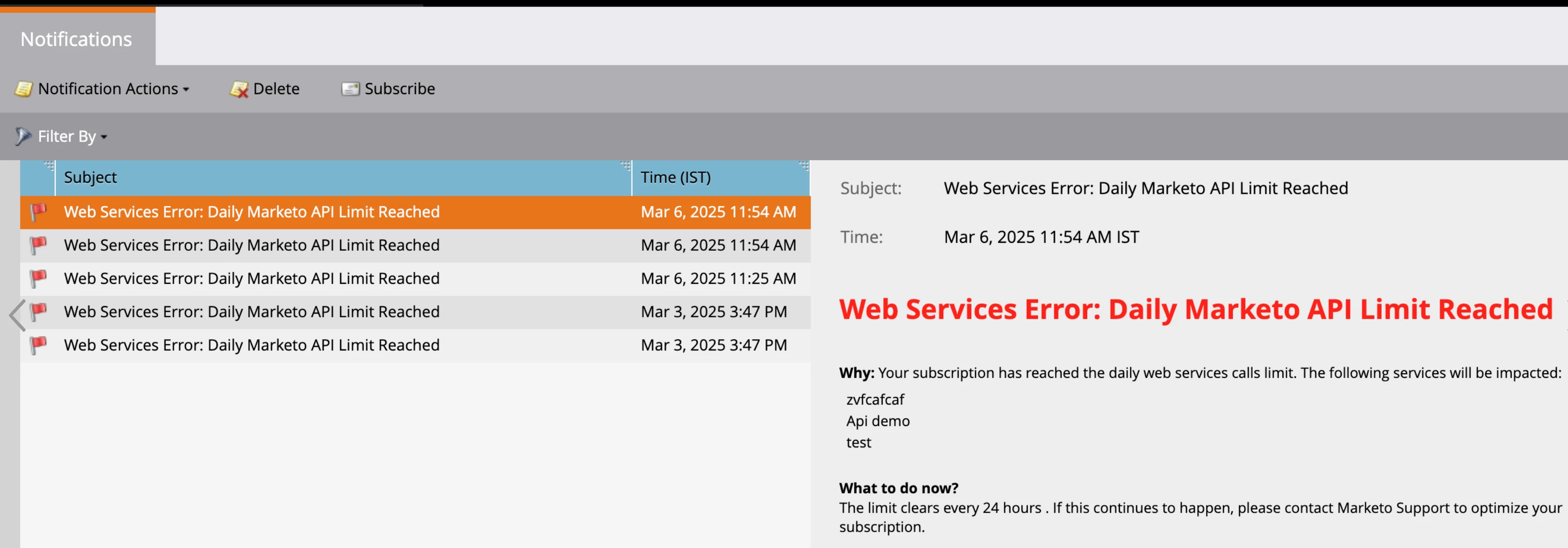
REST API Error Code Notification

  • Rest API codes 606 (Max Rate Limit Exceeded) and 607 (Daily Quota Reached) are now included in REST API Error Notifications in the UI


We hope these new updates to the product provide are useful. These new features were requested by our valued customers thru direct meetings, discussions and community ideas so please do keep them coming and hope to bring more improvements as well as key innovations in the near future. Thank you for your contributions!

10 replies

Katja_Keesom
Community Advisor and Adobe Champion
July 28, 2025

Small but oh so important improvements!

Michael_Florin-2
Level 10
July 28, 2025

Trigger Tokens For Any Activity Attribute
  • Triggers on Smart Campaigns can be used as Tokens.
  • Provides the ability to access all trigger activity attributes via tokens so that users can map any available data from triggering activities into campaign flow actions.

That sounds great, but what does it mean precisely? Let's say, "Data Value Changes" is the trigger, which tokens are available?


This trigger resolves {{trigger.Trigger Name}} to "Change Data Value" and {{trigger.Name}} to "First Name". But what else?


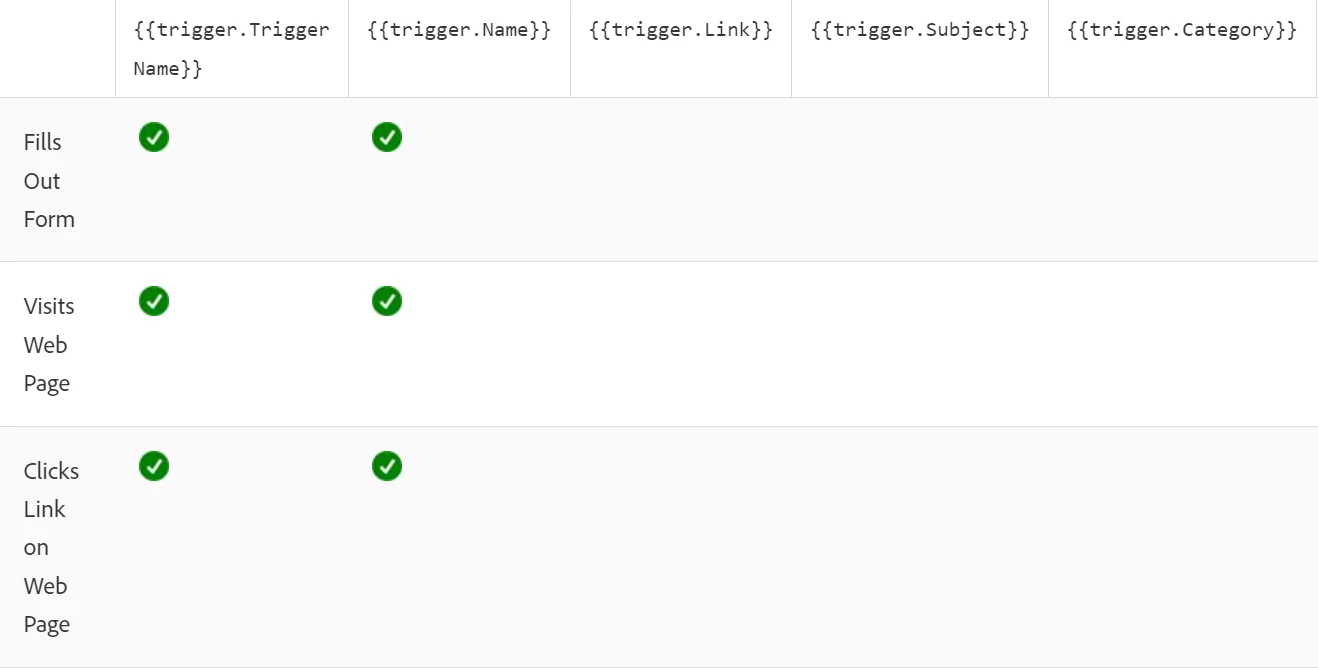
Marketo's autocomplete in the Flow Step lets us assume that all possible constraints on that very trigger are also available as tokens, which would be fantastic:

But in fact, these tokens don't work. They are auto-saved correctly in the Smart Campaign, but they don't create the expected results. The activity log just says: "Choice had one or more invalid tokens".


Am I reading this all wrong?


EllenSchwier
Level 4
July 29, 2025

I have a similar question to @michael_florin-2. Do these trigger tokens also now include things like the "Program Status is Changed" trigger and allow me to use a token to populate the new status into a field? My tests weren't working, but that was a week ago so I might have been too early...

derelict_wombat
Level 5
July 29, 2025

Love seeing the ECIDs!

Level 2
July 31, 2025

Do the updates to Trigger Tokens also include custom activities such as the Goldcast Event User Engagement activity?

Michael_Florin-2
Level 10
August 8, 2025

@ather01 - any comments on our questions regarding "Trigger Tokens For Any Activity Attribute"?

Kenny_Elkington
Adobe Employee
Adobe Employee
August 11, 2025

@michael_florin-2@ellenschwier I suggest you open a support case including the details on your issue.  Those tokens should resolve to the values of the triggering activity

Kenny_Elkington
Adobe Employee
Adobe Employee
August 11, 2025

@cfitzpatrick-pb, yes, tokens should also work for custom activities.

Michael_Florin-2
Level 10
August 12, 2025

Thanks @kenny_elkington  - I can see it now and it works as advertised. Here's what trigger tokens render for "Data Value Changes", where I changed the value in "First Name" from "Michael" to "Katja":


{{trigger.name}}First Name
{{trigger.trigger name}}Change Data Value
{{trigger.Attribute Name}}First Name
{{trigger.New Value}}Katja
{{trigger.Old Value}}Michael
{{trigger.Reason}}Manual Person Edit
{{trigger.Source}}Lead update


@ellenschwier and here results for the triggers of the "Program Status is Changed" trigger. I changed the status from "Member" to "Meeting Scheduled" (which is also a success) in an Event Program:


{{trigger.name}}AN_EN - 2025-01_IPPE
{{trigger.trigger name}}Change Status in Progression
{{trigger.Acquired By}}FALSE
{{trigger.New Status ID}}98
{{trigger.Old Status ID}}99
{{trigger.Program ID}}2785
{{trigger.Program Member ID}}2779130
{{trigger.Reached Success Date}} 
{{trigger.Reason}} 
{{trigger.Registration Code}} 
{{trigger.Status Reason}} 
{{trigger.Success}}TRUE
{{trigger.Webinar URL}} 


So, no, the new status name seems not be a trigger token. {{trigger.name}} resolves to the Program Name, and empty lines are just empty. So for example, {{trigger.Reached Success Date}} should probably return today's date as the test person became a success today, but it doesn't seem to work.


Overall, I find this very interesting. The available tokens will be very different from trigger to trigger, which makes a lot of sense. Documentation would be nice, although I understand that this is quite an effort.

Miray
Community Advisor and Adobe Champion
August 14, 2025

Exciting updates!