What’s the best way in AJO to pull a list of customers who received a specific journey message (email or SMS)? | Community
Skip to main content
ShushmitPa
Level 2
November 17, 2025
Question

What’s the best way in AJO to pull a list of customers who received a specific journey message (email or SMS)?

  • November 17, 2025
  • 2 replies
  • 206 views

Hi,

I’m struggling to get an accurate count of customers who actually received a specific journey message. I tried creating an audience using the journey version ID or journey action ID, but the numbers are always wrong. I was told this happens because if the journey has multiple comms (e.g., 2 emails + 3 SMS), customers who receive more than one get counted multiple times.

I’m working with both one-off campaigns and journeys that trigger regularly (e.g., every 15 days), and I just need a clean list of customer IDs who received the communication.

Is running a Query Service query against the tracking datasets (email/SMS) really the only reliable way to do this? And is there any way to turn this into a reusable audience in AEP?

I have access to SFTP and using that to get csv file..

Any advice or examples would be appreciated.

2 replies

SashankaBi1
Level 2
November 17, 2025

Hi @shushmitpa 


You need an accurate, deduplicated list of customers who received a specific journey communication and want to turn this into a reusable audience in AEP without relying solely on tracking datasets.

Solution: Log Custom Experience Events for Each Communication

Instead of querying raw tracking datasets (which are great for reporting but not for segmentation), you can create a custom schema and dataset to capture communication delivery events. This approach makes the data actionable inside AEP and reusable for downstream journeys.

Step 1: Create a Custom Experience Event Schema

  • Base class: XDM ExperienceEvent: ORG_Journey_Action
  • Add a custom Field Group (e.g., _tenantId.journeyCommunicationAction) with fields like:
    • journeyCommunicationAction.journeyName – Human-readable name (e.g., "Abandoned Cart").
    • journeyCommunicationAction.channel – email, sms, push, etc.
    • journeyCommunicationAction.subject – Email subject line.
    • journeyCommunicationAction.offerId / offerName – If offers are included.
    • journeyCommunicationAction.messageName – Friendly name for the message.
    • journeyCommunicationAction.sendDateTime – When the comm was sent.
    • eventType – e.g., "journeyEmail/SMS.sent".
    • _id – Unique UUID for deduplication.
  • Include identityMap with primary identity (email, phone, ECID, etc.).
  • Enable it to profile

Step 2: Create a Dedicated Dataset

  • Type: Experience Event dataset: ORG_Journey_Action
  • Bind it to the schema above.
  • This dataset will store all communication events triggered from journeys.
  • Enable it to profile

Step 3: Create an HTTP API Ingestion Flow (Streaming Pipeline)

Before adding the custom action, you need a way to ingest the event data into AEP:

  • Create an STPL (Source Template) request to define the ingestion pipeline.
  • Configure:
    • Source: HTTPS API endpoint that will receive the payload from AJO.
    • Target Dataset: The dataset created above: ORG_Journey_Action
    • Mapping: Map JSON fields from the custom action payload to schema fields.
  • This creates a streaming ingestion pipeline so that every event from AJO flows directly into AEP in near real-time.
  • Test ingestion with sample payloads to ensure data flows correctly and schema mapping is valid.

Step 4: Add a Custom Action in Each Journey Step

  • After each Email/SMS action, add a Custom Action that POSTs a JSON payload to your ingestion endpoint.


Step 5: Build Audiences in AEP

Once events are ingested:

  • Use Segment Builder with conditions like:
    • eventType = "journeyEmail/SMS.sent"
    • communication.journeyName = "Abandoned Cart"
    • communication.channel = "email"
    • Within last X days
  • This gives you a deduplicated audience because segmentation works at the profile level.

Step 6: You can event Trigger Subsequent Journeys if you have such a use case

  • Create a Unitary entry event that listens for:
    • eventType = "journeyEmail/SMS.sent"
    • communication.journeyName = "Abandoned Cart"
  • Add a Wait step (e.g., 7 days), then check for purchase or redemption before sending the next comm.

Why This Works

  • Creates a single source of truth for communication delivery.
  • Enables reusable audiences and downstream triggers.
  • Works for both one-off campaigns and recurring journeys.

Please review and let me know if this helps.


Thanks a lot.

Sashanka B

SatheeskannaK
Community Advisor
Community Advisor
November 17, 2025

@shushmitpa Yes, you can set up an audience to target customers who have received communication from a specific journey or campaign, and a query service is not required for this. For example, you can create an audience of customers who have successfully delivered a message from a journey in the last 30days. This method can also be applied to campaigns and the SMS channel.


Thanks, Sathees
ShushmitPa
Level 2
November 17, 2025

Hi @satheeskannak 

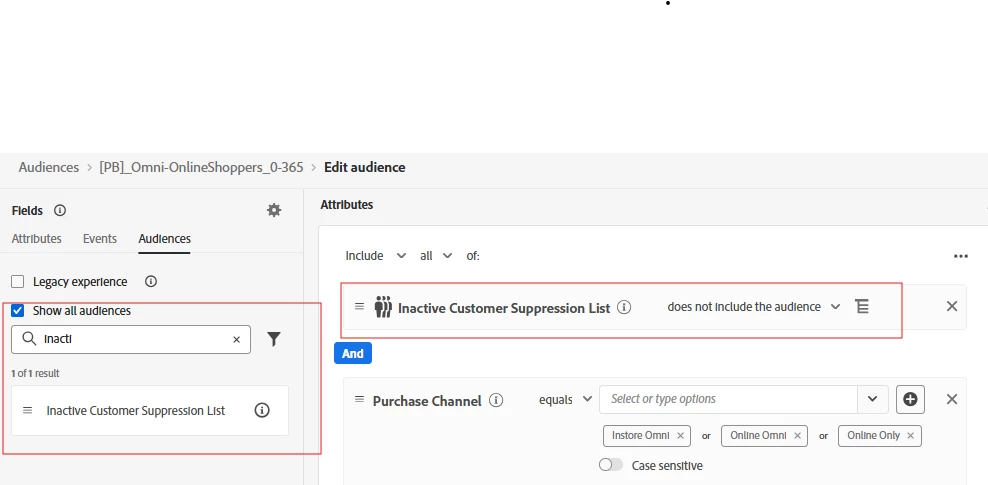
The audience-builder option looks much simpler, but I’m still struggling because when a journey has multiple comms (e.g., 2 emails + 3 SMS), I end up with inflated counts due to multiple events per profile. Is there a clean way to dedupe within the audience builder without relying on Query Service? Please see SS below

I’m mainly dealing with:

  • one-off campaigns

  • journeys that fire periodically (e.g., every 15 days)

…and I just need a reliable way to get unique customers who actually received the comm.

Do you recommend sticking with the simpler audience-builder method for this use case, or is the custom event logging approach the more reliable long-term solution?

Thanks again, really appreciate the help.


I report section showed around 1m received email or SMS from the journey but when I create the audience it goes ove 2.4 m, during exporting the audience using sftp in mapping I even selected deduplication to remove any duplicates but no change:

Note: I have tried it with Message execution id, Journey version id, but count remains same


If I remove feedback status, the count actually drops but not sure if its the right way: