RTE table plugin unhide a header
Hi Community,
I need clarification and help on one of the RTE plugins(Table), when the table plugin is used in a component it offers to make modifications to the table cell, like the example below.
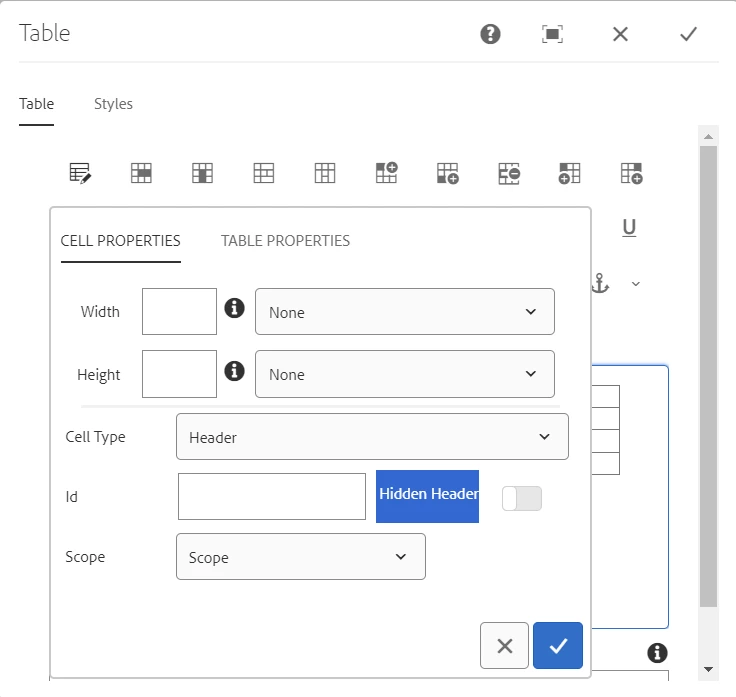
When a cell is selected, click on the table option the above window pops up, when the cell type is set to header and hidden header option is toggled and save the dialog box, this "cq-wcm-foundation-aria-visuallyhidden" class is added to that cell.
My issue is, when I reopen the dialog box and click on the table option again the toggle is disabled. If I enable it again, a new set of DOM is added along with that class.
Need clarification, if this is a default behavior due to core components.
If so, can I do anything so that it stays enabled after reopening the dialog. Any other suggestions would also be good.
I hope this explanation is sufficient, if additional information is required, please let me know.
Thanks,
