
How to Hide the "Share Link" Button in AEM Assets View? | Community
Skip to main content
narendiran_ravi
Level 6
December 11, 2024
Solved

How to Hide the "Share Link" Button in AEM Assets View?

  • December 11, 2024
  • 1 reply
  • 795 views

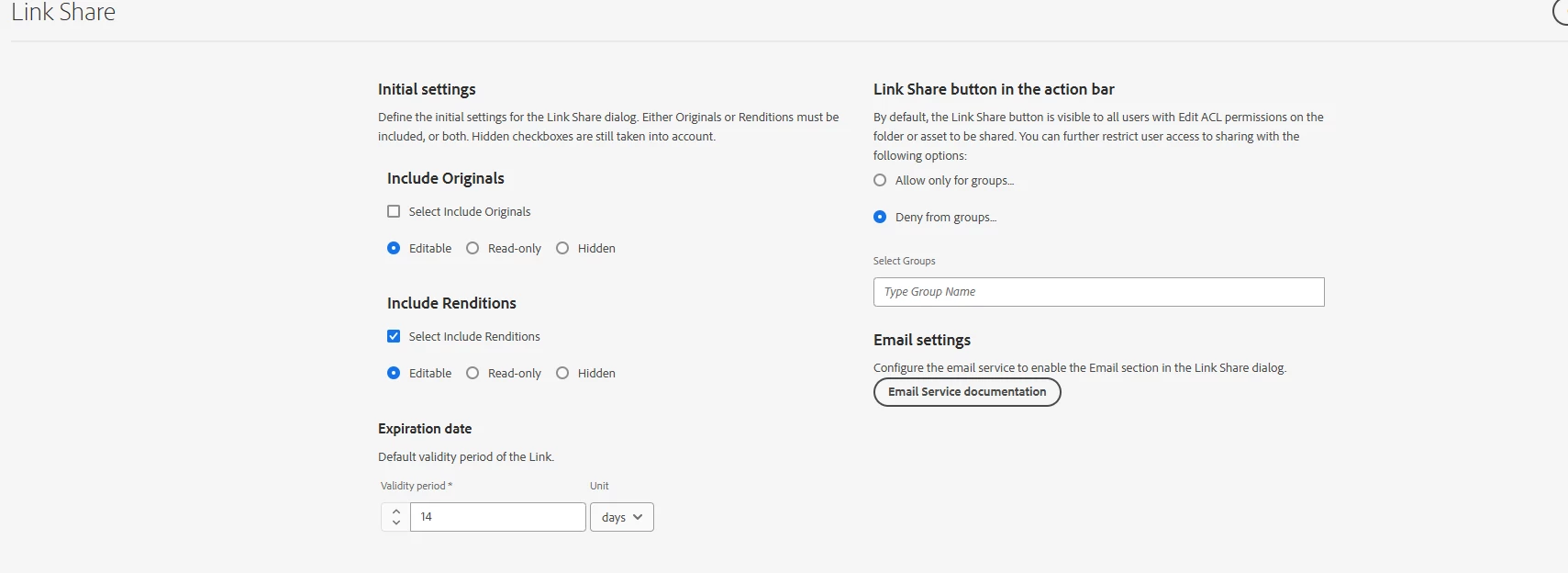
We have configured AEM assets to hide the "Share Link" button in the action bar for certain groups. This was done via:
Tools → Assets → Assets Configuration → Link Share - Deny from Groups settings.

This configuration works correctly in the Assets Admin view. However, the "Share Link" button is still visible in the Assets view.

Do we need to handle this configuration from another place or take additional steps to hide the button in the Assets view?

Config:
Admin View Action bar:

Assets View Action bar:



This post is no longer active and is closed to new replies. Need help? Start a new post to ask your question.
Best answer by narendiran_ravi


We have not implemented any customizations, as we assumed the asset view would support this functionality by default.  However, it appears there is a feature gap in the asset view. We will raise a support ticket to address this issue.


1 reply

Rohan_Garg
Community Advisor
Community Advisor
December 11, 2024

Hey @narendiran_ravi,
I had a similar query once about custom UI manipulation for elements - AEM Assets Essentials (Experience Manager Assets) vs Experience Manager - Custom UI Handling

We had added some custom buttons in the standard UI console which were not visible in the Asset Essentials console.

However, for your use case did you try using custom JS or CSS to simply hide the button by targeting the data-instance-id=public-link-sharing?


Hope this helps!


narendiran_ravi
narendiran_raviAuthorAccepted solution
Level 6
December 16, 2024


We have not implemented any customizations, as we assumed the asset view would support this functionality by default.  However, it appears there is a feature gap in the asset view. We will raise a support ticket to address this issue.