Hide and Show dropdown in Nested Multifield | Community
Skip to main content
Level 2
May 13, 2022
Solved

Hide and Show dropdown in Nested Multifield

  • May 13, 2022
  • 2 replies
  • 4262 views

Hi All,


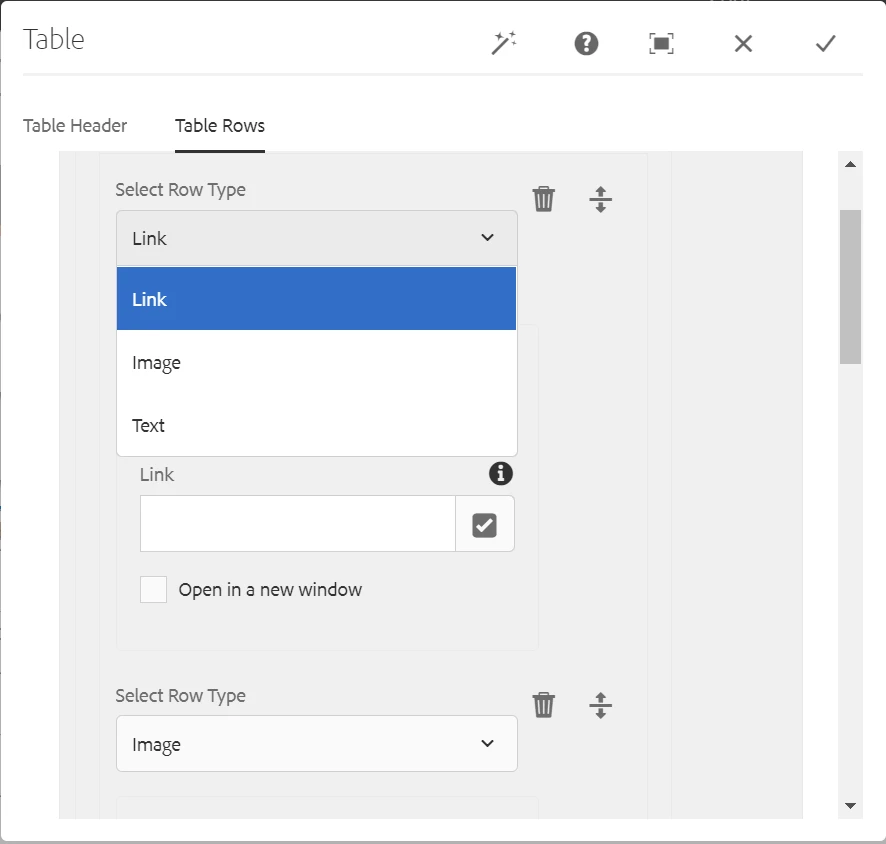
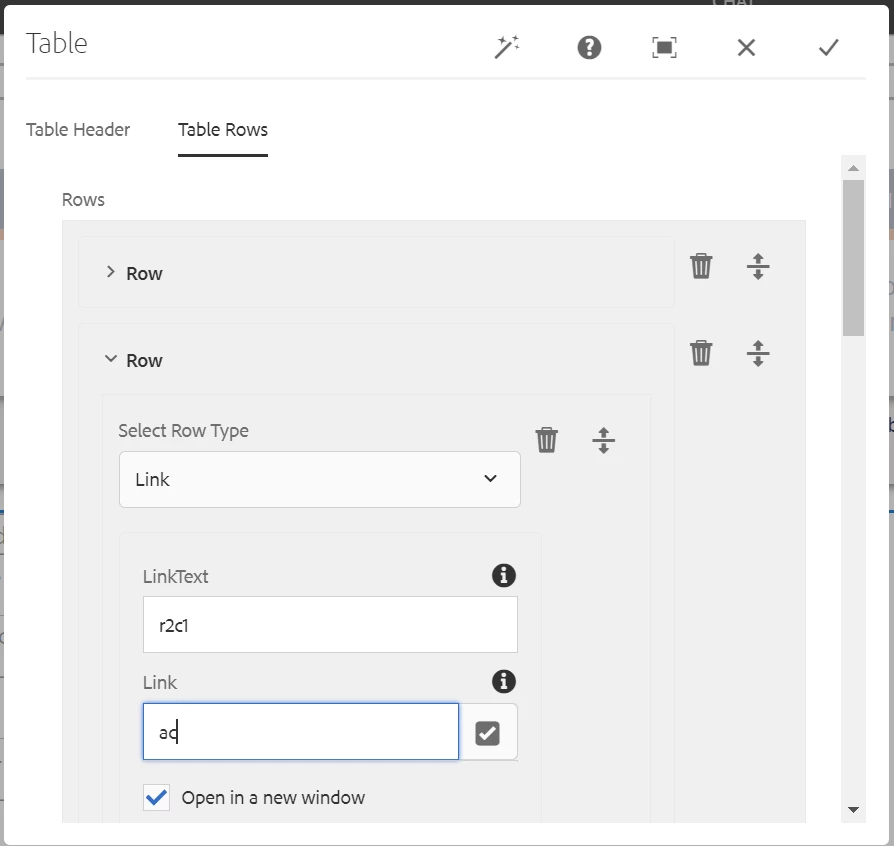
I am creating a dialog having Nested multified for page having table rows and columns in it. Each row have 3 columns and based on dropdown selection, setting value to column. I am populating dropdown with 3 types of content(Link, Text and Image).

Example
Row1
Link value(column 1) Text value(Column2) Image(Column3)
Row2
Text value(column 1) Link value(Column2) Image(Column3)
Row3
Image(column 1) Text value(Column2) Link value(Column3)


Here when I change Row1 column1 value in dropdown, it's showing Row1 column1 container with correct fields and also showing same container in Row2 column1 and Row3 column1 but correct dropdown values are retaining in Row2 and Row3.

After Row1 Column1 change

Row1
Link value container(column 1) Text value(Column2) Image(Column3)
Row2
Link value container(column 1) Link value(Column2) Image(Column3)
Row3
Link value container(column 1) Text value(Column2) Link value(Column3)


It should change only selected row(Row1 column1) but it's updating Row2 and Row3 with same Row1 container.

I tried with below code but no luck
https://github.com/arunpatidar02/aem63app-repo/blob/master/js/dropdownshowhide-multifield.js


Version - AEM 6.5

Could you please suggest me here.

Thank you in advance!!!

This post is no longer active and is closed to new replies. Need help? Start a new post to ask your question.
Best answer by arunpatidar

Hi Arun,@veenavikraman 


The below steps followed

1.) Added the granite class cq-dialog-dropdown-showhide to the dropdown element(rowType)
2.) Added the data attribute cq-dialog-dropdown-showhide-target to the dropdown.
3.1) Added the target class to each target component that can be shown/hidden

row-link
granite:class = hide cq-dialog-dropdown-showhide-target

row-text
granite:class = hide cq-dialog-dropdown-showhide-target

row-image
granite:class = hide cq-dialog-dropdown-showhide-target

3.2) As per below link

https://experienceleaguecommunities.adobe.com/t5/adobe-experience-manager/disabling-the-field-based-on-the-selection-of-a-drop-down/td-p/363569


Added the attribute showhidetargetvalue & showhidetargetvalue1 to each target component
showhidetargetvalue = row-link1
showhidetargetvalue1 = row-link2


As per the below code, splitting showhidetargetvalue 

var values = $target.attr("data-showhidetargetvalue").split(",");


Do we need to give comma separated value any where?


Could you please suggest me.


If you are using https://github.com/arunpatidar02/aem63app-repo/blob/master/js/dropdownshowhide-multifield-multivalued.js

then instructions are written at the top , how to use it

the cals name is changed to cq-dialog-dropdown-showhide-multival for using this cusom solution

Please check the instruction

2 replies

arunpatidar
Community Advisor
Community Advisor
May 13, 2022
rrp7890Author
Level 2
May 15, 2022

Hi Arun,

Thanks for your reply.

I followed the steps from this link-  

https://www.linkedin.com/pulse/aem-hideshow-drop-down-select-options-more-than-one-values-vikraman/

1.) Added new data-* attribute value as below.


2.) Updated  below showhide method in JS code 

After making these changes, all containers are hidden in load/dropdown click.

Could you please check and let me know if I miss any steps here.


Thanks for your support.

arunpatidar
Community Advisor
Community Advisor
May 16, 2022

The issue could be due to missing granite:class or the dropdown value and class name mismatches.

Arun Patidar
Level 2
July 20, 2022

Hi,


I made it work for nested multifield with some changes to https://github.com/arunpatidar02/aem63app-repo/blob/master/js/dropdownshowhide-multifield.js try below JS.


(function(document, $) {
"use strict";

// when dialog gets injected
$(document).on("foundation-contentloaded", function(e) {
// if there is already an inital value make sure the according target element becomes visible
showHideHandler($(".cq-dialog-dropdown-showhide-multi", e.target));
});

$(document).on("selected", ".cq-dialog-dropdown-showhide-multi", function(e) {
showHideHandler($(this));
});

function showHideHandler(el) {
el.each(function(i, element) {
if ($(element).is("coral-select")) {
// handle Coral3 base drop-down
Coral.commons.ready(element, function(component) {
showHide(component, element);
component.on("change", function() {
showHide(component, element);
});
});
} else {
// handle Coral2 based drop-down
var component = $(element).data("select");
if (component) {
showHide(component, element);
}
}
})
}

function showHide(component, element) {
// get the selector to find the target elements. its stored as data-.. attribute
var target = $(element).data("cqDialogDropdownShowhideTarget");
var $target = $(element).closest('coral-multifield-item').find($(target));

if (target) {
var value;
if (component.value) {
value = component.value;
} else {
value = component.getValue();
}
$target.each(function(index) {

$(this).not(".hide").addClass("hide");
$(this).filter("[data-showhidetargetvalue='" + value + "']").removeClass("hide");

//RTE Should be treated specially
if ($(this).parent().hasClass("richtext-container")) {
$(this).parent().not(".hide").addClass("hide");
$(this).filter("[data-showhidetargetvalue='" + value + "']").parent().removeClass("hide");
}


});
}
}

})(document, Granite.$);


Thanks,

Prashanth