


Publishing XML Content to AEM Sites - Want to use existing AEM Sites template?
Problem Statement
You are using XML Documentation to author XML/DITA content and one of the publish output is AEM Sites.
You want to use an existing AEM Sites template in order to use the pre-designed header/footer (branding, styles etc.) used on your marketing or end user portal (instead of out-of-the-box templates that comes with XML Documentation)
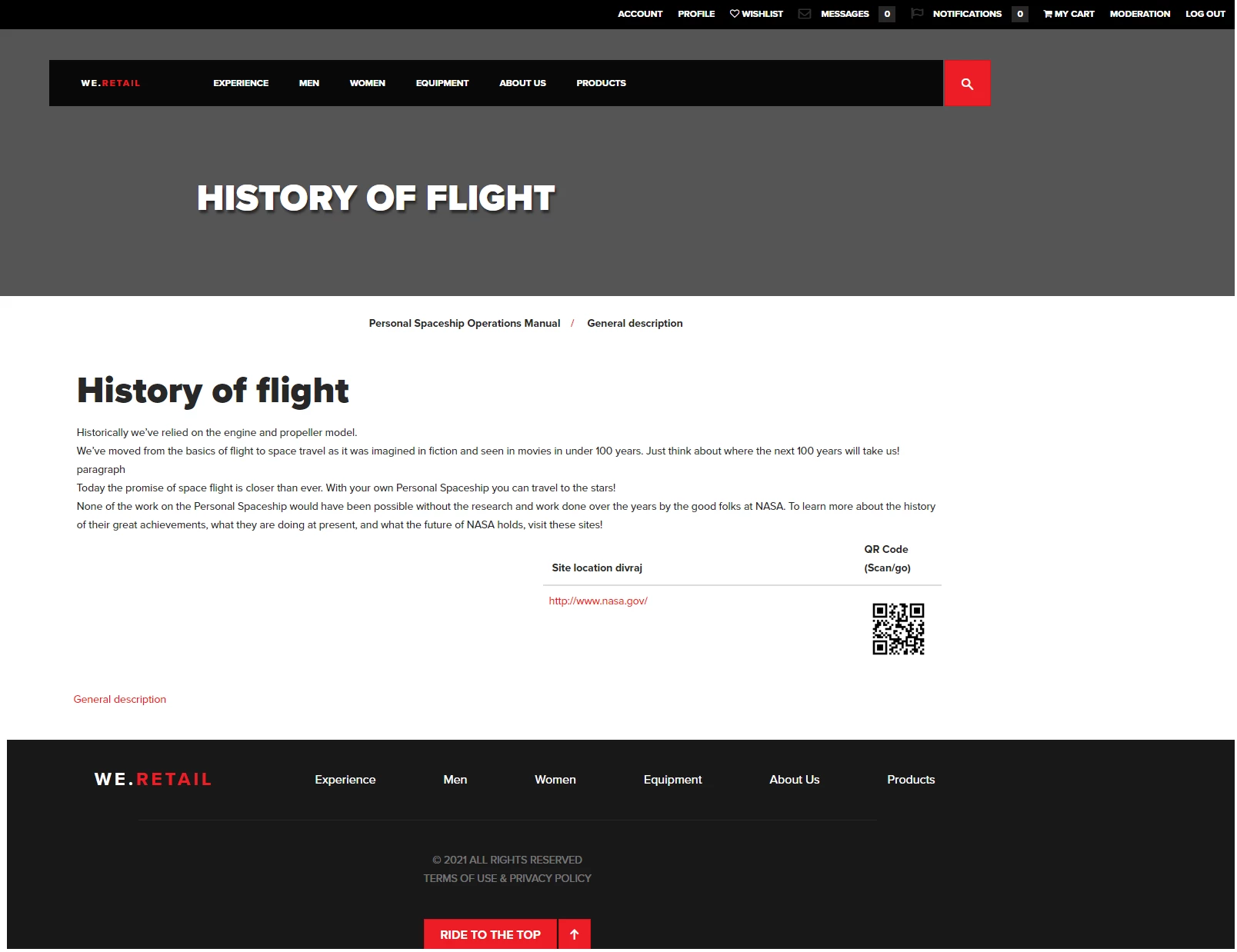
For reference, lets take an example of we-retail website (AEM sample site) that has an already defined design. The left picture is an out-of-the-box template from XML Documentation, the right one is same content but using AEM's we-retail editable template.
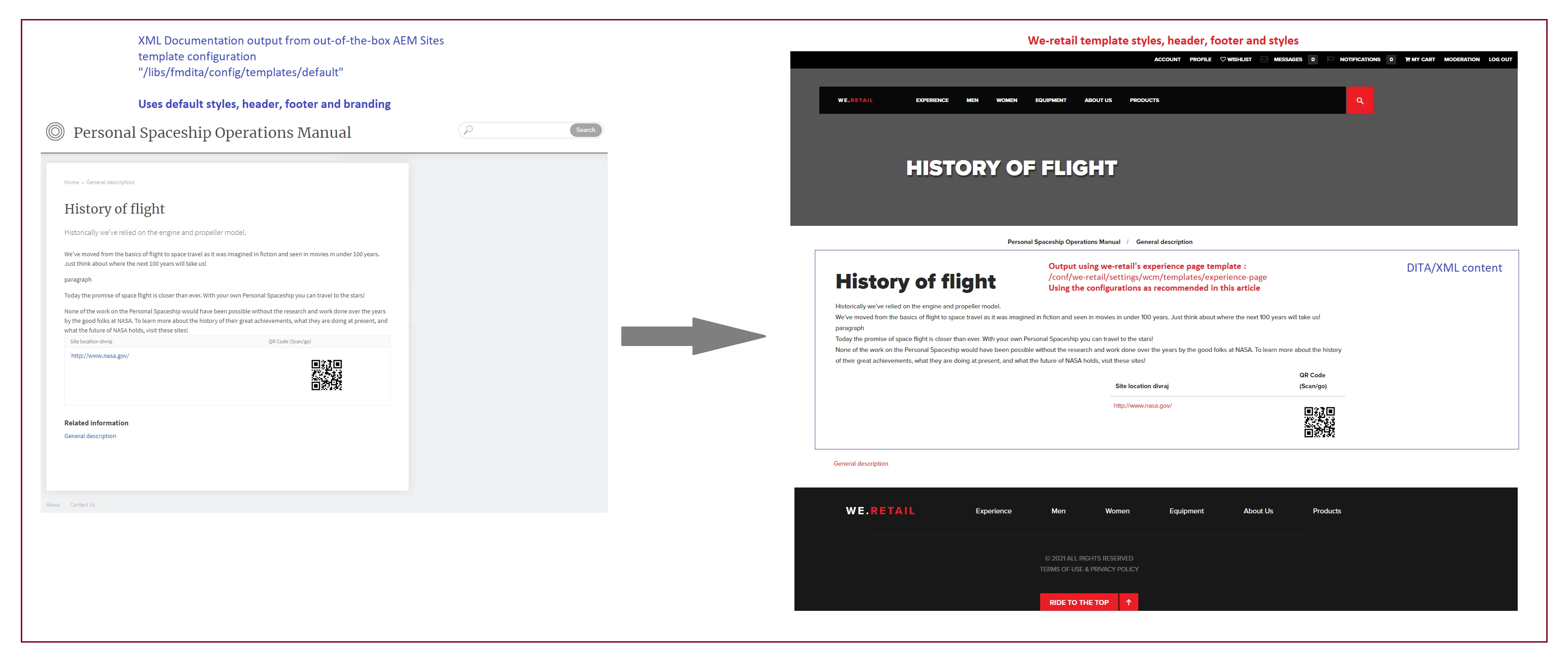
This article will give details on how you can make use of existing AEM Sites templates to publish DITA/XML content
Some understanding towards the solution
In this article:
- We will demonstrate use of we-retail template - an editable template (see additional resources for more details), so its assumed that your existing template is an editable template or you are aware of constructs of editable template
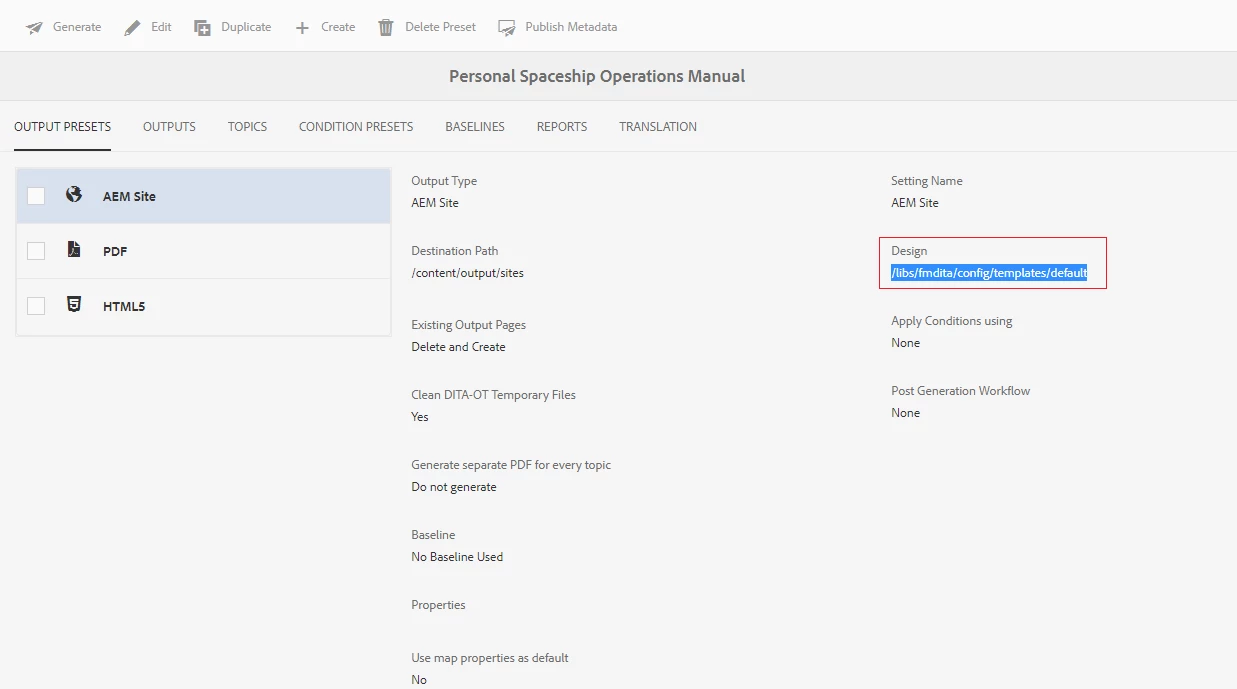
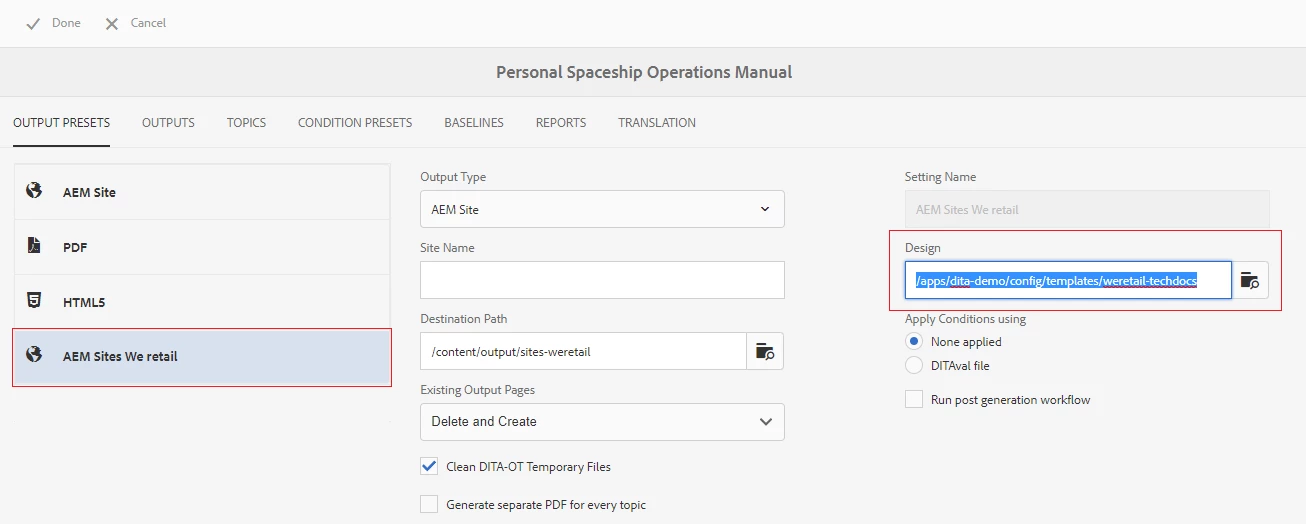
- We will also refer to the DITAMap dashboard which is a publishing interface for DITA content in XML Documentation, from where we will change the AEM Site template. Refer below screenshot, which shows the default configuration where it uses the out-of-the-box configuration "/libs/fmdita/config/template/default"
Steps to configure and use existing AEM Sites template for XML/DITA content output
Step 1: Create a template configuration that points to your existing template
Lets assume you created this at path "/apps/dita-demo/config/templates/weretail-techdocs". The configuration should have following properties:
- topicPageTemplate: the template that will be used by the DITA content on AEM Sites output. So this should point to the existing template which in our case will be "/conf/we-retail/settings/wcm/templates/experience-page"
- topicHeadNode: Specify the location of the node that will contain the head values (or metadata) derived from the DITA content. Path is relative to "topicPageTemplate"
- topicContentNode: Specify the location of the node that will contain the DITA content in a topic page. Path is relative to "topicPageTemplate"
The above properties are key drivers to adapt to the custom AEM sites template. The other properties shown in the screenshot below can be defined on need basis - those are also detailed out in section "Customize design template for generating output" of Installation and Configuration Guide of XML Documentation
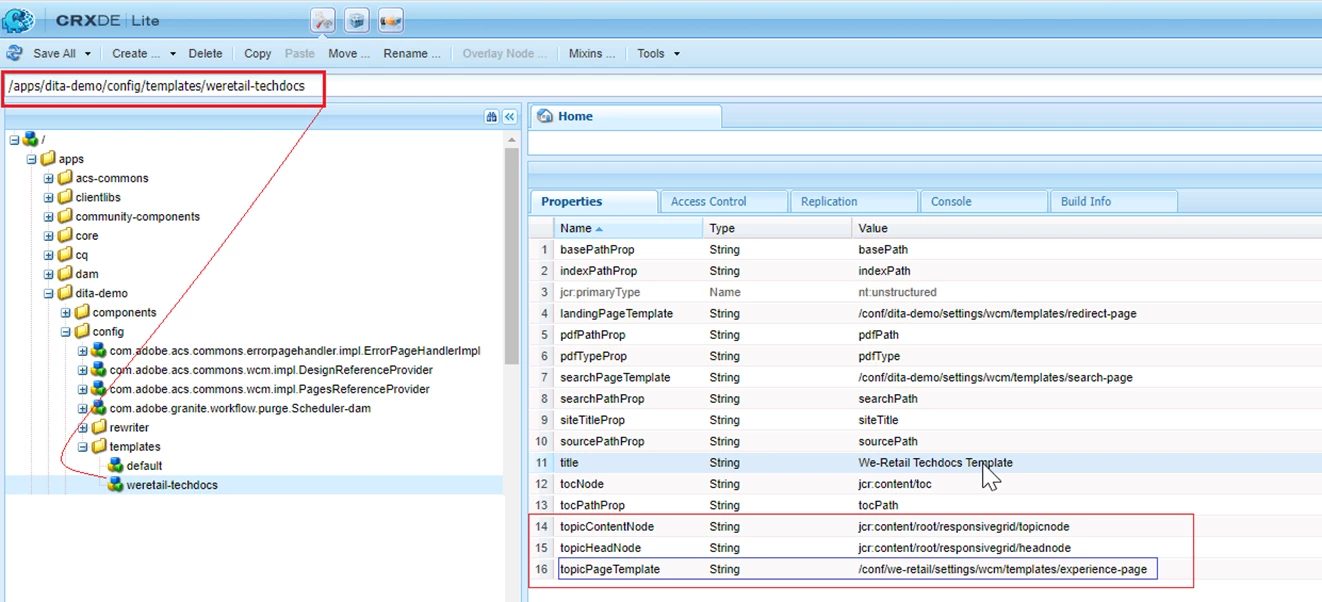
With above settings, you are not creating any new template but just creating a configuration that points to an existing AEM Sites template. This configuration is used by DITAMap to pubilsh the DITA content to AEM Sites output.
You can download above configuration using link provided in the "Sample Configuration" section at the bottom of this article
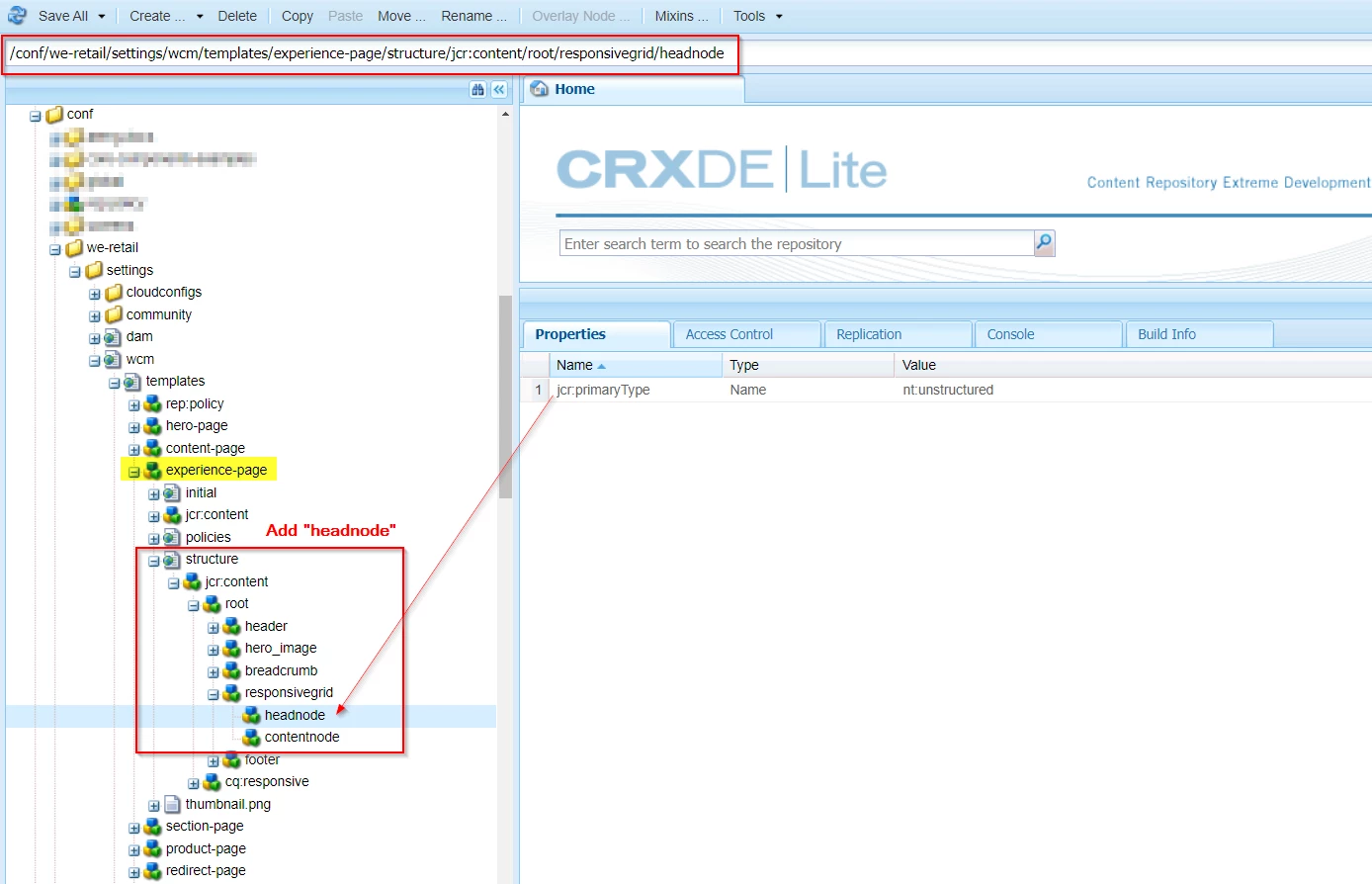
Step 2: Adapt the used template to add placeholder for "topicContentNode" and "topicHeadNode"
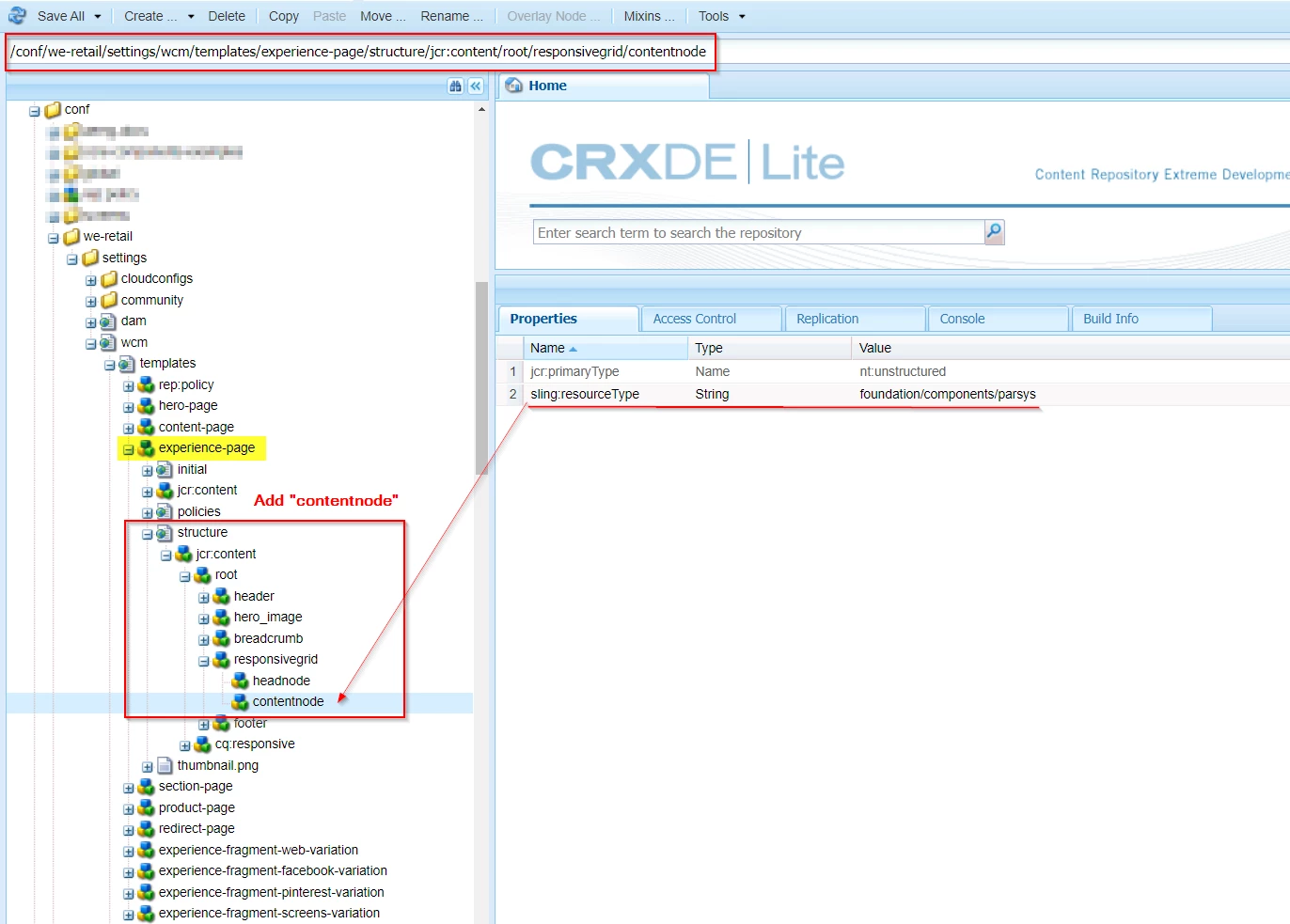
From Step 1, lets assume you used the existing template "/conf/we-retail/settings/wcm/templates/experience-page", so the structure of this template should contain the nodes needed by "topicContentNode" and "topicHeadNode".
- For "topicHeadNode" as per configuration there should be a node "jcr:content/root/responsivegrid/headnode" under the template "/conf/we-retail/settings/wcm/templates/experience-page"
- For "topicContentNode" as per configuration there should be a node "jcr:content/root/responsivegrid/contentnode" under the template "/conf/we-retail/settings/wcm/templates/experience-page"
Refer screenshot below for details:
|
|
|
Step 3: Point the DITAMap to the new configuration
With above 2 steps your template and configuration are set. Now you can use this template/configuration to publish a map to desired destination. For that:
- Open the DITAMap dashboard for the DITAMap, Edit/Create a preset (AEM Site) to point to new template configuration we created, refer screenshot below, where the "Design" field now points to the new configuration "/apps/dita-demo/config/templates/weretail-techdocs" that was just created:
- Save and generate the output to test, you should see an output like below
Sample Configuration
The configuration created in Step 1 can also be installed using the package which is available for download here
Additional Resources
Read more about Editable Templates
Similar Upcoming Articles
We will be publishing articles on:
- How to customize DITA/XML content components used in AEM Sites output
- Configuration options for nodes under AEM Sites output (nodes that are created by XML Documentation publisher)
These will be updated with links once the articles are ready.