Issue with propagation of custom metadata to different output formats | Adobe Higher Education
Skip to main content
Level 2
November 4, 2025
Respondido

Issue with propagation of custom metadata to different output formats

  • November 4, 2025
  • 2 respostas
  • 177 Visualizações

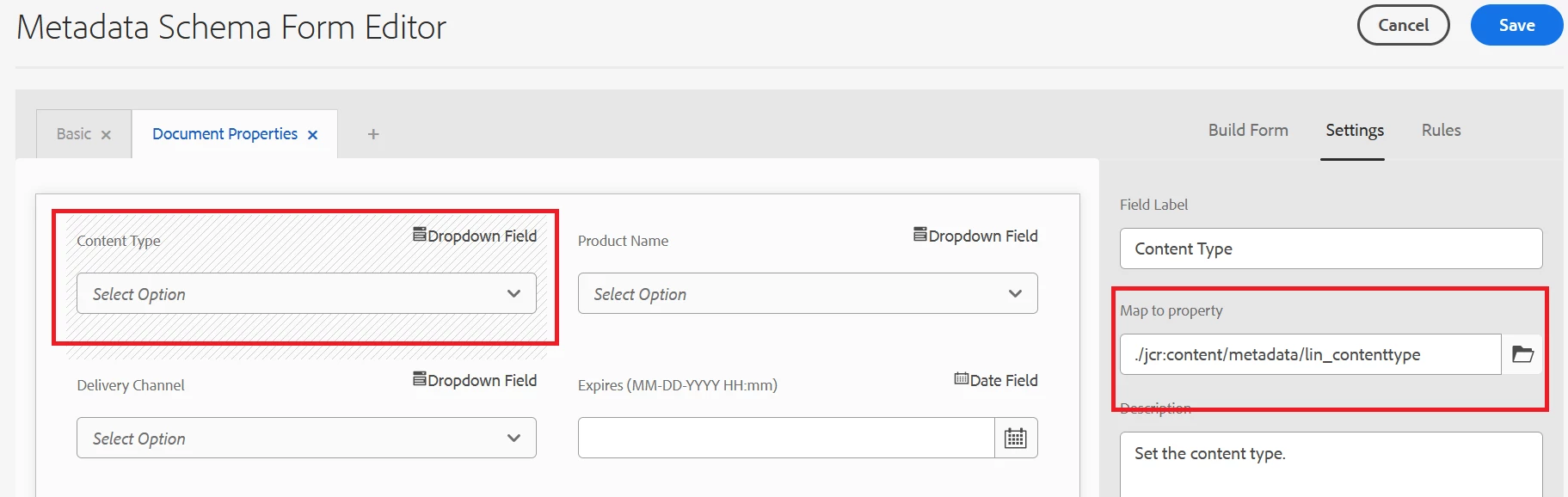
I have created a custom property and added it to the file properties (Metadata Schema Form Editor)
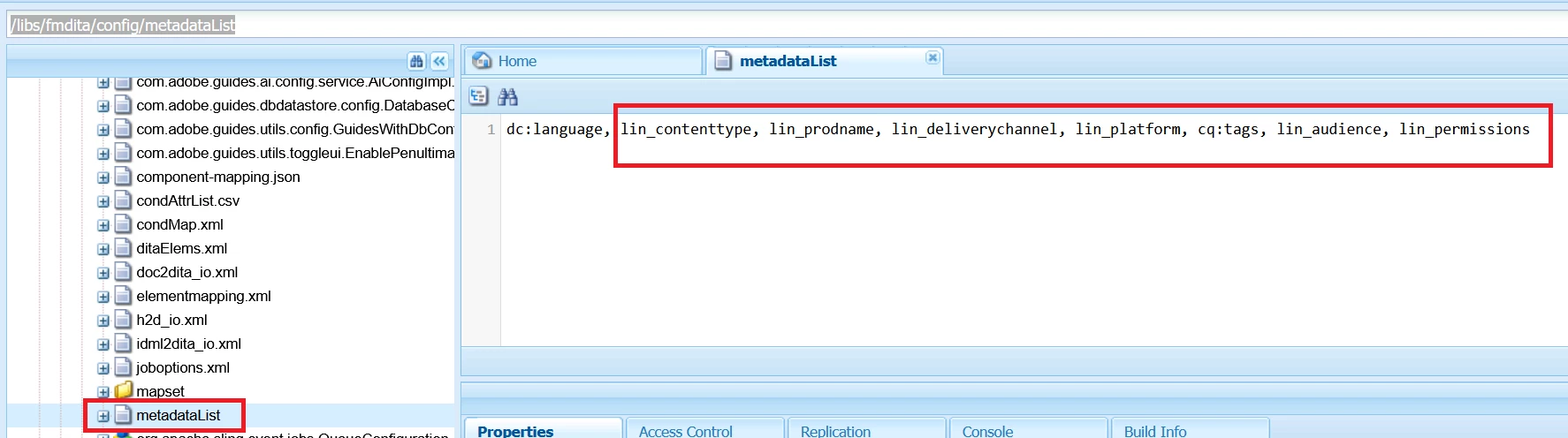
The custom property list was added to /libs/fmdita/config/metadataList
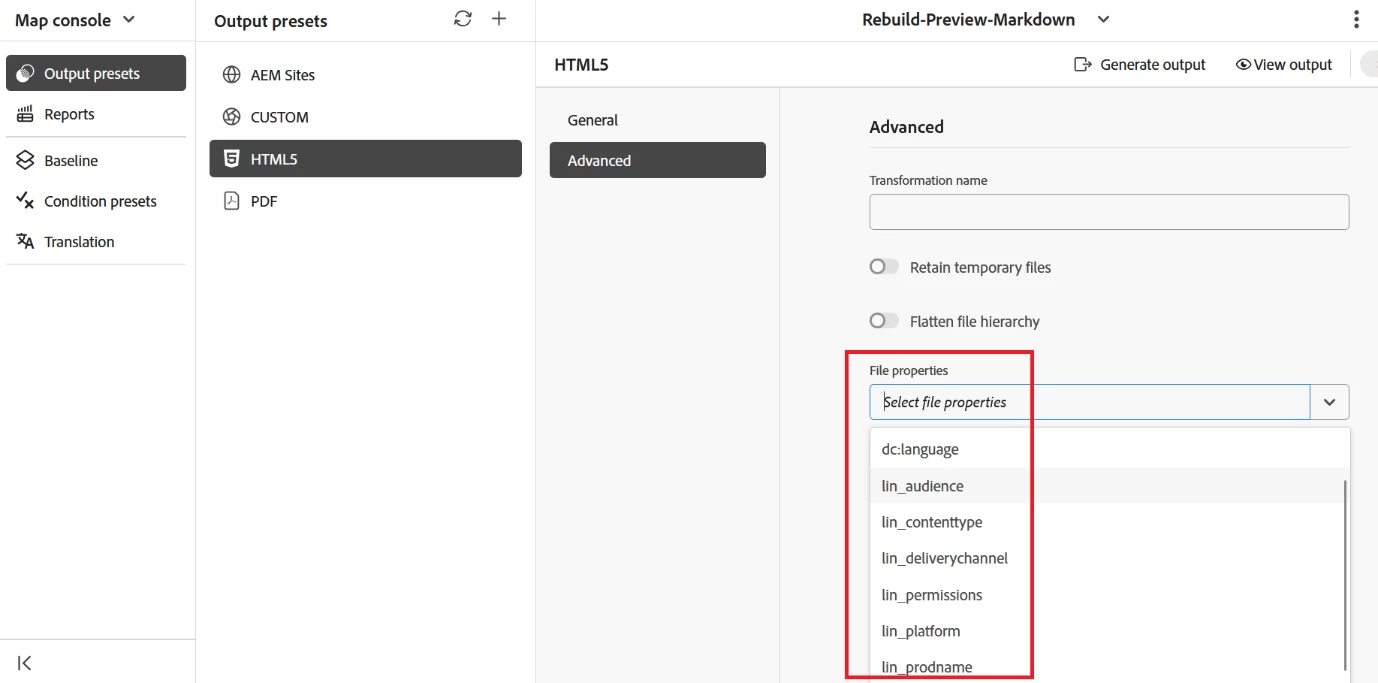
This made the list available in the Map Console > Advanced > File Properties dropdown.
I selected each of the property from the dropdown and generated an output.
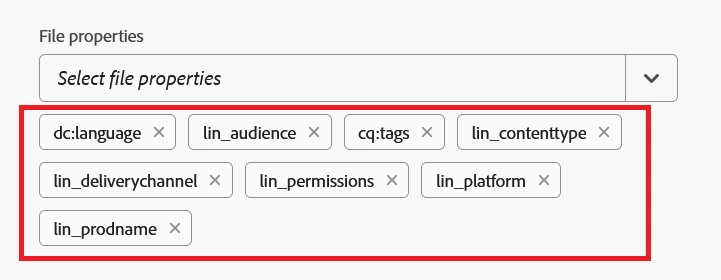
However, this selection does not seem to have any impact on the metadata that is available in the output. The list is simply not picked up!
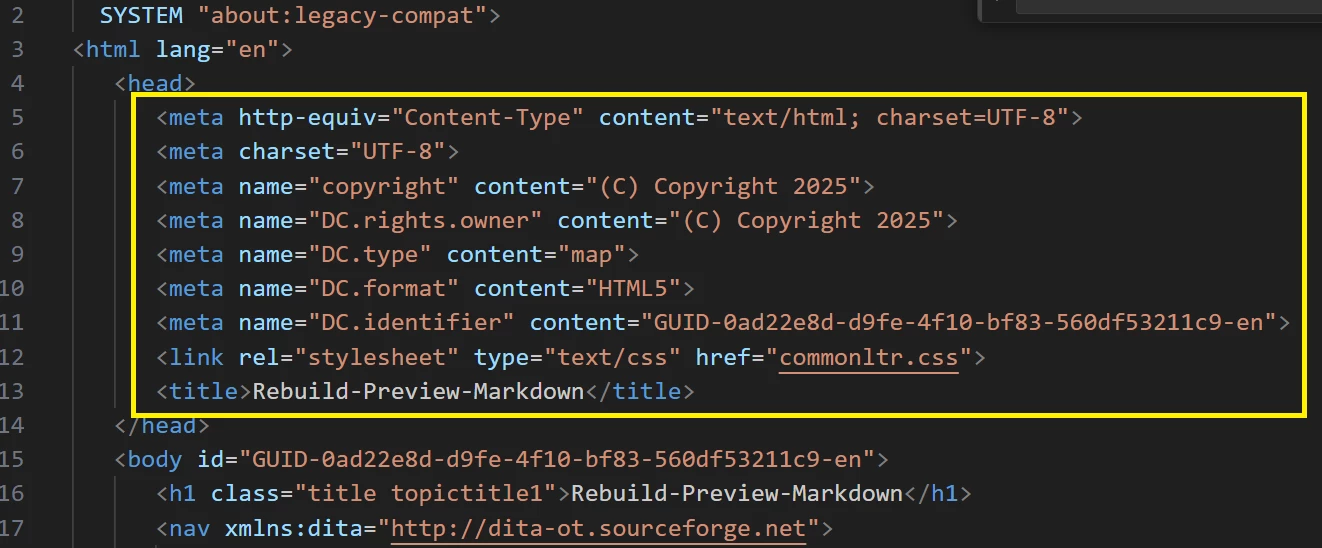
 

Can you help me understand the behaviour? And also, help me with the any configuration that needs to be set to get the custom metadata tags propagated to the output?

 

Melhor resposta por DivrajSingh

@aravindanand : the propagated metadata for AEM Sites should be available on the page's jcr:content

The templates' header jsp or sightly code has to read that custom metadata and render it as needed.


By default there are only few standard metadata fields that are added to the OOTB template header.

And if your question is more about HTML5 or other outputs, then the corresponding templates (DITA-OT or native PDF) have to read that metadata from metadata.xml (available at time of generation) and add the value to desired point in the output file

Also, as a side note: I hope you are creating a overlay of /libs/fmdita/config/metadataList and not updating the file under /libs

2 Respostas

Level 2
November 5, 2025

@divrajsingh  @lsteinbacher Can you please look into the issue and share your inputs?

DivrajSingh
Adobe Employee
DivrajSinghAdobe EmployeeResposta
Adobe Employee
November 5, 2025

@aravindanand : the propagated metadata for AEM Sites should be available on the page's jcr:content

The templates' header jsp or sightly code has to read that custom metadata and render it as needed.


By default there are only few standard metadata fields that are added to the OOTB template header.

And if your question is more about HTML5 or other outputs, then the corresponding templates (DITA-OT or native PDF) have to read that metadata from metadata.xml (available at time of generation) and add the value to desired point in the output file

Also, as a side note: I hope you are creating a overlay of /libs/fmdita/config/metadataList and not updating the file under /libs

Level 2
November 5, 2025

Yes @divrajsingh you are right, the jcr:content node does have the metadata details. Maybe it is the DITA-OT where the issue lies; the metadata.xml is not being read. Thanks for the pointer.