remove Form Data Model | Community
Skip to main content
ayecona
Level 5
July 26, 2019
Solved

remove Form Data Model

  • July 26, 2019
  • 15 replies
  • 6512 views

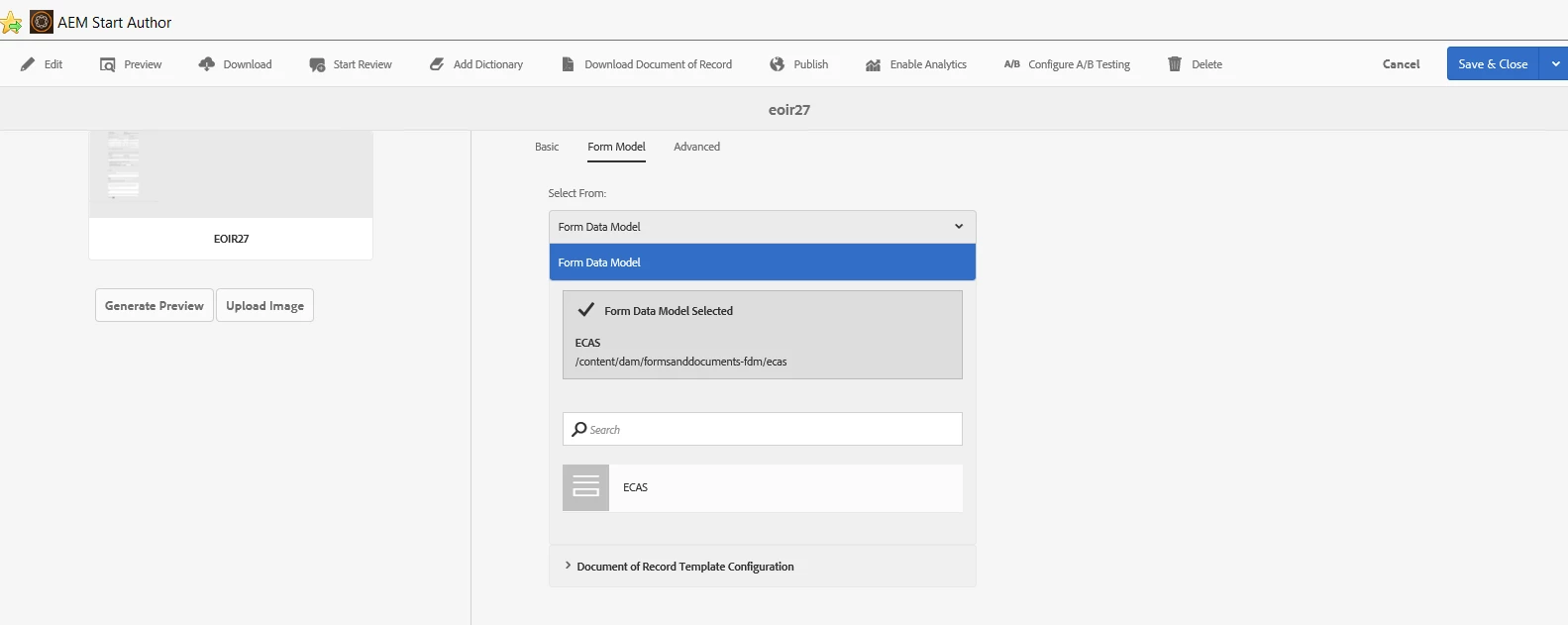
how do I remove the Form data model? once it is selected I cannot choose anything else to either remove it or replace it.
This post is no longer active and is closed to new replies. Need help? Start a new post to ask your question.
Best answer by workflowuser

why not just create new data sources

you cannot delete data sources from the UI and deleting from crx is not recommended

15 replies

Mayank_Gandhi
Adobe Employee
Adobe Employee
July 26, 2019

You do not have an option to delete the FDM from UI

Adobe Employee
July 26, 2019

Mayank_Gandhi
Adobe Employee
Adobe Employee
July 26, 2019

Even This will not delete the form data model mapped in the form properties. You can select a new one though.

ayecona
ayeconaAuthor
Level 5
July 26, 2019

the reason I want to do this is because this thread Unable to fetch test data  and I think something got messed up, I will try and create a new one and replace it. will let you know if it works

ayecona
ayeconaAuthor
Level 5
July 26, 2019

creating a new data source worked I am able to see my values in my forms again thank you