This post is no longer active and is closed to new replies. Need help? Start a new post to ask your question.
workflowuserAccepted solution
Adobe Employee
July 26, 2019

why not just create new data sources

you cannot delete data sources from the UI and deleting from crx is not recommended

15 replies

Mayank_Gandhi
Adobe Employee
Adobe Employee
July 26, 2019

From UI you cannot. You can do that from CRX DE.

Translate
ayecona
ayeconaAuthor
Level 5
July 26, 2019

Mayank Gandhi​ how do you do that?

Translate
Mayank_Gandhi
Adobe Employee
Adobe Employee
July 26, 2019

Translate
Mayank_Gandhi
Adobe Employee
Adobe Employee
July 26, 2019

Translate
Mayank_Gandhi
Adobe Employee
Adobe Employee
July 26, 2019

Translate
Mayank_Gandhi
Adobe Employee
Adobe Employee
July 26, 2019

These are for XSD schema removal so it will be slightly different as there will be form data model for you instead of XSD but the approach remains the same.

Translate
Adobe Employee
July 26, 2019

BTW these are not recommended

why not just delete the FDM and create a new one

Translate
Mayank_Gandhi
Adobe Employee
Adobe Employee
July 26, 2019

What if the FDM is associated with multiple forms and the respective FDM was selected in one form by mistake. Deleting the complete FDM would result in more efforts.

Translate
ayecona
ayeconaAuthor
Level 5
July 26, 2019

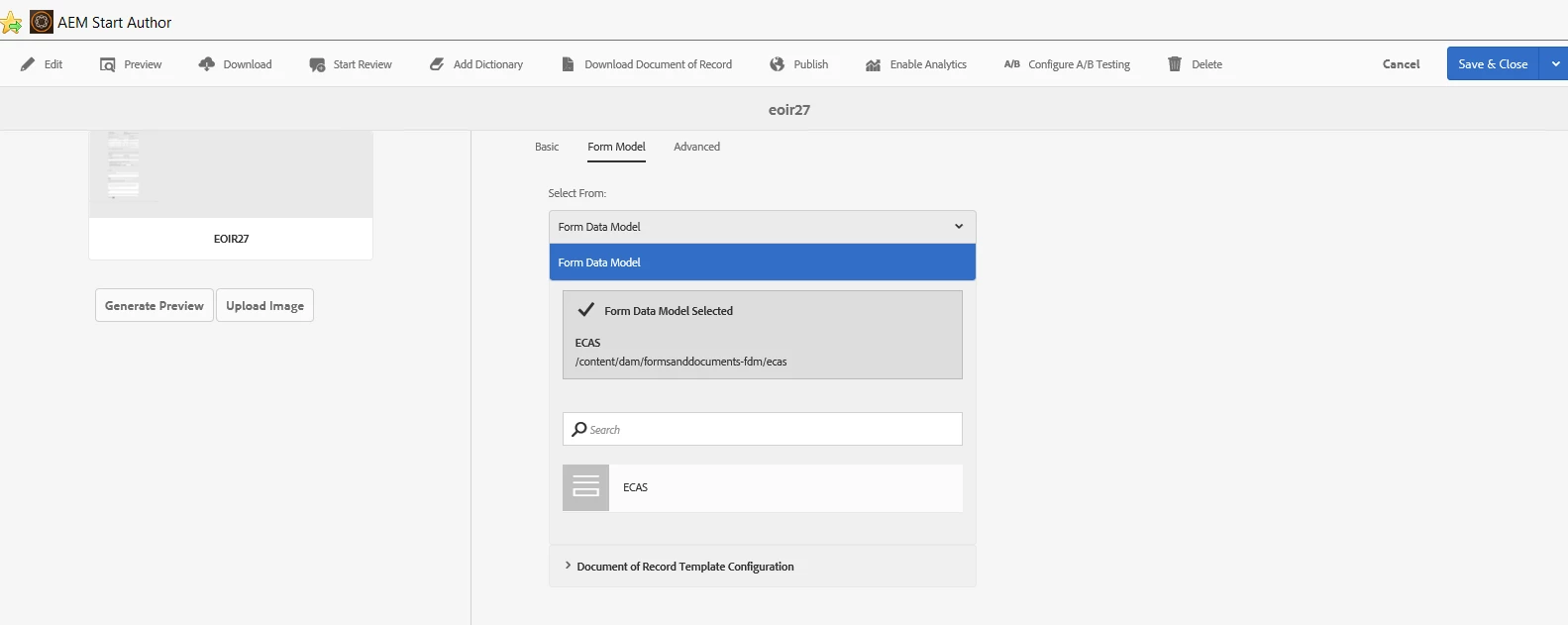
workflowuser​ do you mean this below?

will it then disappear from the forms as their data model?

Translate
workflowuserAdobe EmployeeAccepted solution
Adobe Employee
July 26, 2019

why not just create new data sources

you cannot delete data sources from the UI and deleting from crx is not recommended

Translate