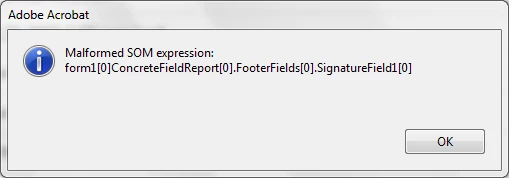
Malformed SOM expression: form1[0]ConcreteFieldReport[0].FooterFields[0].SignatureField1[0] | Adobe Higher Education
Skip to main content
Level 2
July 6, 2015
Question

Malformed SOM expression: form1[0]ConcreteFieldReport[0].FooterFields[0].SignatureField1[0]

!I have created several PDF Forms for our technicians at our company using LiveCycle Designer. For some reason, when our administrative personnel open some of the files, they get the error above.

This is critical for our business. Can someone please help?
Ce sujet a été fermé aux réponses.

9 commentaires

jasotastic81
Level 8
July 6, 2015

Is there a dot missing between the first index and Concrete?

form1[0].ConcreteFieldReport[0].FooterFields[0].SignatureField1[0]

Level 2
July 6, 2015

No, there is no dot missing

jasotastic81
Level 8
July 6, 2015

This is the only way I can get that error in Acrobat. Notice that I left the dot out of the string between form1[0] and ConcreteFieldReport[0].

Level 2
July 6, 2015

So what should I do to eliminate this problem?

radzmar
Level 10
July 6, 2015

Add the missing dot.


xfa.resolveNode("form1[0].ConcreteFieldReport[0].FooterFields[0].SignatureField1[0]").rawValue = "something";


Level 2
July 7, 2015

How do I add that dot?

jasotastic81
Level 8
July 7, 2015

You'll have to find the script that has the incorrect string and put it in.

Level 2
July 7, 2015

But how do I find the script?

jasotastic81
Level 8
July 7, 2015

Open the form in LC, select form1 in the hierarchy, open the script window if it isn't already open (Window > Script Editor), change the view to show "Events with Scripts", press CTRL+F to open the find box, and type the expression in the "Find What" field. You'll probably have to leave out the indexes, and you'll likely only need the first part of it.