How to setup a Correspondence Management in AEMaaCS | Community
Skip to main content
Level 5
April 1, 2025
Solved

How to setup a Correspondence Management in AEMaaCS

  • April 1, 2025
  • 2 replies
  • 896 views

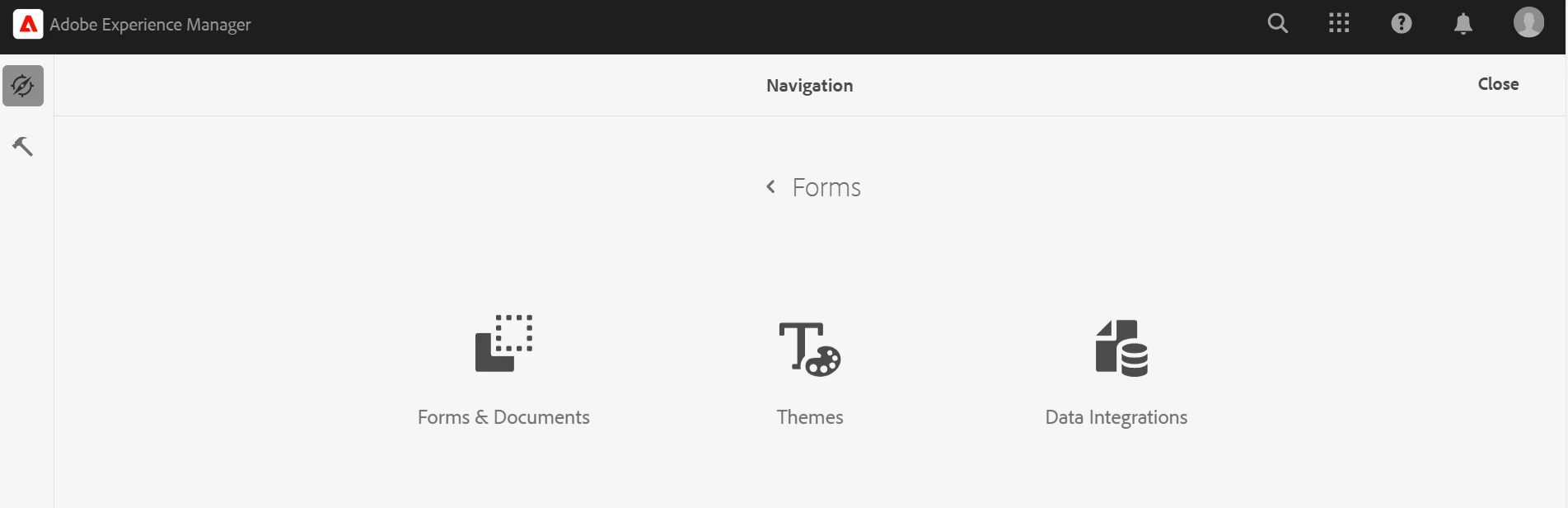
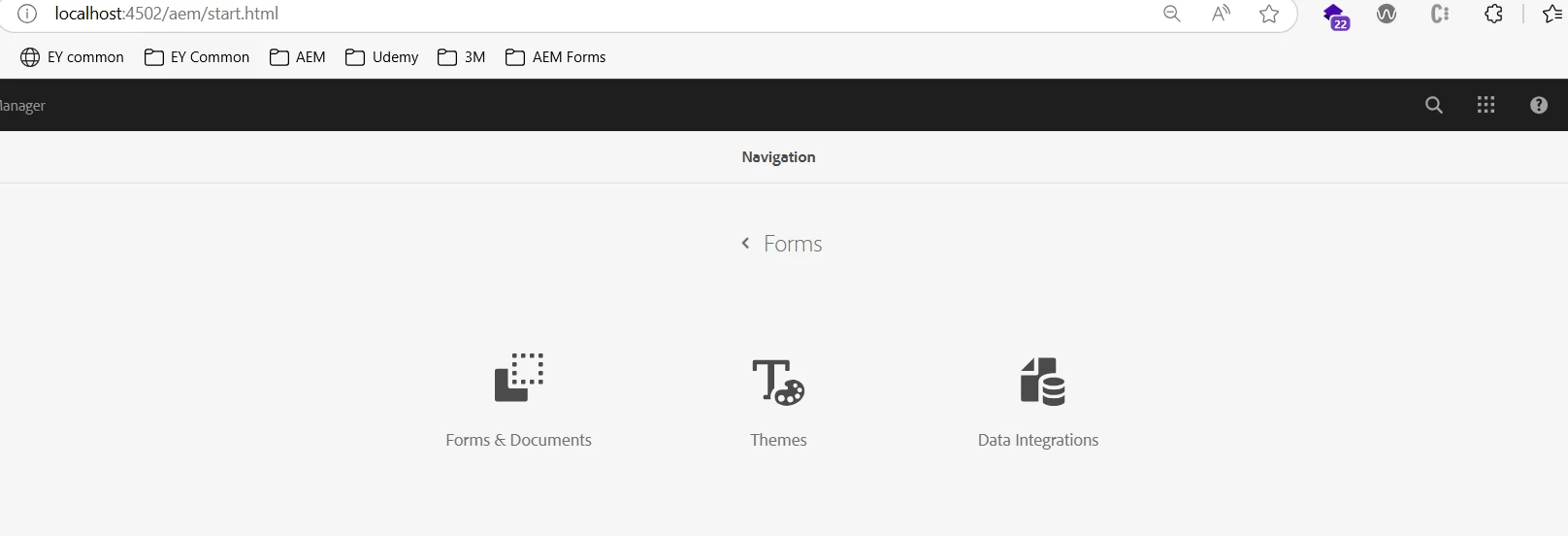
I have added the Forms-addon i can able to see only "Forms & Documents", Themes and Data Integration, 
Not getting Letters, Data Fragments or tiles related to Correspondence Management.

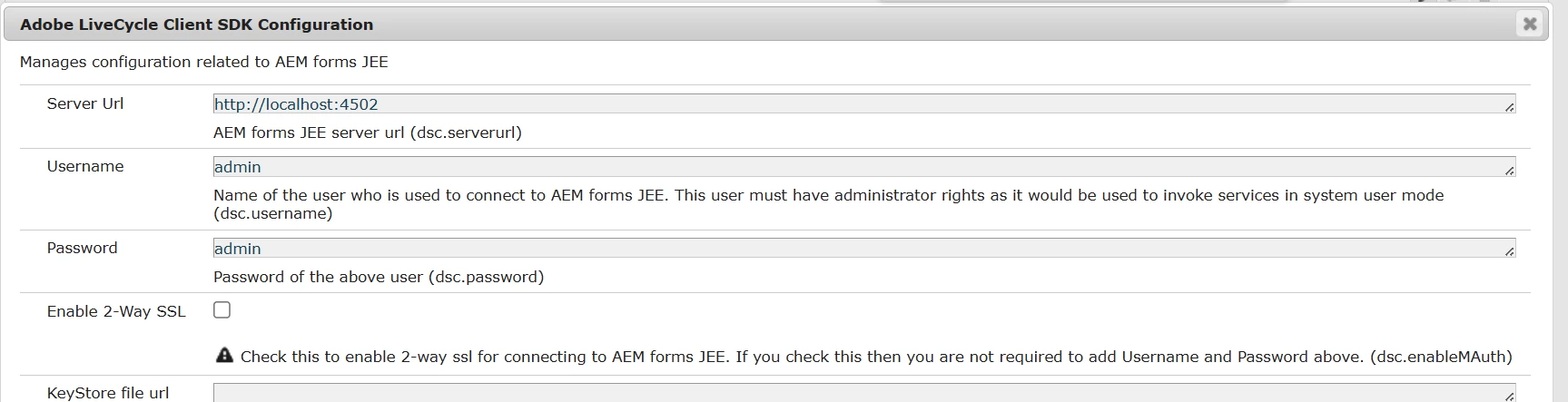
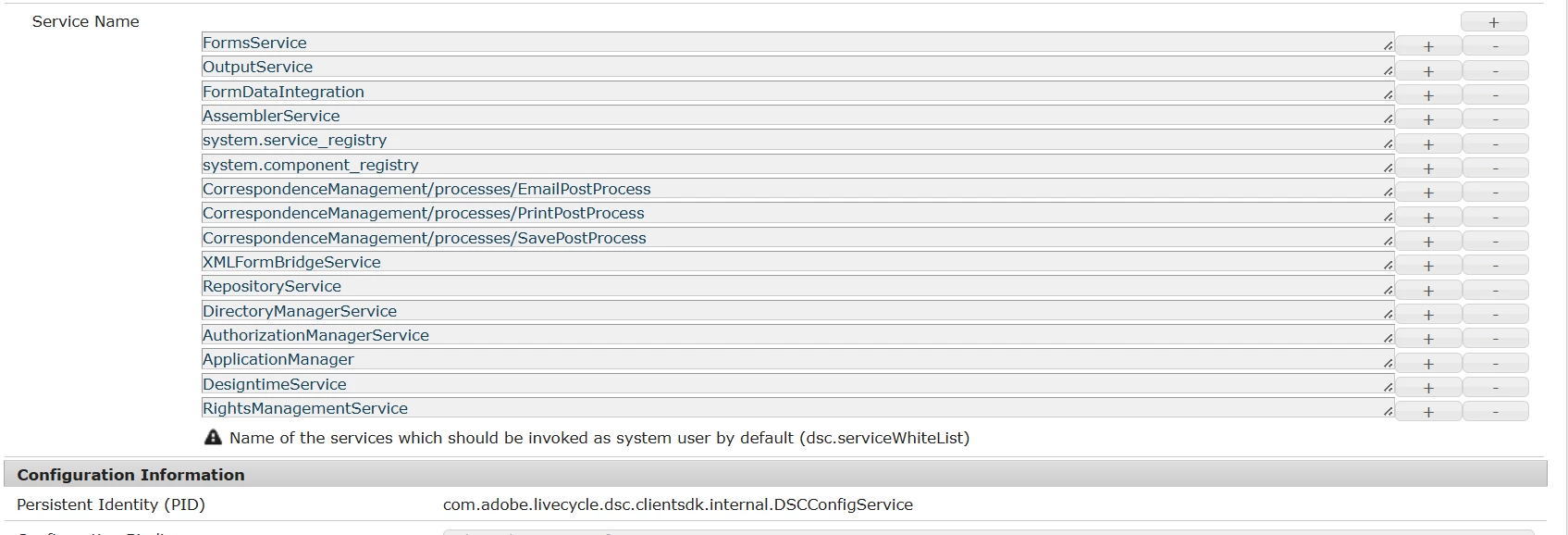
Enabled the "Adobe LiveCycle Client SDK Configuration" config as well.


Do i need to update/install anything more?

Thanks in advance.
Best answer by Pranay_M

Hi @pranay_m ,

I used the below command and deployed to local aem author still and restarted AEM instance, still not getting the Correspondence tools.

mvn -B org.apache.maven.plugins:maven-archetype-plugin:3.2.1:generate ^
-D archetypeGroupId=com.adobe.aem ^
-D archetypeArtifactId=aem-project-archetype ^
-D archetypeVersion=52 ^
-D appTitle="AEM Correspondence Management" ^
-D appId="acm" ^
-D groupId="com.adobe.aem.acm" ^
-D artifactId="aem-acm" ^
-D package="com.adobe.aem.acm" ^
-D version="0.0.1-SNAPSHOT" ^
-D aemVersion="cloud" ^
-D includeFormscommunications="y" ^
-D includeFormsenrollment="y"


Hi @aravinds,

Upon further evalution, I can confirm that Correspondence Management usecase is currently not supported in AEMFaaCS and will be soon available for other for clous versions.

Thanks
Pranay

2 replies

Adobe Employee
April 1, 2025

Hello @aravinds 


You might want to install the IC compatibility package depending upon the AEM Forms version you are using.

The latest one can be found here: 

If you are on any patch below SP22, check for the correct one at [0]

[0] https://experienceleague.adobe.com/en/docs/experience-manager-release-information/aem-release-updates/forms-updates/aem-forms-releases


Thanks,

Rahul Pandey

aravindSAuthor
Level 5
April 1, 2025

Hi @rahulpandey27 ,

Thank for your reply. As of now i'm using the below form version. Please suggest the package name / link.

AEM Forms add-on v2025.01.22.02-250300

Thanks.

Adobe Employee
April 1, 2025

Hi @aravinds,

To set up Correspondence Management in AEM Forms as a Cloud Service, follow these steps:

1. **Log in to Cloud Manager** and open your AEM Forms as a Cloud Service Instance.

2. **Open the Edit Program option** and go to the Solutions & Add-ons tab:
  - If you have a production environment, select **Forms - Communications** to enable Forms - Digital Enrollment and Forms - Communications Add-On.
  - If you have a sandbox environment, select **Forms** to enable Forms - Digital Enrollment and Forms - Communications Add-On.

3. **Click Update**.

4. **Run the build pipeline**. After the build pipeline succeeds, the selected solution is enabled for your environment.
https://experienceleague.adobe.com/en/docs/experience-manager-cloud-service/content/forms/using-communications/aem-forms-cloud-service-communications-introduction

aravindSAuthor
Level 5
April 2, 2025

Hi @pranay_m ,

Thanks for your reply, I have to do the setup in my local env AEMaaCS.


Thanks.

Adobe Employee
April 2, 2025

Hi @aravinds,

For enabling the setup on your environment, you will have to create a new Maven project using the latest archetype and make sure you select the "includeFormscommunications=y" option  for creating the project and deploy the changes to the AEM local SDK.

https://github.com/adobe/aem-project-archetype

Sample: mvn -B org.apache.maven.plugins:maven-archetype-plugin:3.2.1:generate -D archetypeGroupId=com.adobe.aem -D archetypeArtifactId=aem-project-archetype -D archetypeVersion=52 -D appTitle=myform -D appId=myform -D groupId=com.myform -D includeFormscommunications="y" includeFormsenrollment="y"

Thanks
Pranay