How to disable this (aemform.af.prefilldata) call during form load | Community
Skip to main content
Level 5
September 5, 2023

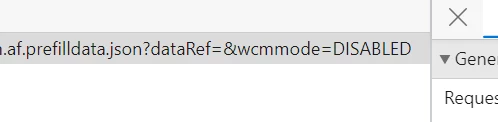
How to disable this (aemform.af.prefilldata) call during form load

  • September 5, 2023
  • 1 reply
  • 723 views

How to disable this (aemform.af.prefilldata) call during form load

Thanks in advance

I tried this as well
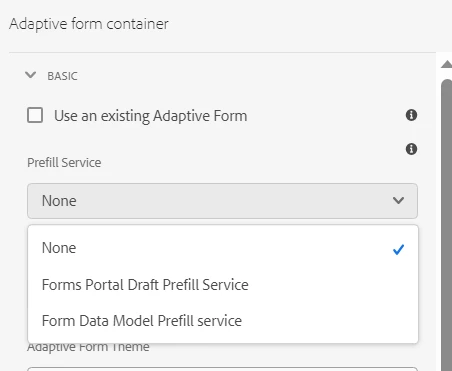
 

it is not saving, this field doesn't have value for None option.

This post is no longer active and is closed to new replies. Need help? Start a new post to ask your question.

1 reply

SivakumarKanoori
Community Advisor
Community Advisor
September 7, 2023

@aravinds 

1) Go to guide container component : fd/af/components/guideContainer

2)/libs/fd/af/components/guideContainer/cq:dialog/content/items/accordion/items/basic/items/prefill_service/datasource

3) dropdown is using the datasource : fd/af/components/commons/datasources/propertyprovider

3) GO TO fd/af/components/commons/datasources/propertyprovider -> in jsp file 


Check if there is any customization done in your code as there are some other options displayed. 

You can follow like , how other 2 oprions has the values same you can customize for the None if its not working.

} else if (PREFILL_SERVICE_PROVIDER.equals(type)) { jsonArrResponse = guidePropertyProviderUtils.queryPrefillServiceProviders(); for (int i = 0; i < jsonArrResponse.length(); i++) { JSONObject objectArr = jsonArrResponse.getJSONObject(i); if(StringUtils.isEmpty(objectArr.get("text").toString()) && StringUtils.isEmpty(objectArr.get("value").toString())){ objectArr.put("text", i18n.get("None")); } }


Thanks,Siva
aravindSAuthor
Level 5
September 8, 2023

Hi SivaKumar,

Above image is that jsp file.

And if you see that is a greyed out area, as per adobe this part of code is not suggestable to change.
