How to create XDP based on adaptive form | Community
Skip to main content
Level 2
October 17, 2022
Solved

How to create XDP based on adaptive form

  • October 17, 2022
  • 1 reply
  • 711 views

I am aware that XDP can be used in the adaptive form as a data model but I need to create xdp which listens to the adaptive form data.

This post is no longer active and is closed to new replies. Need help? Start a new post to ask your question.
Best answer by Mayank_Gandhi

@formuser1 What I assume is you want to bind the form data to xdp. Then you need to do three things:


1. Fill out the Adaptive form and extract the data using GuideBridge API

guideBridge.getDataXML({
success : function (guideResultObject) {
console.log("xml data received" + guideResultObject.data);
}});

2. Use the XML obtained to convert it to XSD, you can do it manually or using the online tool but be cautious about the repeatable elements.

https://www.liquid-technologies.com/online-xml-to-xsd-converter

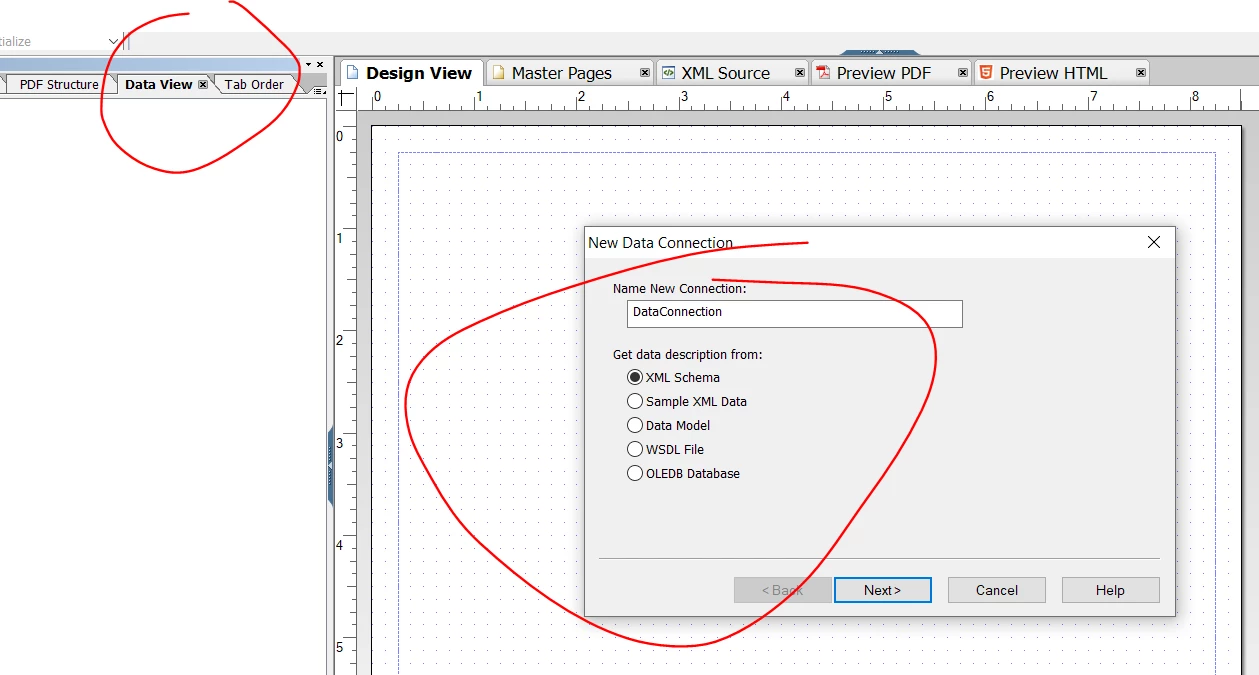
3. Use the XSD from (2) in the designer and bind the XDP to the schema elements using data view tab.


1 reply

Mayank_Gandhi
Adobe Employee
Mayank_GandhiAdobe EmployeeAccepted solution
Adobe Employee
October 17, 2022

@formuser1 What I assume is you want to bind the form data to xdp. Then you need to do three things:


1. Fill out the Adaptive form and extract the data using GuideBridge API

guideBridge.getDataXML({
success : function (guideResultObject) {
console.log("xml data received" + guideResultObject.data);
}});

2. Use the XML obtained to convert it to XSD, you can do it manually or using the online tool but be cautious about the repeatable elements.

https://www.liquid-technologies.com/online-xml-to-xsd-converter

3. Use the XSD from (2) in the designer and bind the XDP to the schema elements using data view tab.


formuser1Author
Level 2
October 17, 2022

@mayank_gandhi thanks this is helpful.