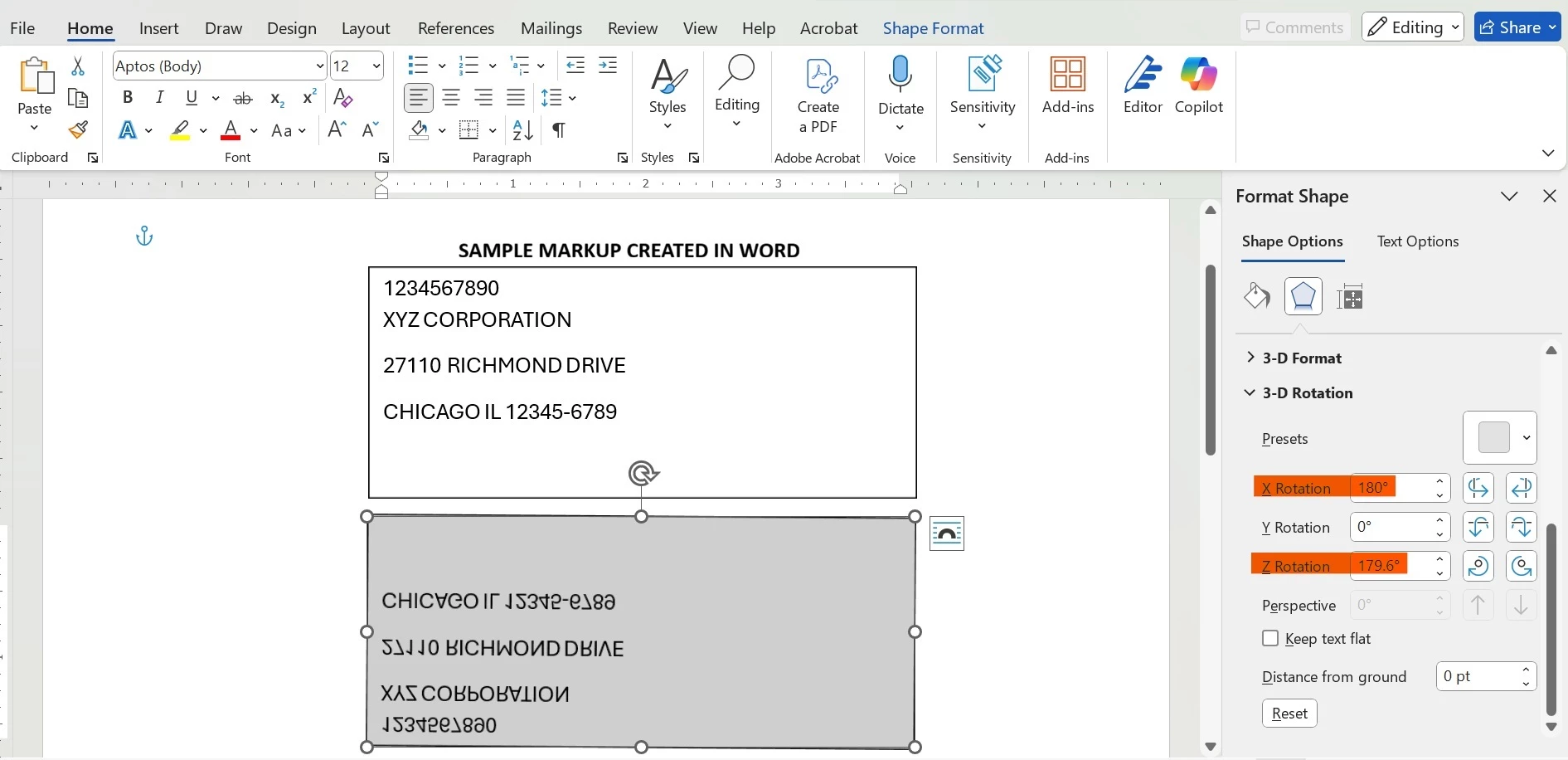
Hi @nireshmatheswaran,
After reviewing the use case, we would like to clarify that AEM LiveCycle Designer (XFA-based forms) does not support axis-based text mirroring or flipping (X-axis or Z-axis) at the individual field level.
Key Details
-
LiveCycle Designer supports only 2D rotation of objects using the rotate property.
-
This rotation is limited to in-plane (Z-plane) rotation and does not include:
-
X-axis flip (vertical mirroring)
-
Z-axis flip (horizontal mirroring)
-
Any form of 3D text transformation
-
There is no OOTB option, hidden configuration, or supported XFA property to achieve this behavior.
Scripting Limitations
-
FormCalc and JavaScript in XFA can control layout, visibility, formatting, and 2D rotation only.
-
Scripts cannot apply transformation matrices or mirroring effects to text fields.
XFA Platform Limitation
This is a known and longstanding limitation of the XFA rendering model. XFA does not support 3D transforms or affine transformations required for text mirroring, unlike applications such as Microsoft Word or native PDF graphics engines.
Possible Workarounds (Outside XFA Scope)
While not supported within Designer itself, the following approaches may be considered depending on the use case:
-
PDF Post-Processing (Not XFA-native)
-
Render the form to PDF using Output Service
-
Apply mirroring using a PDF-level tool or library (e.g., Acrobat Preflight, iText, PDFBox)
-
Note: This may impact interactivity, tagging, and accessibility
-
Static Background Artwork
-
Pre-create mirrored/static text as vector artwork or background PDF
-
Suitable only for non-dynamic, non-editable content
Recommendation
If field-level mirrored text is a strict requirement for dynamic content, this functionality cannot be achieved within LiveCycle Designer in a supported manner. In such cases, redesigning the form layout or handling the transformation during PDF post-processing would be the recommended approach.
Thanks
Pranay