Efficient Approach to Reset Multiple Objects in Adobe Designer Based on Dropdown Selection | Community
Skip to main content
Level 3
December 6, 2023
Solved

Efficient Approach to Reset Multiple Objects in Adobe Designer Based on Dropdown Selection

  • December 6, 2023
  • 3 replies
  • 1852 views

Hello,


I am currently working on designing a PDF form using Adobe Designer, where I have implemented a dropdown menu. Upon selecting an option from this dropdown, certain objects appear, allowing users to input information.


Screenshot from a demo form (after selecting value from the dropdown)
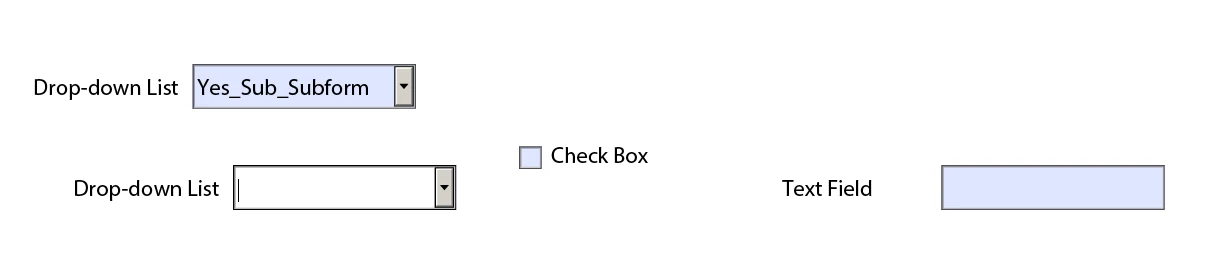
 

After giving input
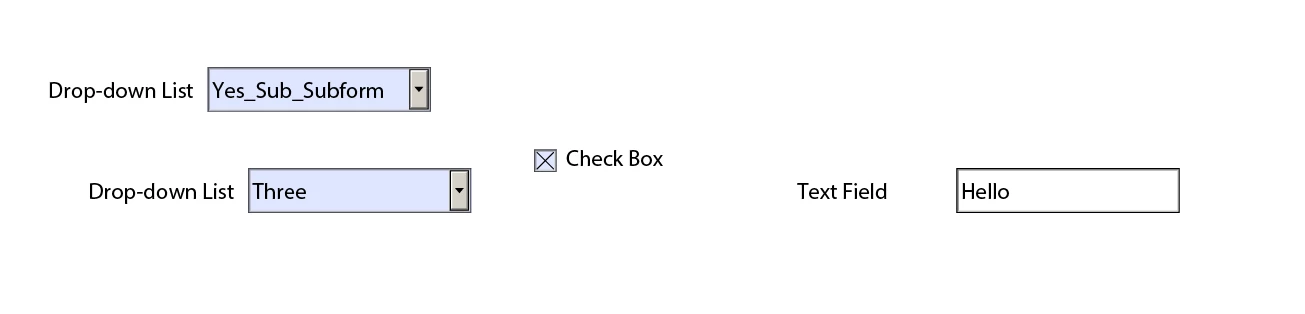
 

Now, if I select "No" from the dropdown menu all of these objects will be hidden. Again if I select the "Yes" option from dropdown then all objects will be pop up again with the value I gave previously. 


Is their any efficient way to reset data for all object those appear based on "Yes" (and I provided data) while I will select "No"? I know I can use "rawValue" properties individually to reset them but this is a not very practical for my actual form which contains a lot of objects.


Thank you

This post is no longer active and is closed to new replies. Need help? Start a new post to ask your question.
Best answer by koolForms

I would wrap all fields that you want to reset in a subform.

Using the resetData() put the full path to the subform in the (). Ex. xfa.resetData("xfa.form.form1.Page1.sfResetFields"); That will do it for all fields in the subform.

You can also control the access to all the fields by setting the subform access = "protected". Ex. xfa.form.form1.Page1.sfResetFields.access = "protected";

When you want the user to be able to access all the fields in the subform just call the .access and set it = "open" instead of "protected".

3 replies

Vijay_Katoch
Community Advisor
Community Advisor
December 7, 2023

resetData will reset all the form fields. 

To reset data for a few fields in the form, you can create an array of fields and then pass that array to a function and set data to null for each field by traversing the array.

This will help you write less code.

Level 3
December 7, 2023

@vijay_katoch thanks, that works.

koolFormsAccepted solution
Level 3
December 7, 2023

I would wrap all fields that you want to reset in a subform.

Using the resetData() put the full path to the subform in the (). Ex. xfa.resetData("xfa.form.form1.Page1.sfResetFields"); That will do it for all fields in the subform.

You can also control the access to all the fields by setting the subform access = "protected". Ex. xfa.form.form1.Page1.sfResetFields.access = "protected";

When you want the user to be able to access all the fields in the subform just call the .access and set it = "open" instead of "protected".

Level 3
December 8, 2023

@koolforms thanks, I really wanted something like this. Thanks again.


Well, I can reset using the reset function. However, can we pass a subform inside the remerge function too? 

Actually, after reset I also need to remerge the subform. I am trying to use the


xfa.form.remerge("subform_address");


but getting


Incorrect number of parameters calling method 'remerge' error


I know, we can't pass string inside of remerge function.


Any ideas are appreciated. 

Level 3
December 8, 2023

What are you wanting to accomplish by remerging?

kautuk_sahni
Community Manager
Community Manager
December 11, 2023

@0experience Did you find the suggestions from users helpful? Please let us know if more information is required. Otherwise, please mark the answer as correct for posterity. If you have found out solution yourself, please share it with the community.

Kautuk Sahni
Level 3
December 11, 2023

@kautuk_sahni I don't see any options to accept answer (I am not sure, maybe it is because the question has been posted in the Discussion group).

kautuk_sahni
Community Manager
Community Manager
December 12, 2023

@0experience I have moved this to the question group. You can mark the Question correct now. Please do the needful. Thank you for your proactiveness. 

Kautuk Sahni