Core Form Container CQ Dialog Action Types Datasource | Community
Skip to main content
Level 2
June 6, 2022
Solved

Core Form Container CQ Dialog Action Types Datasource

  • June 6, 2022
  • 2 replies
  • 626 views

We are trying to hide or remove Store Content option from Action Type dropdown of Core Form Container Component and hide error message dialog field.
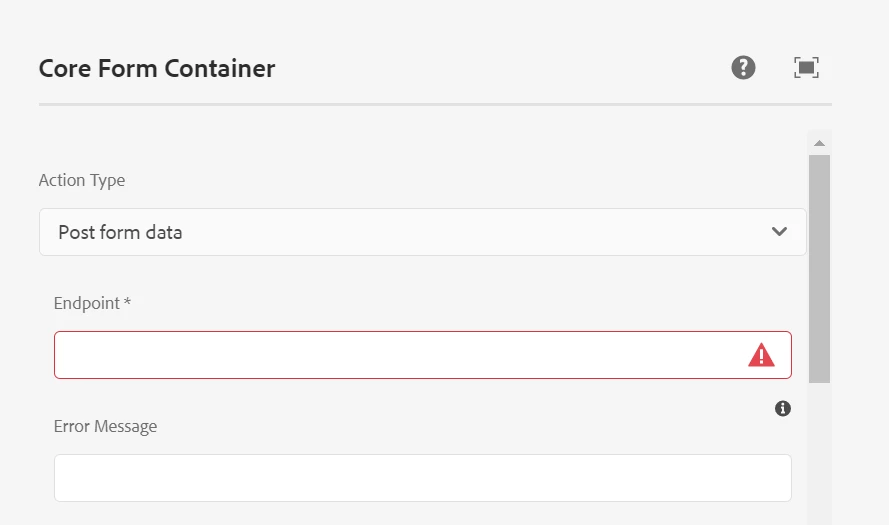
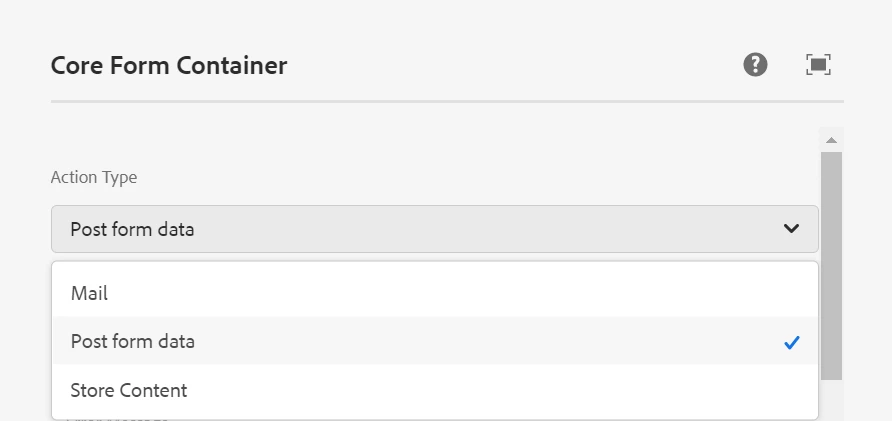


To achieve this, first we were trying to understand how this dropdown & error message filed is coming in Dialog Content. But we are not able to get the datasource as shown in the attached image. 
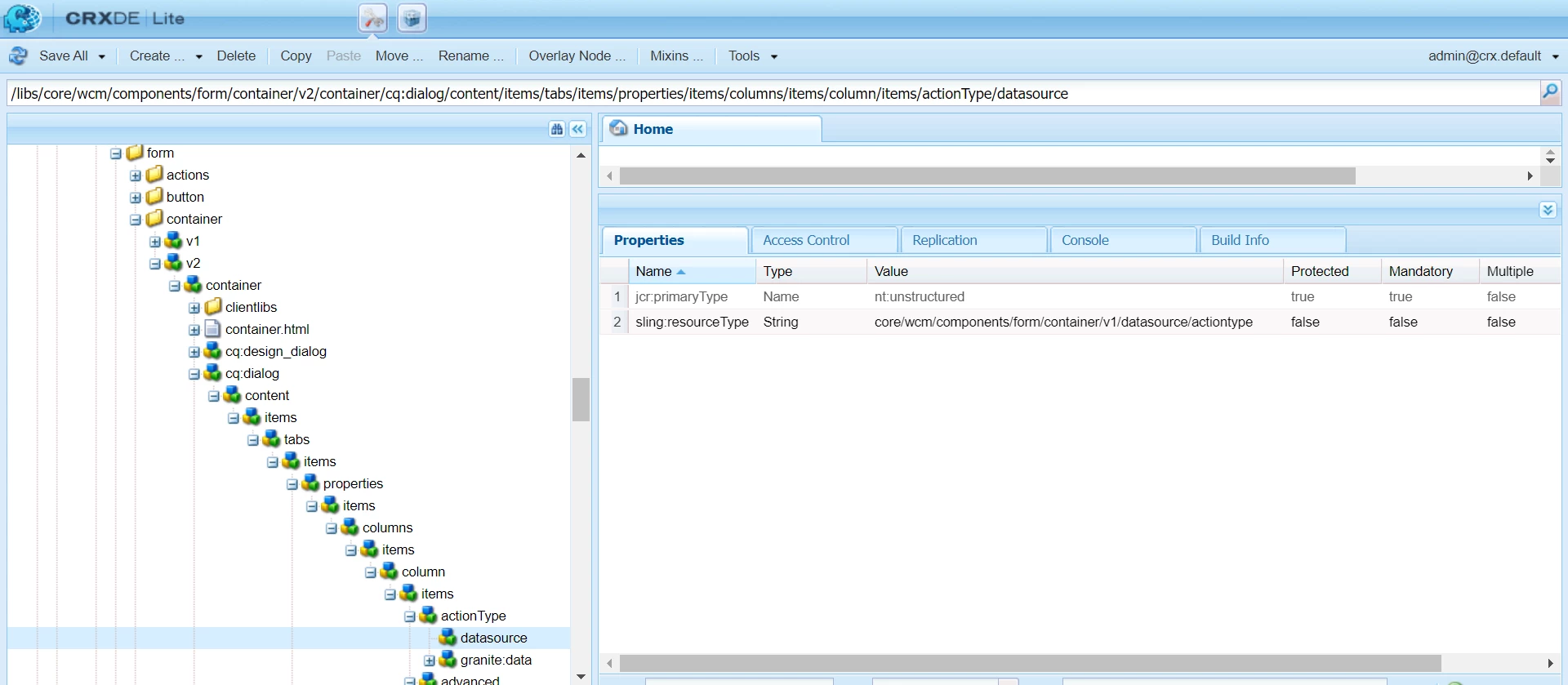


Please let me know if we are missing something.

This post is no longer active and is closed to new replies. Need help? Start a new post to ask your question.
Best answer by Pulkit_Jain_

@s_k_agarwal 

Adaptive Form container is different from Core Form Container so suggest you post your query here - https://experienceleaguecommunities.adobe.com/t5/adobe-experience-manager/ct-p/adobe-experience-manager-community for expert advice.

You can refer to this thread for more insights- https://experienceleaguecommunities.adobe.com/t5/adobe-experience-manager/customaction-type-in-aem-core-form-container-component/m-p/295215 


2 replies

Pulkit_Jain_
Adobe Employee
Pulkit_Jain_Adobe EmployeeAccepted solution
Adobe Employee
June 7, 2022

@s_k_agarwal 

Adaptive Form container is different from Core Form Container so suggest you post your query here - https://experienceleaguecommunities.adobe.com/t5/adobe-experience-manager/ct-p/adobe-experience-manager-community for expert advice.

You can refer to this thread for more insights- https://experienceleaguecommunities.adobe.com/t5/adobe-experience-manager/customaction-type-in-aem-core-form-container-component/m-p/295215 


Mayank_Gandhi
Adobe Employee
Adobe Employee
June 7, 2022

@s_k_agarwal Check this path for the actions : /libs/foundation/components/form/actions