Child element for a field in a touch ui dialog? | Community
Skip to main content
Adobeaspirant
Level 3
November 19, 2018
Solved

Child element for a field in a touch ui dialog?
  • November 19, 2018
  • 1 reply
  • 1458 views

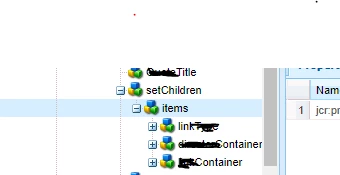
I am trying to set "Set children" node a child node for "Title". I will be reusing the link type, director and link container at different places and everywhere i am trying to use them as child elements. Please suggest the best way to do that?

<Title

        jcr:primaryType="nt:unstructured"

        sling:resourceType="granite/ui/components/foundation/form/textfield"

         fieldDescription="Add title here."

         fieldLabel=" Title"

         name="./Title" />

        <setChildren

                <items jcr:primaryType="nt:unstructured">

                  <linkType

                           jcr:primaryType="nt:unstructured"

                           sling:resourceType="granite/ui/components/foundation/include"

                           path="/****/linkType"/>

                 <Container

                      jcr:primaryType="nt:unstructured"

                      sling:resourceType="granite/ui/components/foundation/include"

                      path="/****//directorContainer"/>

                  <Container

                      jcr:primaryType="nt:unstructured"

                      sling:resourceType="granite/ui/components/foundation/include"

                      path="/****//linkContainer"/>

                  </items>

</setChildren>

This post is no longer active and is closed to new replies. Need help? Start a new post to ask your question.
Best answer by smacdonald2008

To use a resource type defined somewhere in the AEM JCR in a touch Ui component dialog  - you can use Include — Granite UI 1.0 documentation

Looks like you are doing this. This is the way to use this granite type.

1 reply

smacdonald2008
smacdonald2008Accepted solution
Level 10
November 19, 2018

To use a resource type defined somewhere in the AEM JCR in a touch Ui component dialog  - you can use Include — Granite UI 1.0 documentation

Looks like you are doing this. This is the way to use this granite type.