


Unlocking Content Hub Extensibility
AEM Assets Content Hub serves as a centralised distribution hub for brand assets across marketing teams, agencies, and partners. It delivers fast search, curated collections, and governed asset delivery at scale.
This blog explores how Content Hub’s extensibility model, powered by Adobe App Builder, enables organisations to embed custom workflows directly into the asset distribution experience. We’ll outline the business challenges and explain how extensibility works.
Business Problem: Last-Mile Workflows in Content Hub
For many organisations, Content Hub has become the go‑to portal for accessing brand assets across internal teams and external partners. While it excels at asset discovery and delivery, the “last mile” of work often happens outside the platform.
Once an asset is found or downloaded, critical follow-up actions typically occur in disconnected systems, such as:
-
Task and ticket creation in project management or IT systems
-
Approvals in separate review tools
-
Rights and usage validation in legal or licensing platforms
-
Downstream actions like Send to Print or triggering fulfillments
As a result, users frequently switch between Content Hub and multiple applications to complete what should be a single, cohesive workflow.
Extensibility closes this gap by allowing these actions to be brought directly into Content Hub—enabling business users to complete end-to-end workflows in the same interface where they already work.
Why This Matters
Disconnected workflows are more than minor inconveniences—they have a direct and measurable impact on marketing efficiency and brand governance.
Key business impacts:
-
Reduced productivity
Users spend valuable time switching between Content Hub, email, project management tools, to complete what should be a single, streamlined workflow.
-
Higher risk of manual errors
Copying and pasting asset IDs, URLs, and specifications across systems increases the likelihood of mistakes.
-
User frustration and inconsistent adoption
When simple tasks feel complex, users create workarounds—skipping approvals, using outdated or unapproved assets, or bypassing Content Hub entirely. This undermines governance and reduces the overall value of your DAM investment.
Where Extensions Appear in Content Hub
Content Hub extensibility is delivered through a single unified extension point, with multiple surfaces you can extend from the same App Builder app:
-
Asset detail panels — add a custom tab to the asset details view, alongside the OOTB capabilities of Content Hub. Ideal for contextual, single-asset workflows (for example, the Extend Expiry panel below).
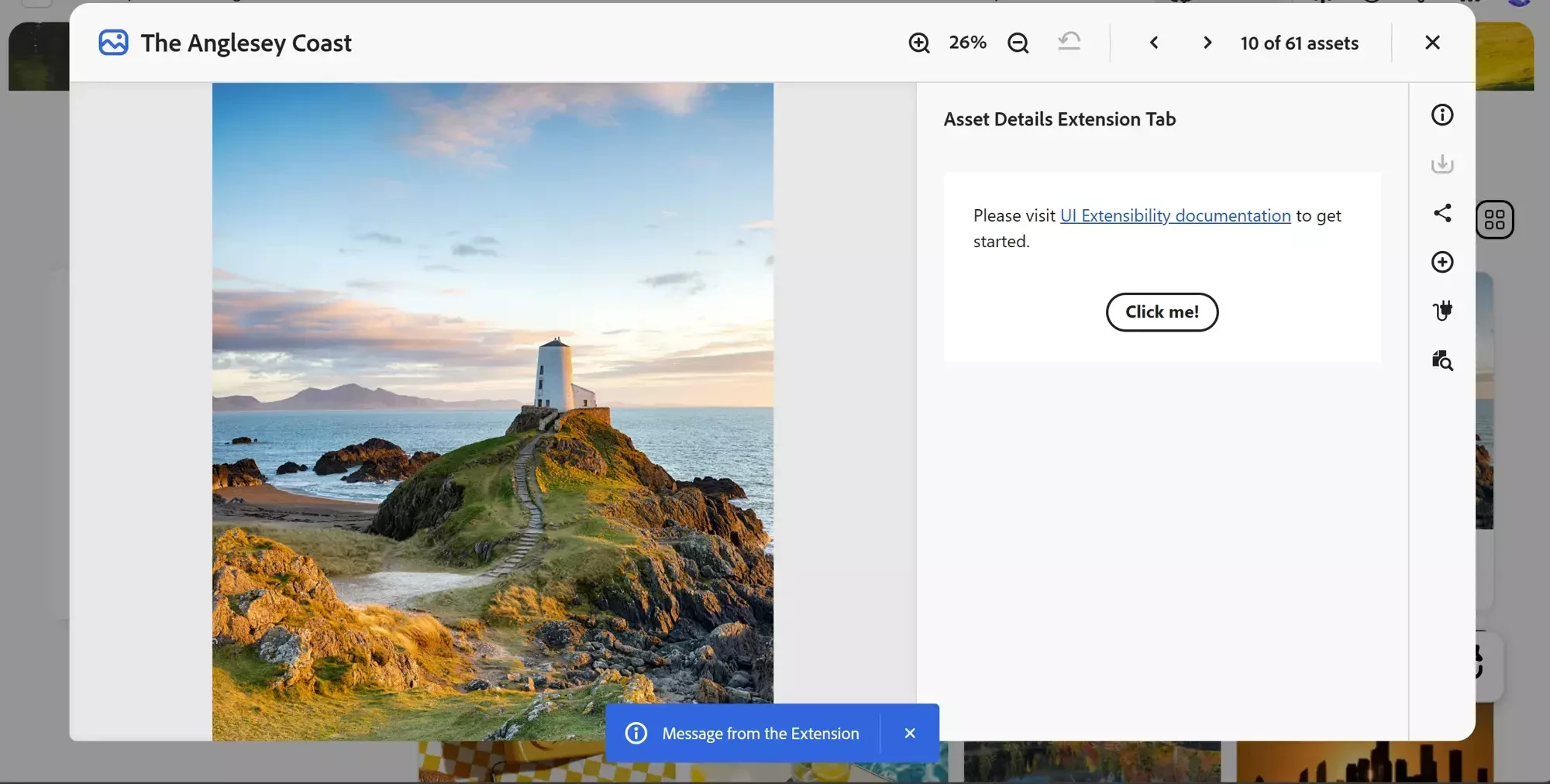
Open an asset and navigate to the Asset Details page. Select the Asset Details Extension Tab icon to open the UI extension. -
Card actions — add action buttons to individual asset cards and to collection tiles, so users can trigger a workflow directly from a single asset or collection without opening it.
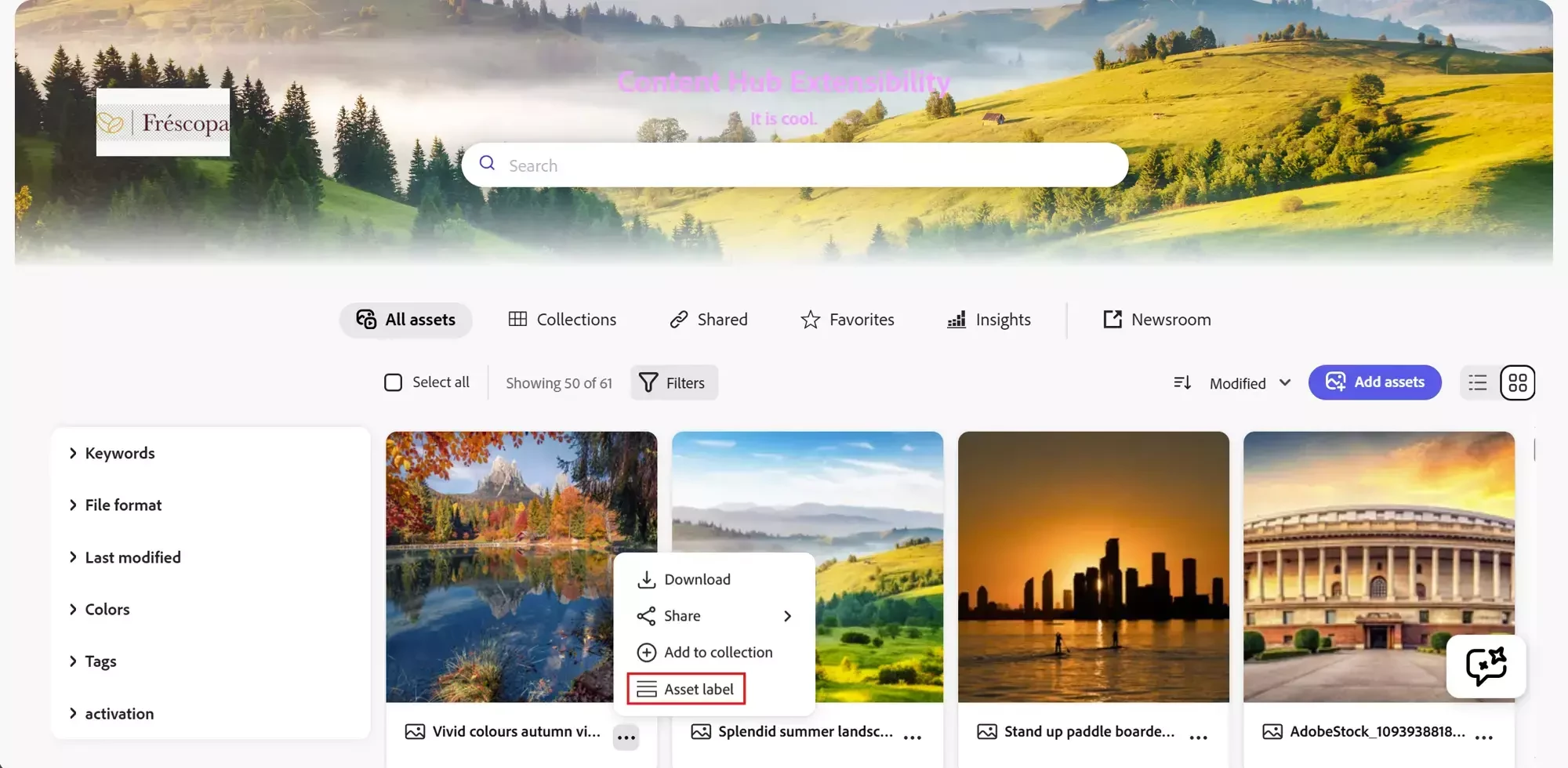
Open the More menu on an asset card and click your extension icon. 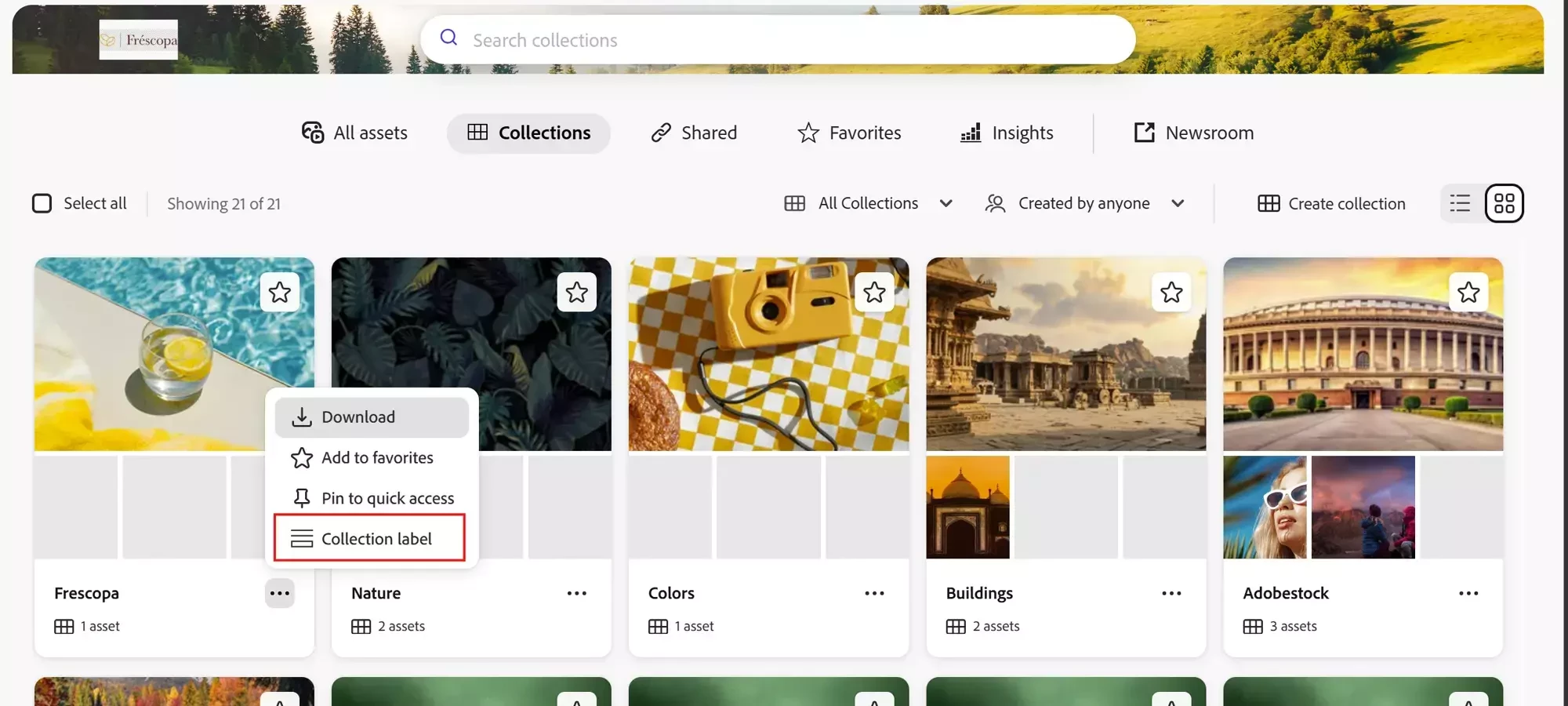
Open the More menu on a collection card and click your extension icon. -
Selection-bar (bulk) actions — add actions to the selection bar that appear when a user multi-selects assets, so a workflow can run across many assets at once.
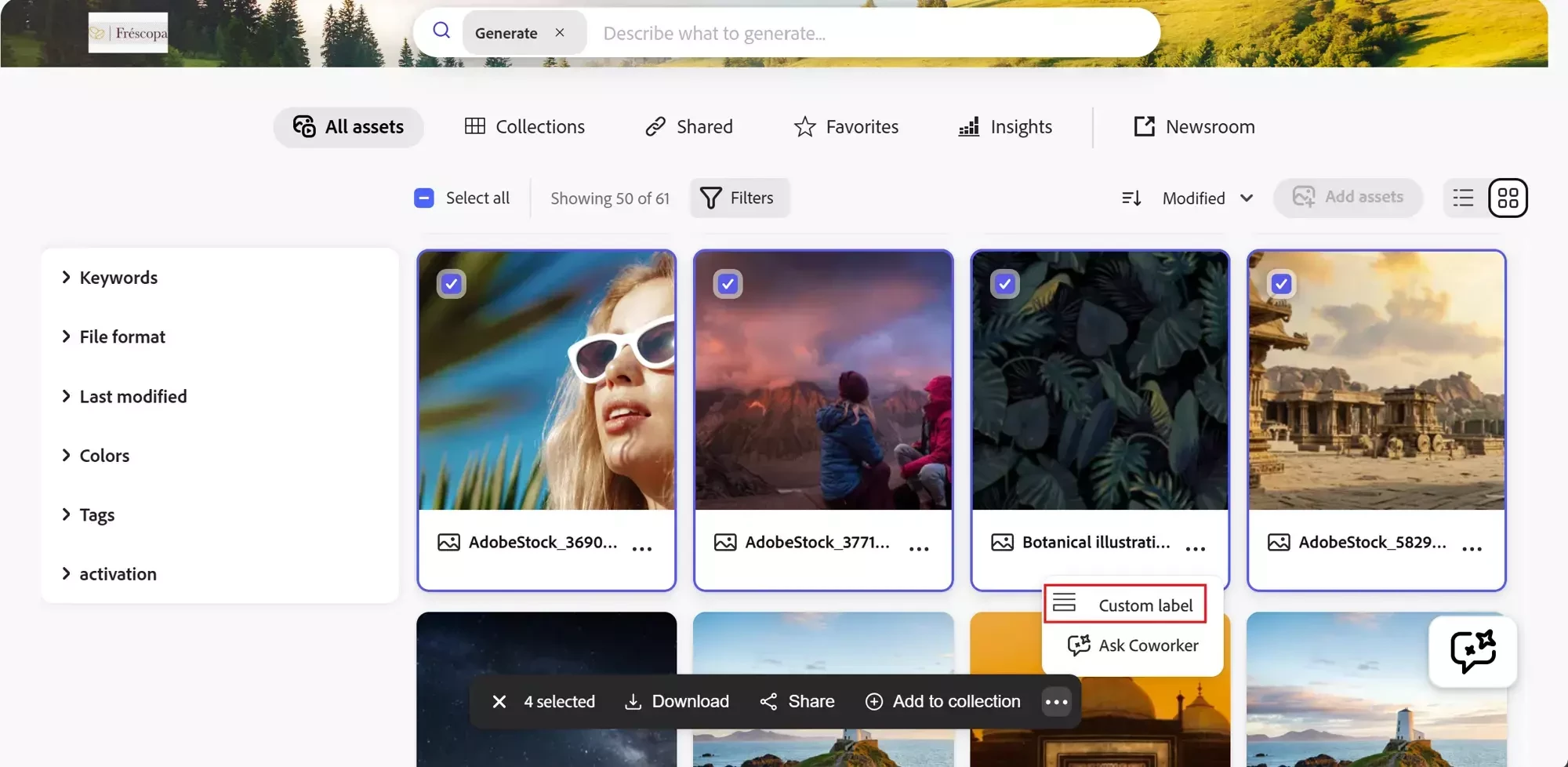
Select an asset[s] to display the selection bar. Click your extension icon.
Because all three share one extension point, teams can start with a single surface and grow into a richer, cross-surface experience over time—without re-architecting.
Case Study: Governed Expiry Extension
The Challenge
One of our customers faced challenges supporting downstream users when assets were close to expiration or had already expired.
Agencies and partners had to manually reach out to administrators to request expiry extensions, often relying on manual, out-of-system requests that lack sufficient context. This resulted in repeated follow-ups, ad-hoc approvals, and delays in campaign execution.
The Solution
Using Adobe Content Hub’s extensibility framework, the customer implemented a custom Extend Expiry panel that appears only for assets approaching expiration or already expired. The panel provides a structured, self-service workflow for requesting expiry extensions, while enforcing governance and approval of controls.
The solution automatically captures relevant asset context and user input, submits the request through a secure backend workflow, and routes it to the appropriate approvers—eliminating manual coordination and ensuring consistency across teams.
What users experience:
-
Users see a dedicated “Extend Expiry” tab for eligible assets
-
The panel automatically captures relevant asset and user context
-
Users provide requested expiry extension period
-
The request is submitted with a single click
What happens behind the scenes:
-
A server-less App Builder Runtime action processes the extend expiration request
-
The system securely authenticates with the workflow system using IMS tokens
-
A workflow task is created with all relevant asset details and the requested extended expiry
-
The Content Hub asset is linked directly to the task for review and approval
After the request is processed:
Administrators can review and update the asset expiry date as part of the workflow
The updated expiry information is reflected in near real time across Content Hub for end users
The Result
This approach delivers a governed, auditable expiry-extension workflow that feels fully native to Content Hub, while maintaining centralised control over asset lifecycles.
Next Steps
Disconnected workflows have a direct impact on marketing efficiency. By bringing these actions inside Content Hub, you move from fragmented processes to integrated experiences.
Ready to build this capability? We have prepared a detailed guide for your development team on how to implement these extensions using Adobe App Builder.