I have successfully gotten my custom metadata schema form to appear within Content Hub. I am not sure if you are using a custom namespace or not for storage of your metadata; we did and were able to see all of the metadata applied to our assets via the Author instance in Content Hub.
The custom namespace is configured by creating an OSGIConfig file in:
ui.config\src\main\content\jcr_root\apps\watersdamprogram\osgiconfig\config\
The file is called:
org.apache.sling.jcr.repoinit.RepositoryInitializer~program-namespace.cfg.json*replace program with your company name, what you call your platform, or something similar
This file contains the following content:
{
    "scripts": [
         "register namespace (program) https://site.program/1.0",
         "register namespace (programAssets) https://site.program/assets/1.0"

    ]
}
*replace program with your company name, what you call your platform, or something similar
Having completed this configuration and having deployed it to your environment it will then be possible to create metadata fields that have Map to property values starting with "./jcr:content/metadata/programAssets:" like:
./jcr:content/metadata/programAssets:myMetadataFieldName
After your metadata schema form is saved and applied to one or more folders you should then ensure that you have a test asset in one of them with metadata applied to all of your configured metadata fields so that there is at least one that has all fields present.
Now when you are in Content Hub as a user with Admin privileges you should be able to select your custom metadata fields.
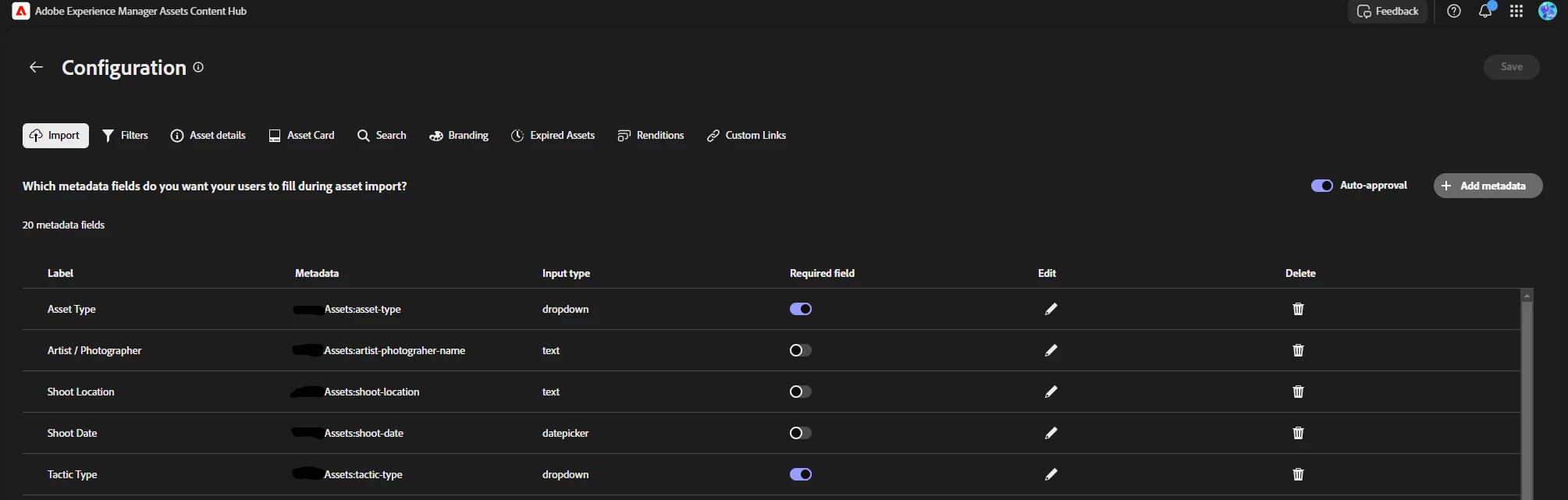
Please note, as I found out the hard way, that choices in Content Hub use the "value" not the "text" part of the configuration, so if you are creating choices it is best to have both be exactly what you want to see in both Author and Content Hub. If you have the value be different from the text then you may be surprised to see metadata in caMel case or without spaces making it a bit challenging from a usability perspective in the Content Hub interface.