In the Sort component, the property dropdown is not getting populated with values. | Community
Skip to main content
Level 2
February 19, 2026
Question

In the Sort component, the property dropdown is not getting populated with values.

  • February 19, 2026
  • 1 reply
  • 6 views

Hi,

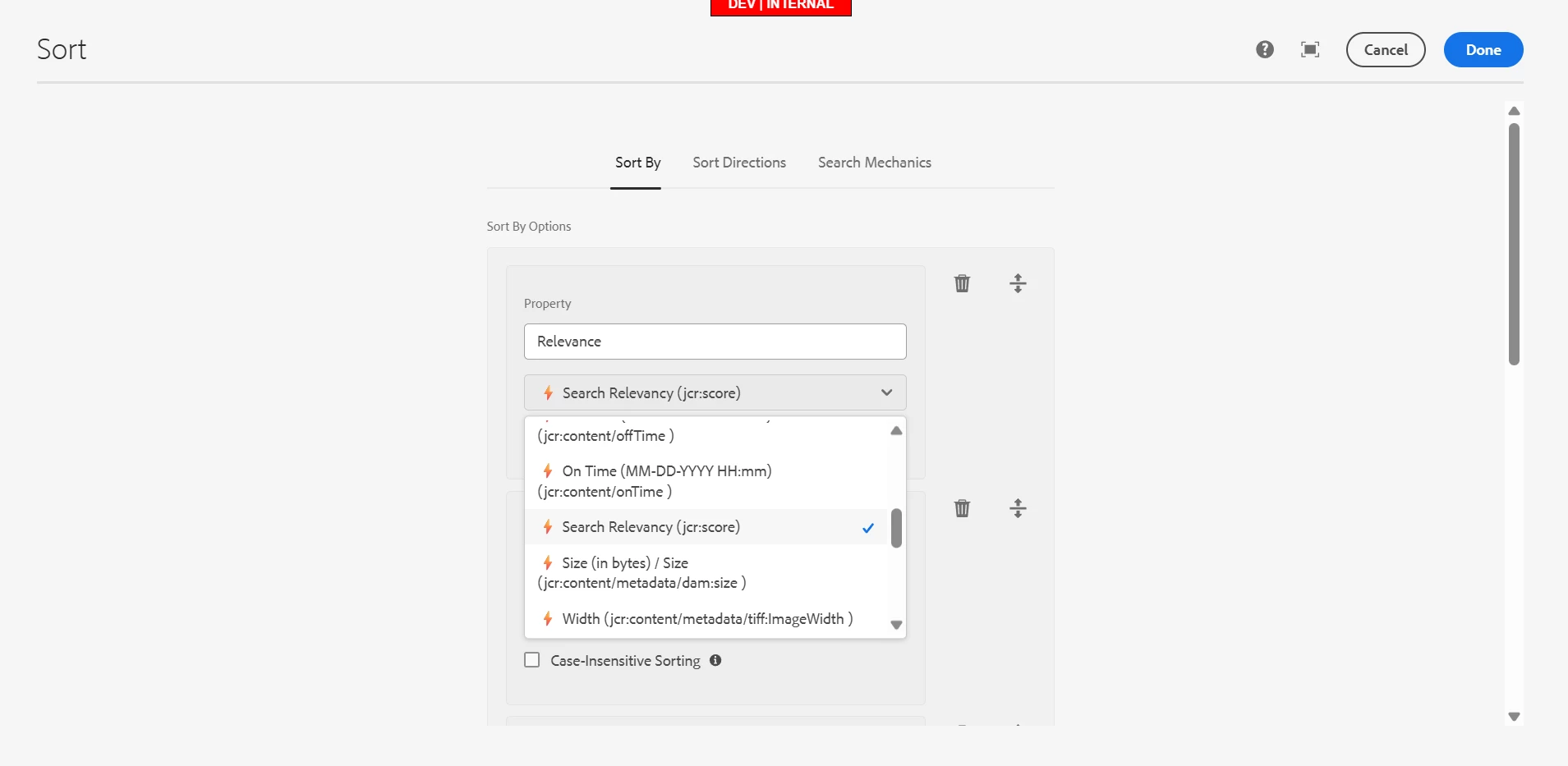
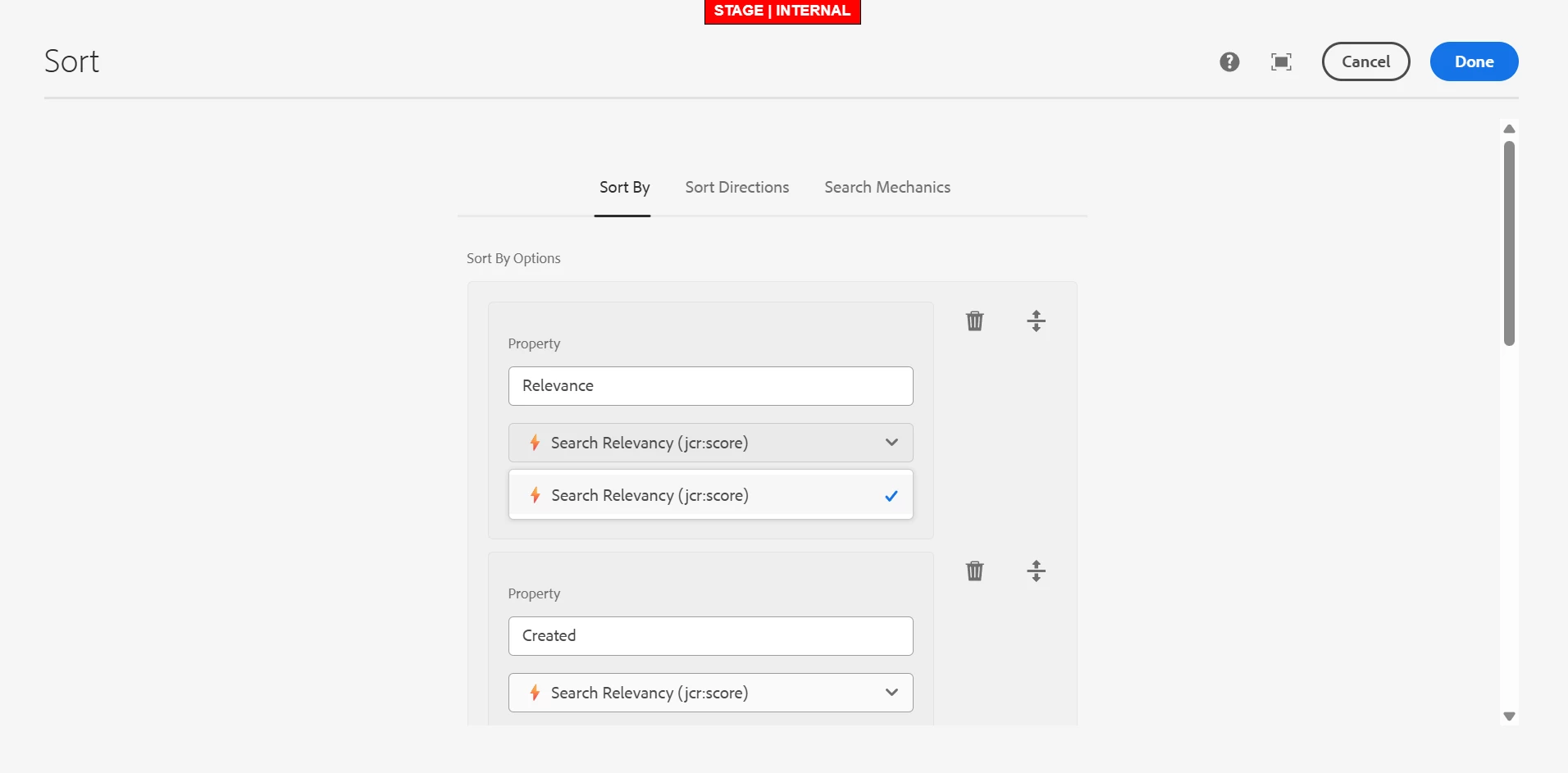
We are using asset share commons in our project. So the property field in sort component is not getting populated. According to the document attached values are populated only when orderable=true is added in the index for the required properties. In our index it is ordered=true and it’s working in dev and local. Somehow for prod and stage its not working as expected. Same index is used in all the environment. How to check where the issue is and what is causing this issue?

dev:


Stage:


Thank you.

1 reply

AmitVishwakarma
Community Advisor
Community Advisor
February 19, 2026

Hi ​@khn ,
The Sort component only shows properties that are marked as orderable in the Oak index.
If it works on dev/local but not on stage/prod, it means that the actual index definition on stage/prod does not have orderable=true on those properties, even if your code repo looks the same.


In Cloud Service, manual index tweaks in dev/local don’t automatically exist in stage/prod unless they are packaged and deployed and reindexed.

Check below things:
On each environment (Author, /crx/de -> /oak:index):

  • Open your custom asset index, for example: /oak:index/your-asset-index/indexRules/dam:Asset/properties/<your-property>
  • For each property you expect in the Sort dropdown, verify it has both:
    ordered   = true   (boolean)
    orderable = true (boolean)
  • Compare dev vs stage/prod. You’ll see orderable missing or an older index version on stage/prod.

Try below solution:

  • Define the index in code, not manually:
    • In your index definition (under /apps/.../oak-index/*.json or .xml), for each sortable property add:
      "properties": {
      "myProp": {
      "name": "jcr:content/metadata/yourProperty",
      "type": "String",
      "ordered": true,
      "orderable": true
      }
      }
  • Deploy the code to all environments via Cloud Manager (or your CI pipeline).  
  • Trigger reindex for that index on Cloud Service:
    • Set "reindex": true (or bump "reindexCount") in the index definition once and redeploy.
    • Wait for reindex to complete.
  • Open the Sort component dialog on stage/prod -> Property field. The same properties as dev should now appear.

Thanks,
Amit

khnAuthor
Level 2
February 20, 2026

Hi ​@AmitVishwakarma ,

I checked stage and prod is using the latest index and it has ordered=true. Do we need to add both? 
ordered=true and orderable=true. Index is same in all the environments.

AmitVishwakarma
Community Advisor
Community Advisor
February 20, 2026

Hi ​@khn ,

If stage/prod already have ordered=true and still the Sort property dropdown is empty, then the issue is not “missing orderable”. Next things to verify: