


Digital Rights Management (DRM) Request feature enabled through Content Hub & Workfront By Diana Peterson
As a Principal Product Manager on Adobe’s Digital Employee Experience team, I focus on understanding and meeting enterprise content needs across Adobe—using Adobe products to do it. My team runs and operates our internal Content Hub, and we truly drink our own champagne by acting as Customer Zero. In a previous post, I shared how we create Branded Experiences with Experience Manager Content Hub and AEM Sites.
In this post, I share how we utilized an early access, UI Extensibility feature in Content Hub to enable assets that have restricted licenses, to be requested--thus expanding potential opportunities for asset reuse, which reduces costs and makes better use of our original content creation.
Key Concepts
Digital Rights Management: see this DRM post for a great overview of what’s new in DRM
UI Extensibility: Content Hub supports UI extensibility (currently in Limited Availability), which enables the addition of custom UI components to the Content Hub UI for specific workflows and business requirements. The added extension displays on a dedicated panel on the Asset Details Dialog.
What was already working
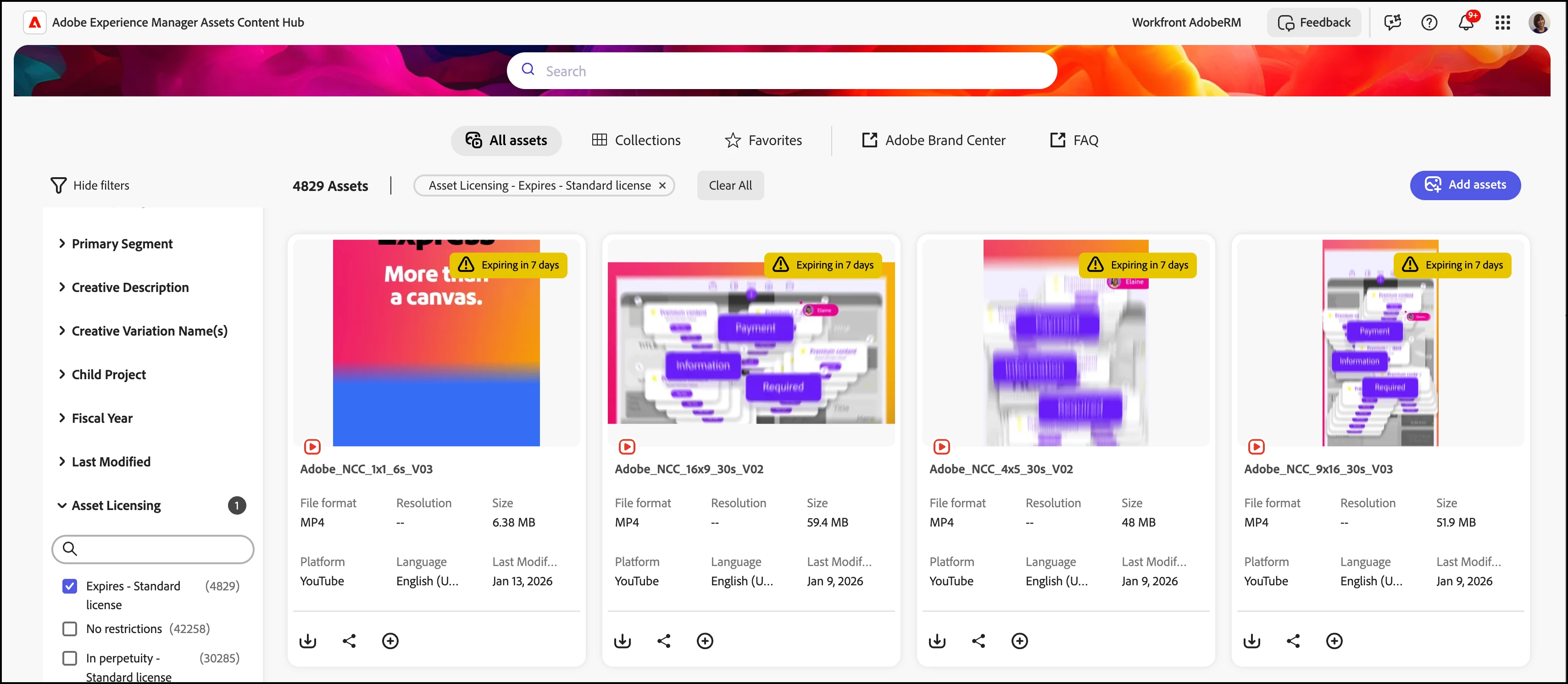
The Content Hub already enables us to configure our Adobe Marketing Hub to warn users of assets that will expire soon:
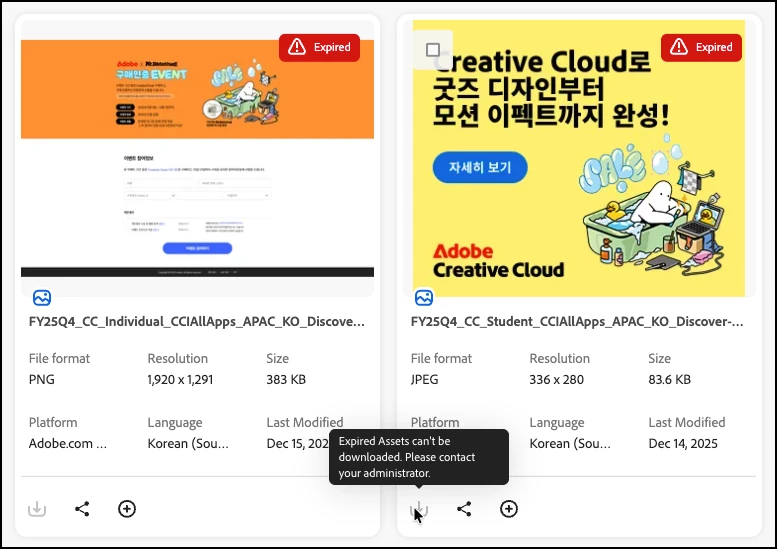
And to ensure no download of assets that have surpassed their expiration dates:
The Challenge: Expand asset reuse, while respecting licensing terms
Next we wanted to address the potential of increasing our asset reuse, by making assets visible very broadly, to our tens of thousands of potential users. And to do this while recognizing that some assets have very specific, restricted licenses, and so permission to use the asset, and review of the existing terms of the license, would need to happen first.
The Solution: Content Hub’s UI Extensibility + Adobe Workfront
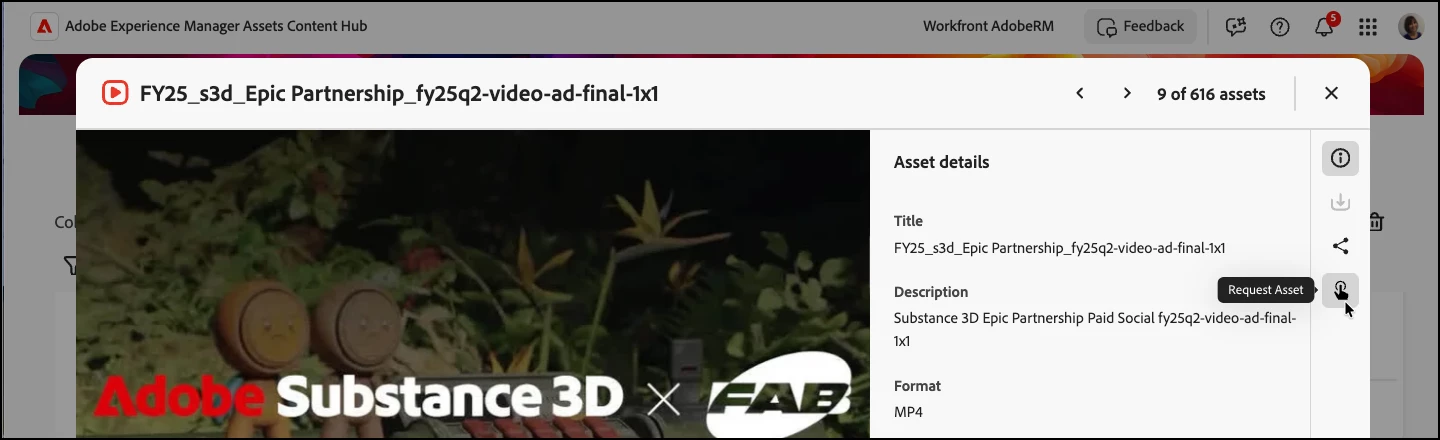
The UI Extensibility feature enabled us to add a custom action into the Asset Details side rail, which is exactly what we needed. We added in a special Request icon as a new option which would appear for all assets with a license type of Special terms – can request
Users can then choose to Request Asset via the button we inserted in the panel:
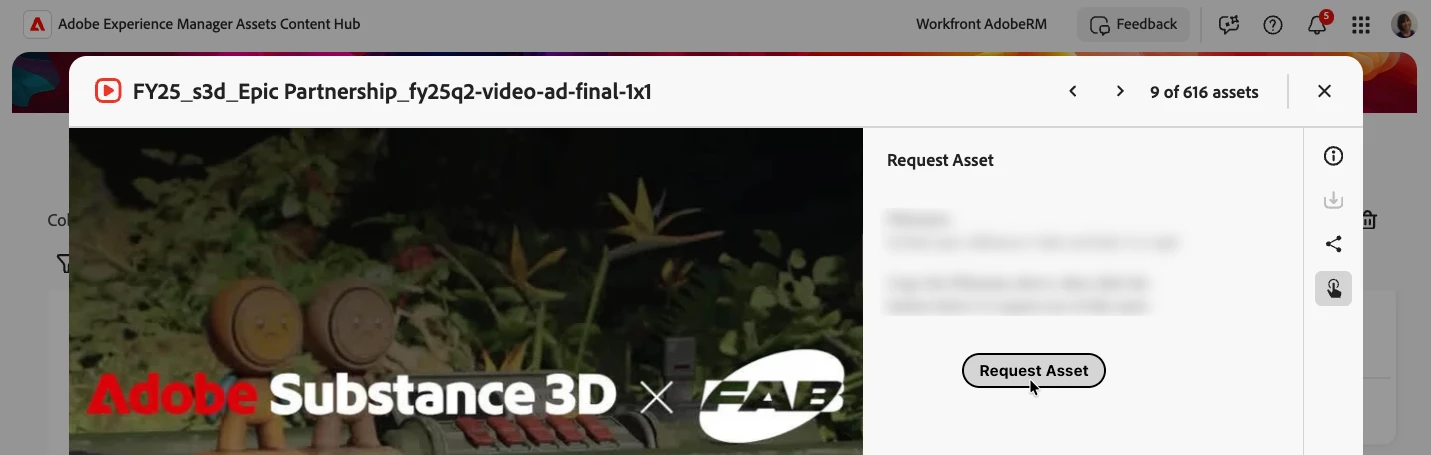
The button opens a new tab where the user can submit a simple Workfront Asset Licensing Request:
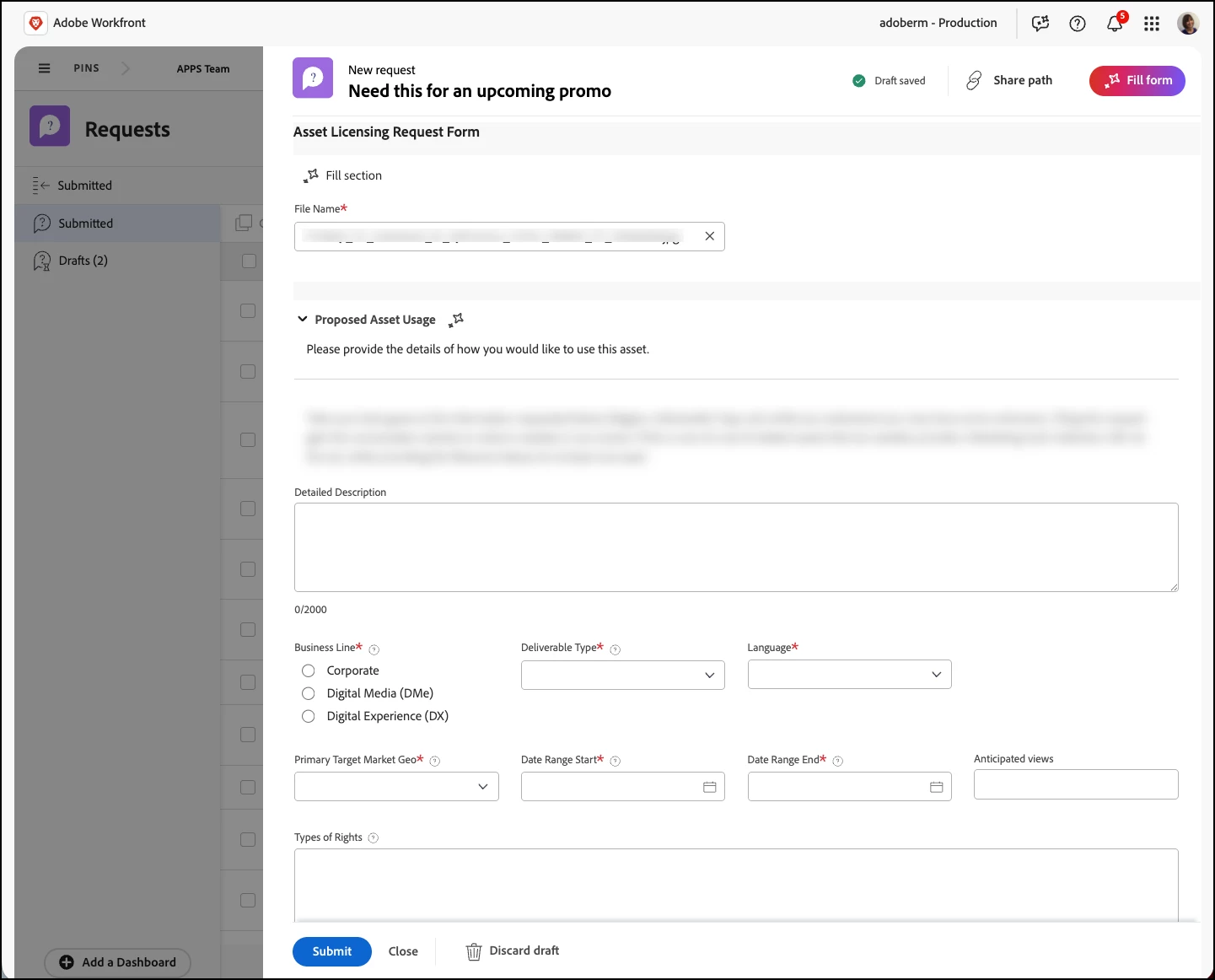
Approval to use asset tracked in Workfront
The Asset Licensing Request form routes to our AEM DAM team, and we assign it to the asset owner to have them evaluate the request. The request could route directly to owners; we just desired visibility into the volume and type of assets being requested, so inserted our team in the routing logic. Via the comments function in the Request, the requestor and owner of the asset that understands the licensing terms, can dialogue on any other details needed. The asset request is either then approved or denied; if approved, a link to download the asset is provided to the requestor via the ticket, and we have an audit trail on the decision.
Results: More assets visible in Content Hub for potential reuse
This approach enables us to expand what assets we have visible for potential reuse, while respecting the asset licensing terms. We’re excited about the possibility of making better use of assets we have already licensed, rather than spending more time and money to produce new assets when that may not be needed. We’re also looking at what other customers are doing to extend their DRM capabilities, such as the case study on governing asset expiration extensions in this Unlocking Content Hub Extensibility topic.
Key Takeaway
By combining Experience Manager Content Hub, it’s new Limited Availability Extensibility feature, and Adobe Workfront, we’re able to expand the assets available in our Adobe Marketing Hub, while adhering to best practices for Digital Rights Management. Check out Custom Workflows in Content Hub to learn more about how to extend the capabilities of your Content Hub!