Displaying data subset in a dimension | Community
Skip to main content
March 7, 2022
Solved

Displaying data subset in a dimension

  • March 7, 2022
  • 2 replies
  • 2115 views

I'd like to show only a subset of the available data for a certain dimension, within a project or panel. For example, I have two websites and they both contain the dimension Page. Analysts of website 1 do not care about pages from website 2. However, if they search for a page under the dimension Page on the left panel of Workspace, they will see pages for both sites. Is there a way to segment those results?
This post is no longer active and is closed to new replies. Need help? Start a new post to ask your question.
Best answer by BernardoCF

Dear @pratheeparunraj ,


Sorry, but this is incorrect. Virtual reports suites are basically a curation of dimensions shown to the user, meaning, they can still be found in the workspace. Furthermore, all collected values within a dimension remain available in a virtual report suite. I had hoped that it didn't. 

2 replies

March 7, 2022

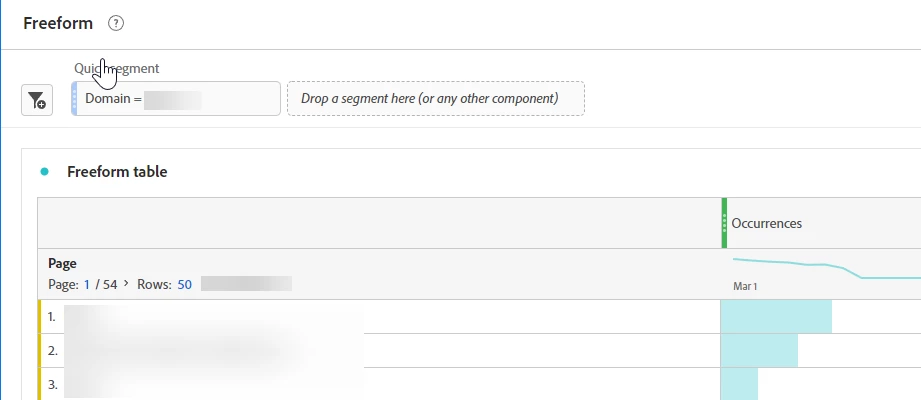
Hey @bernardocf You might want to make use of the the dimension 'Domain' if the two websites are using different domains, and then create a quick segment based on domain of website A and then pull pagenames and similarly for Website B. Hope it helps.


March 8, 2022

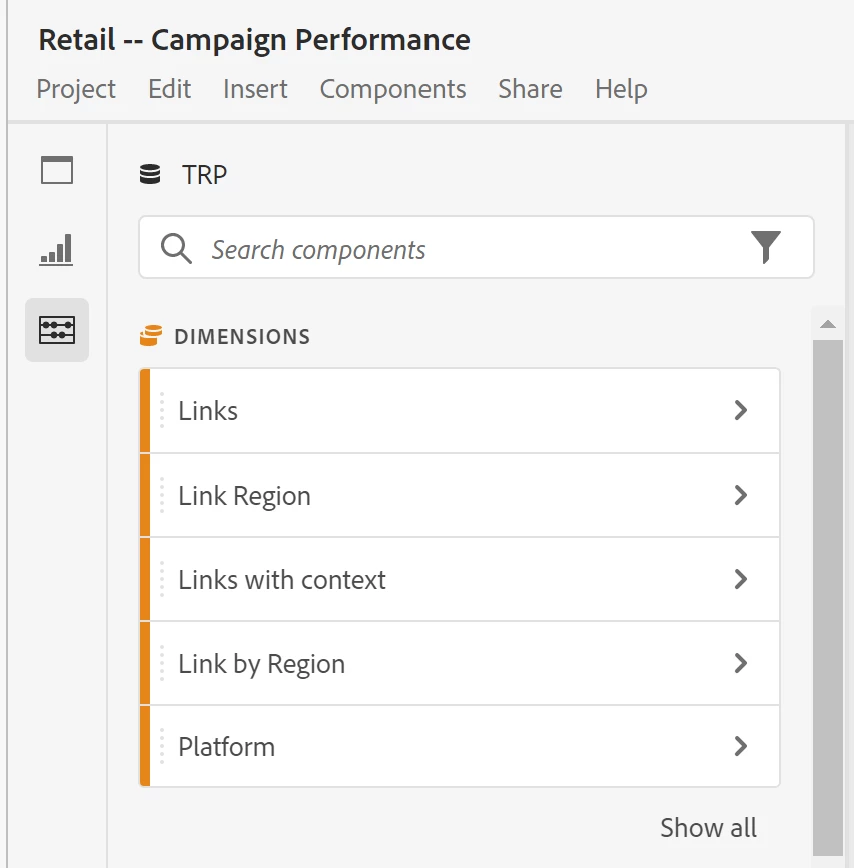
Hi, thanks, but my question was related to the values that can be found on the left pane of workspace, not within a panel. I would like to know if I'm able to filter out the values that show up after you click the right arrow of a dimension, as shown in the screenshot (e.g. Link Region).


PratheepArunRaj
Community Advisor and Adobe Champion
March 8, 2022

Dear BernardoCF,

Sorry, the option is not available right now. If you want to segment those and create a Virtual Report Suite based on the segment, you might see only the data subset when you use the left panel in your Virtual Report Suite. So, Virtual Report Suite can be an option for the ask!

Thank You, Pratheep Arun Raj B (Arun) | NextRow DigitalTerryn Winter Analytics

Thank You, Pratheep Arun Raj B (Arun) | Xerago | Terryn Winter Analytics
BernardoCFAuthorAccepted solution
March 10, 2022

Dear @pratheeparunraj ,


Sorry, but this is incorrect. Virtual reports suites are basically a curation of dimensions shown to the user, meaning, they can still be found in the workspace. Furthermore, all collected values within a dimension remain available in a virtual report suite. I had hoped that it didn't. 

PratheepArunRaj
Community Advisor and Adobe Champion
March 10, 2022

Dear BernardoCF,

Good to know. I have never validated the same in Virtual Report Suite and that's the reason I was saying that Virtual Report Suite "CAN" be an option.

After applying a segment to the inventory report suite, the dimensional values should be curated based on the segment logically, but if they didn't, then we need to think of the other options, OTHER OPTIONS if there are. Afraid, not.

Thank You, Pratheep Arun Raj B (Arun) | NextRow Digital | Terryn Winter Analytics

Thank You, Pratheep Arun Raj B (Arun) | Xerago | Terryn Winter Analytics
