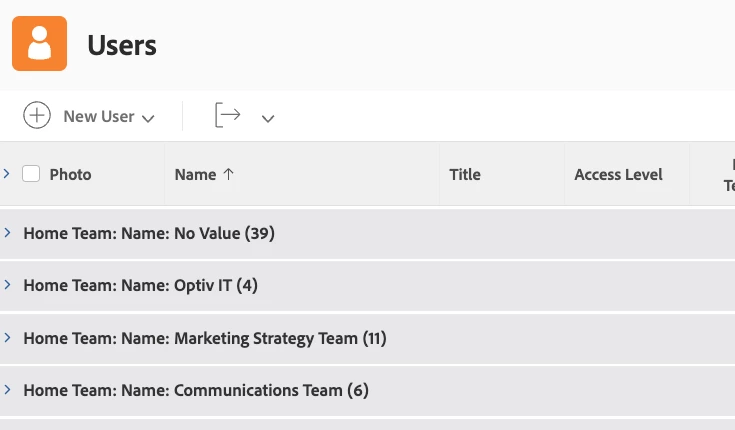
@Deborah Baker‚ It looks like you currently have the grouping for Home Team > Name associated with your view. To remove Home Team: Name, you'll want to edit your grouping. Switch to text mode and remove all the lines with the word "name" in them, and then add group.0.name= to the bottom. Your new grouping should look like this:
group.0.name=
group.0.namekeyargkey.0=homeTeam
group.0.namekeyargkey.1=name
group.0.valuefield=homeTeam:name
group.0.valueformat=string
textmode=true
When you save and close your grouping, now you should see just No Value, Optiv IT, Marketing Strategy Team and Communications Team.
This is one of those ones I wonder why WF doesn't have a "Group Label" field or similar functionality so we didn't have to dive into text mode for such a simple cosmetic change.
Just use a similar interface/technique to how we rename column headers in views/reports.
(Similar to: Why do I have to use text mode to switch from displaying an "ID" parameter to a "name" parameter?)