Is it possible to conditionally hide an entire report column? | Community
Skip to main content
Level 4
September 1, 2020
Question

Is it possible to conditionally hide an entire report column?

  • September 1, 2020
  • 4 replies
  • 946 views

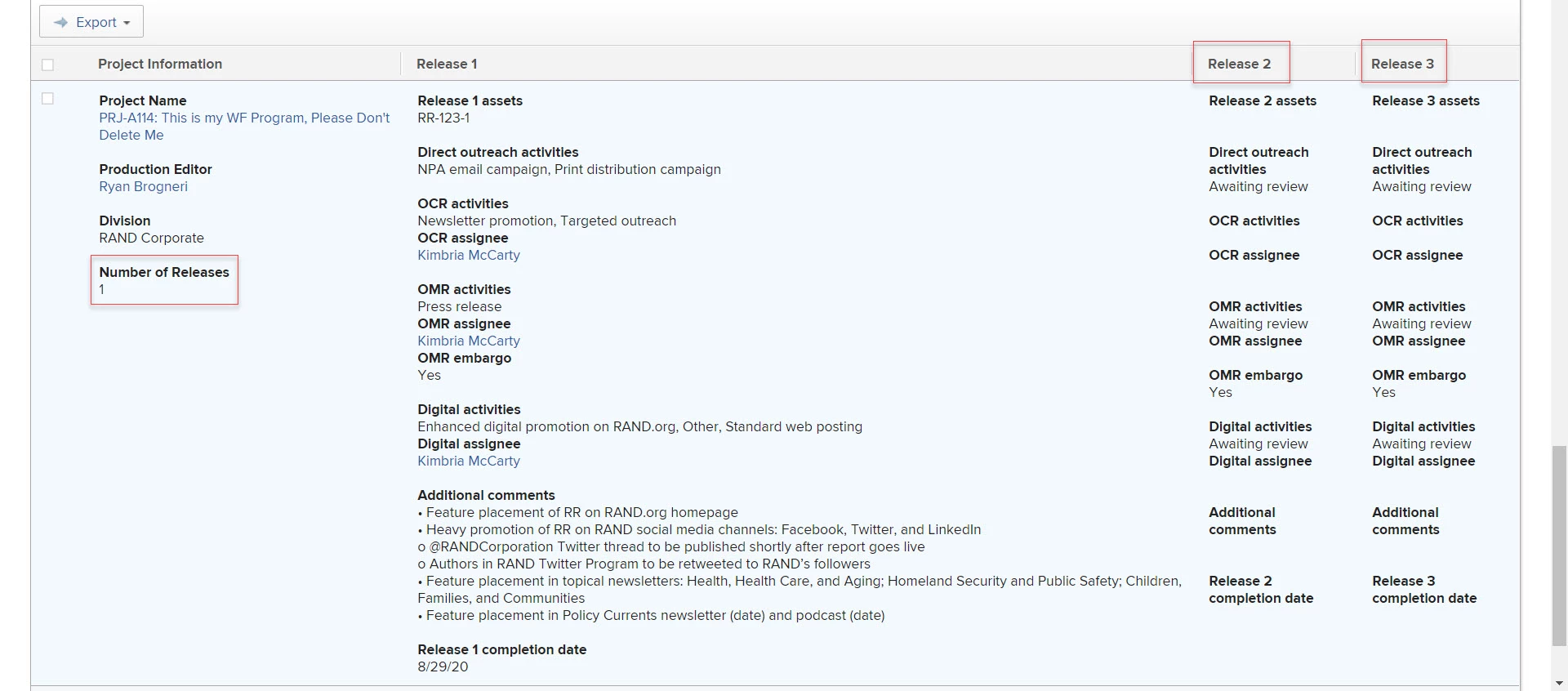
In the attached screenshot, my organization would like to hide the Release 2 and Release 3 columns entirely if the Number of Releases custom form field is set to only 1. Is it possible to conditionally hide those columns based off of the selection made on the custom form field? I also have a boat-load of column sharing going on with these reports which hopefully shouldn't complicate it too much, but wanted to at least mention it.
This post is no longer active and is closed to new replies. Need help? Start a new post to ask your question.

4 replies

Level 4
December 23, 2020

Closing my own loop if anyone ever has the same trouble. I just re-organized the layout of the report to get around this, so never figured out a solution.

Level 2
June 16, 2021

Facing a similar challenge here. In my case, I would like to hide a report column in case all cells in that column are blank. No luck so far.

skyehansen
Community Advisor and Adobe Champion
June 16, 2021

I don't think this is possible (columns in a view do not delete themselves for any reason) but what you can do, is some conditional formatting. This is what we do in our system: for release column 2, if the number of releases =1, make the cell background black and all the text black. At least this way, there won't be distracting text in the report. (obviously only usable on reports that you don't download)

Level 2
June 16, 2021

Thanks a lot @Skye Hansen‚

In my case I have several columns in that report and most of them will be empty depending on the prompt selection. To paint them black would still present a huge report only with only a few cells with valid numbers among hundreds of empty cells. If I find any other approach to deal with this, I will post it here.

skyehansen
Community Advisor and Adobe Champion
June 16, 2021

depending on what the fields contain, you might be able to somewhat work around this by merging multiple columns into one. The blanks would just be left out. The only challenge is the formatting of the blank lines (specifically paragraph breaks), which would have to be kept to a minimum.