Solved
How to report when form is not attached to task?
I need a report that shows tasks from a business unit's projects that do not have a custom form attached. Any suggestions on the best way to tackle this?
I need a report that shows tasks from a business unit's projects that do not have a custom form attached. Any suggestions on the best way to tackle this?
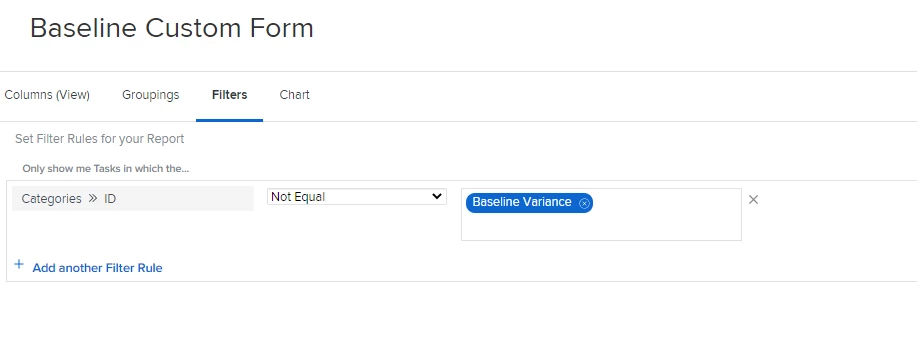
Hi Catherine. If you are looking to see tasks that are missing a particular custom form, you can create a task report/filter and use Categories > ID and then Not Equal to "Form Name". Using the Categories (plural) will search all custom forms attached - rather than just the first. If you are wanting to see tasks without any custom forms attached, you can use Categories > ID Is Blank. Hope this helps!
Enter your E-mail address. We'll send you an e-mail with instructions to reset your password.