Fusion - Getting oldTextVal or oldState on 2 different fields | Community
Skip to main content
RandyRoberts
Community Advisor
Community Advisor
September 9, 2021
Solved

Fusion - Getting oldTextVal or oldState on 2 different fields

  • September 9, 2021
  • 1 reply
  • 671 views

I have a scenario that looks for changed field value "Job Number" and then adds it to the beginning of the Project Name resulting in "ABC123456 Name Of Project". All good.

But if a user changes the job number later on, I end up with "XYZ456789 ABC123456 Name Of Project". It adds the new job number without deleting the old one.

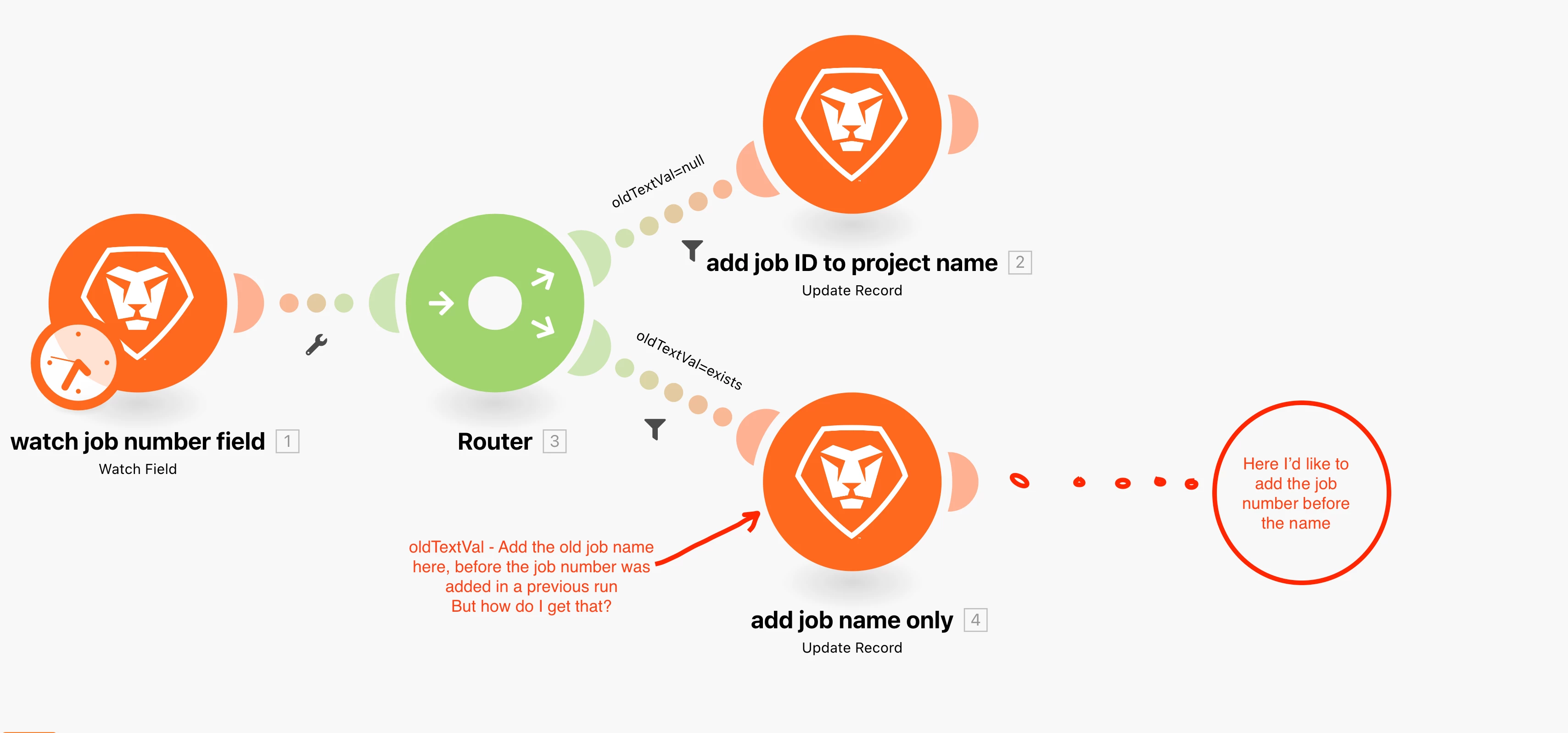
I added a router and a filter "if oldTextVal=notExists" then concat the job Number & Name. And another path that says "if oldtextVal=Exists" then...

here I would like to undo the original concatenation by reverting the job name to the "old state" before concatenating the new job number with the original job name.

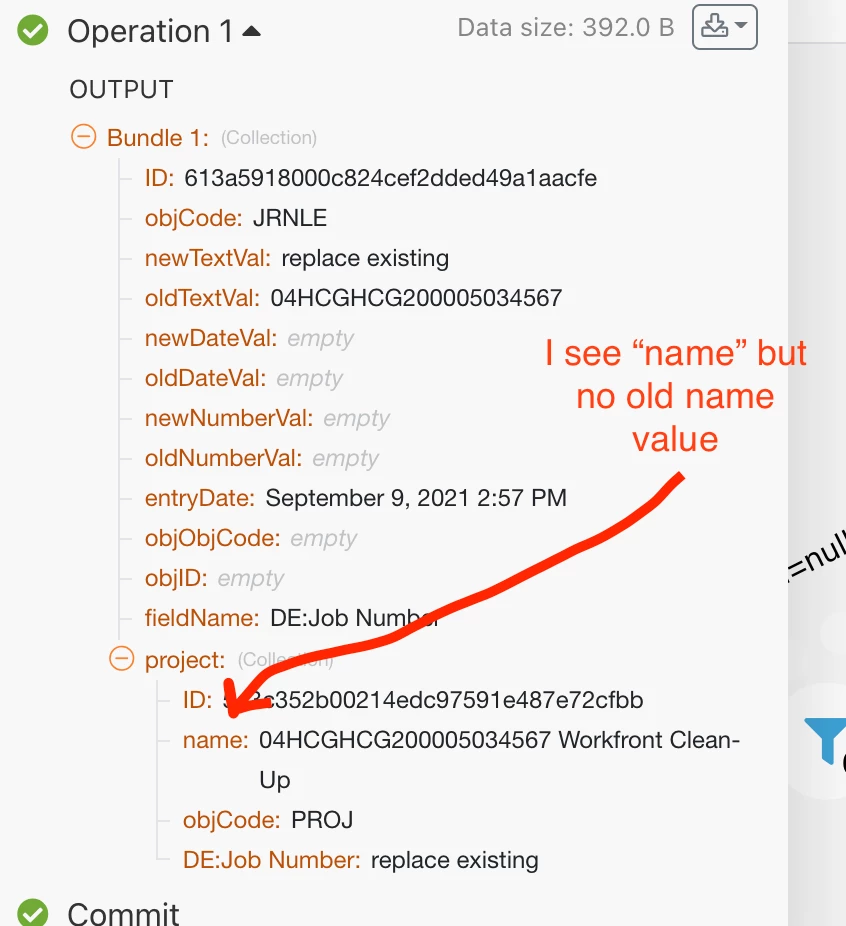
I can't figure out a way to get the old job name before the job number was added. I can't do "oldTextVal" without another field watch and it won't let me watch 2 fields in one scenario.

Any ideas?
This post is no longer active and is closed to new replies. Need help? Start a new post to ask your question.
Best answer by ChrisBudgen

Hi,

the old/new data is only in relation to the status of the fields right before the update that triggered the scenario, so since the "Original Project Name" w/o the prefix has been overwritten probably some time ago, you will not see that here. I would solve this issue by adding a custom field to the project "DE:Original Project Name" and set it in the route "OldTextVal=null" so you can get it whenever you need it.

If an updated job-number comes in, just get the value from "DE:Original Project Name" and use that for your Concat function.

1 reply

ChrisBudgen
ChrisBudgenAccepted solution
Level 5
September 12, 2021

Hi,

the old/new data is only in relation to the status of the fields right before the update that triggered the scenario, so since the "Original Project Name" w/o the prefix has been overwritten probably some time ago, you will not see that here. I would solve this issue by adding a custom field to the project "DE:Original Project Name" and set it in the route "OldTextVal=null" so you can get it whenever you need it.

If an updated job-number comes in, just get the value from "DE:Original Project Name" and use that for your Concat function.

Level 2
September 13, 2021

We actually have a similar process to what Chris described. We have a custom "Project Title" field that we set as a required field, and have trained our users to use that instead of project name. We then have Fusion creating a job number, and concatenating the job number and project title fields together.

The nice thing about doing it this way is that if someone accidentally edits the project name, Fusion will go back and rename the project to match the job number and project title fields.