Can I insert an outlook template on the Outlook card? | Community
Skip to main content
Level 3
July 14, 2020
Solved

Can I insert an outlook template on the Outlook card?

  • July 14, 2020
  • 2 replies
  • 697 views

Right now, I do not see it. Would I need to convert the template into HTML? Also, I see an attachment associated with "Send Email" but I am not sure how to add an attachment. Any help will be appreciated. Thanks

This post is no longer active and is closed to new replies. Need help? Start a new post to ask your question.
Best answer by SamTa1

It doesn't appear that the Microsoft 365 Mail API has the ability to use templates. Fusion apps/modules are limited to the capabilities of their respective APIs.

You are right that using HTML is a good solution, just be sure to select HTML as the content type.

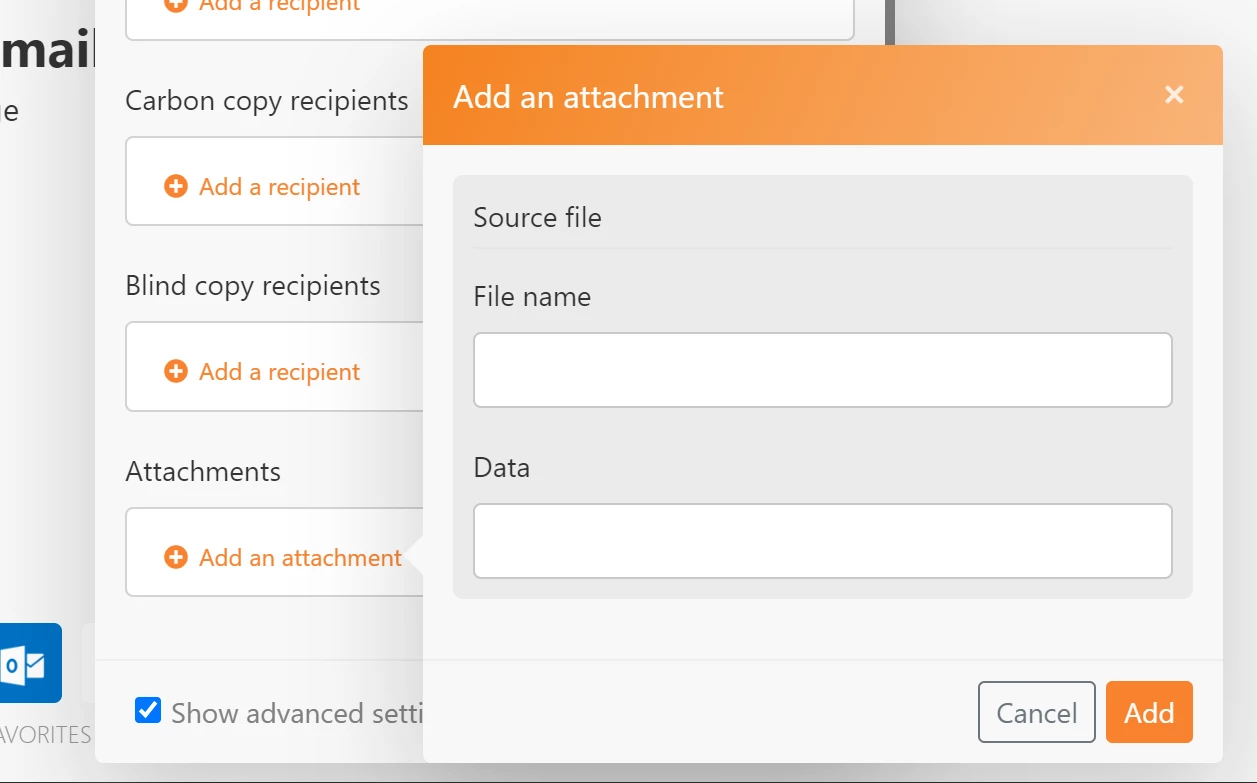
Adding an attachment just requires you to provide a name and map Data which is the file itself.
There are many ways to get a file into a scenario. The Onedrive app would work. You could also use Watch messages to get messages from a source and get their attachments from the output of that module. It just depends on your use case.

2 replies

SamTa1Accepted solution
Level 2
July 16, 2020

It doesn't appear that the Microsoft 365 Mail API has the ability to use templates. Fusion apps/modules are limited to the capabilities of their respective APIs.

You are right that using HTML is a good solution, just be sure to select HTML as the content type.

Adding an attachment just requires you to provide a name and map Data which is the file itself.

There are many ways to get a file into a scenario. The Onedrive app would work. You could also use Watch messages to get messages from a source and get their attachments from the output of that module. It just depends on your use case.

SbhutaAuthor
Level 3
July 16, 2020

Thank you Sam!