Personalization Fields for domin | Community
Skip to main content
Level 4
December 23, 2024
Solved

Personalization Fields for domin

  • December 23, 2024
  • 2 replies
  • 1370 views

Hi Community,

I need to extract the domain name from an email address (e.g., "abc@gmail.com") and include it in an email template. Specifically, I want the email to display the domain of the sender (e.g., "@gmail.com"). Is it possible to achieve this in an AJO or through an automated workflow?

Example:

If the sender's email is "abc@gmail.com," I want the email body to print:

"Hi ABC,

This email is coming from the @1334967.com domain."

Is there a way to automate this?



Best answer by Anuhya-Y

@ajo_wisdomchase Add the logic for email surface selection criteria, as defined by the marketer, within the expression fragment, and use this fragment for email personalization. For instance, the marketer configures the email channel section in the email settings based on the customer's country. The same logic can be implemented in the expression fragment (e.g., if the customer is from France, display the fr.XYZ.com domain). Note that this approach does not fetch the domain from the 'FROM address' configured in the email channel; the logic for domain selection based on the customer's country needs to be explicitly implemented.


https://experienceleague.adobe.com/en/docs/journey-optimizer/using/content-management/personalization/expression-editor/use-expression-fragments

2 replies

somen-sarkar
Community Advisor
Community Advisor
December 24, 2024

Hi @ajo_wisdomchase ,
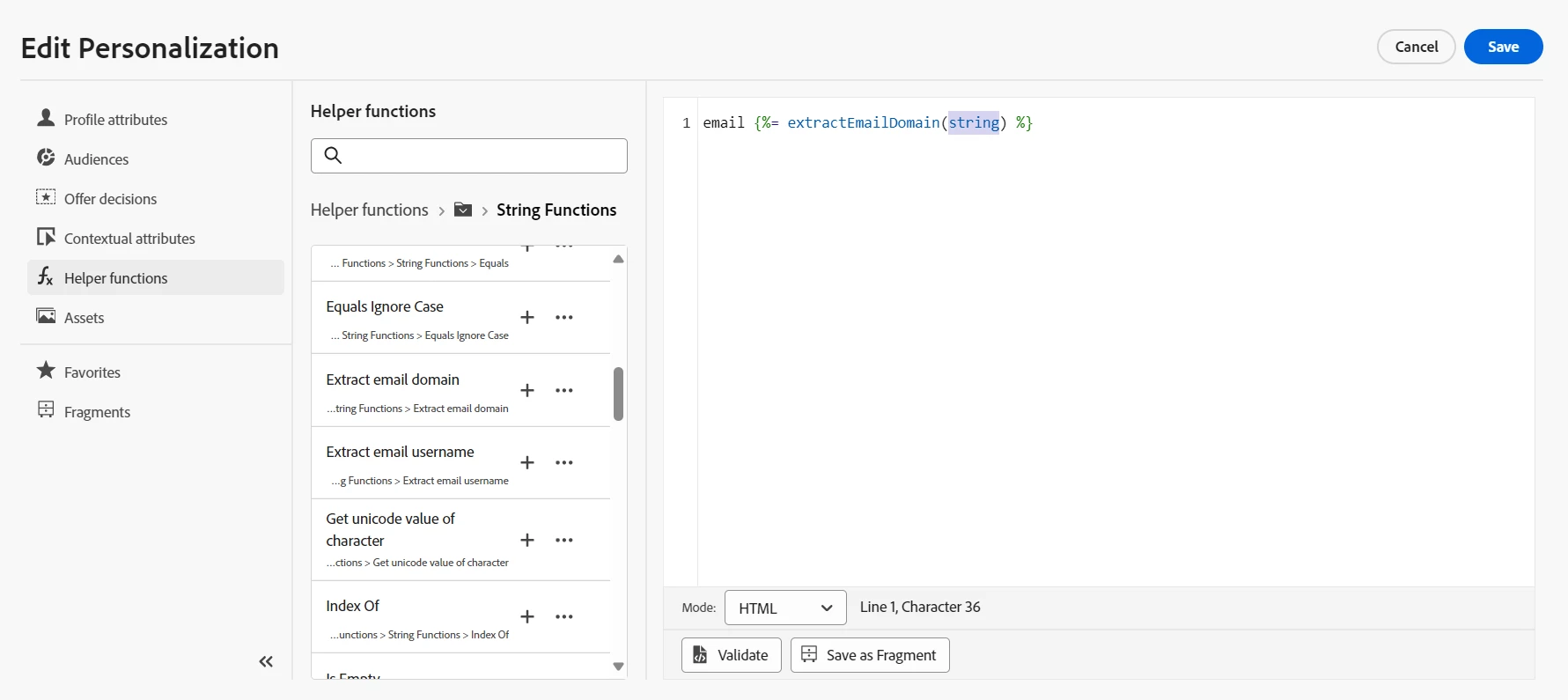
You can utilize OOTB Helper function {%= extractEmailDomain(string) %} to achieve the same . In Email body personalize the same using the above mentioned function. Hope this will help you in achieving the objective.

Thanks,
Somen

Level 4
December 24, 2024

Thanks @somen-sarkar ,


1) which attribute i am using for replace the string? 

{%= extractEmailDomain(string) %}


2) i have 4 domain its automatically fetch the current FROM  address domain.


@somen-sarkar @anuhya-y @davidkangni @mohan_dugganab @satheeskannak @parvesh_parmar 

Level 4
December 26, 2024


Hi @somen-sarkar ,

Thanks for update, But i want automated this process.

I have an email template that includes a domain name, and I want to dynamically replace the domain based on the selected channel surface. The template is as follows:

Email Template:

"Hi XYZ,

This email was sent to you by @in.xyz.com Domain."

I have 100 available channel surfaces, each with its corresponding domain:

@in.XYZ.com
@us.XYZ.com
@fr.XYZ.com
@eu.XYZ.com
.
.
.
Suppose I choose any surface channels; the domain name in the email template should automatically update to reflect the selected channel. For example, if the selected surface is fr, the email template should look like this:

"Hi XYZ,

This email was sent to you by @fr.XYZ.com Domain."

How can I achieve this dynamic replacement of the domain in the email template?

Anuhya-Y
Community Advisor
Anuhya-YCommunity AdvisorAccepted solution
Community Advisor
December 26, 2024

@ajo_wisdomchase Add the logic for email surface selection criteria, as defined by the marketer, within the expression fragment, and use this fragment for email personalization. For instance, the marketer configures the email channel section in the email settings based on the customer's country. The same logic can be implemented in the expression fragment (e.g., if the customer is from France, display the fr.XYZ.com domain). Note that this approach does not fetch the domain from the 'FROM address' configured in the email channel; the logic for domain selection based on the customer's country needs to be explicitly implemented.


https://experienceleague.adobe.com/en/docs/journey-optimizer/using/content-management/personalization/expression-editor/use-expression-fragments