Modifying toDateTimeOnly Function for Time-Specific Email Scheduling in Adobe Journey Optimizer | Community
Skip to main content
May 13, 2024
Solved

Modifying toDateTimeOnly Function for Time-Specific Email Scheduling in Adobe Journey Optimizer

  • May 13, 2024
  • 1 reply
  • 1157 views

Hello everyone,


I'm currently using the function toDateTimeOnly(setHours(nowWithDelta(1,"days"),9)) in Adobe Journey Optimizer to schedule emails. Currently, this function delays sending emails until 09:00 the next day. However, I want to modify this behavior so that the function only triggers the delay if the email is initiated between 21:00 and 09:00 the following day. Specifically, if an email is triggered during this period, it should indeed be scheduled for 09:00; otherwise, it should be sent immediately without delay.


Could anyone advise on how to adjust the function to meet these requirements? Any examples or insights would be greatly appreciated!

Thank you in advance for your help!
This post is no longer active and is closed to new replies. Need help? Start a new post to ask your question.
Best answer by SatheeskannaK

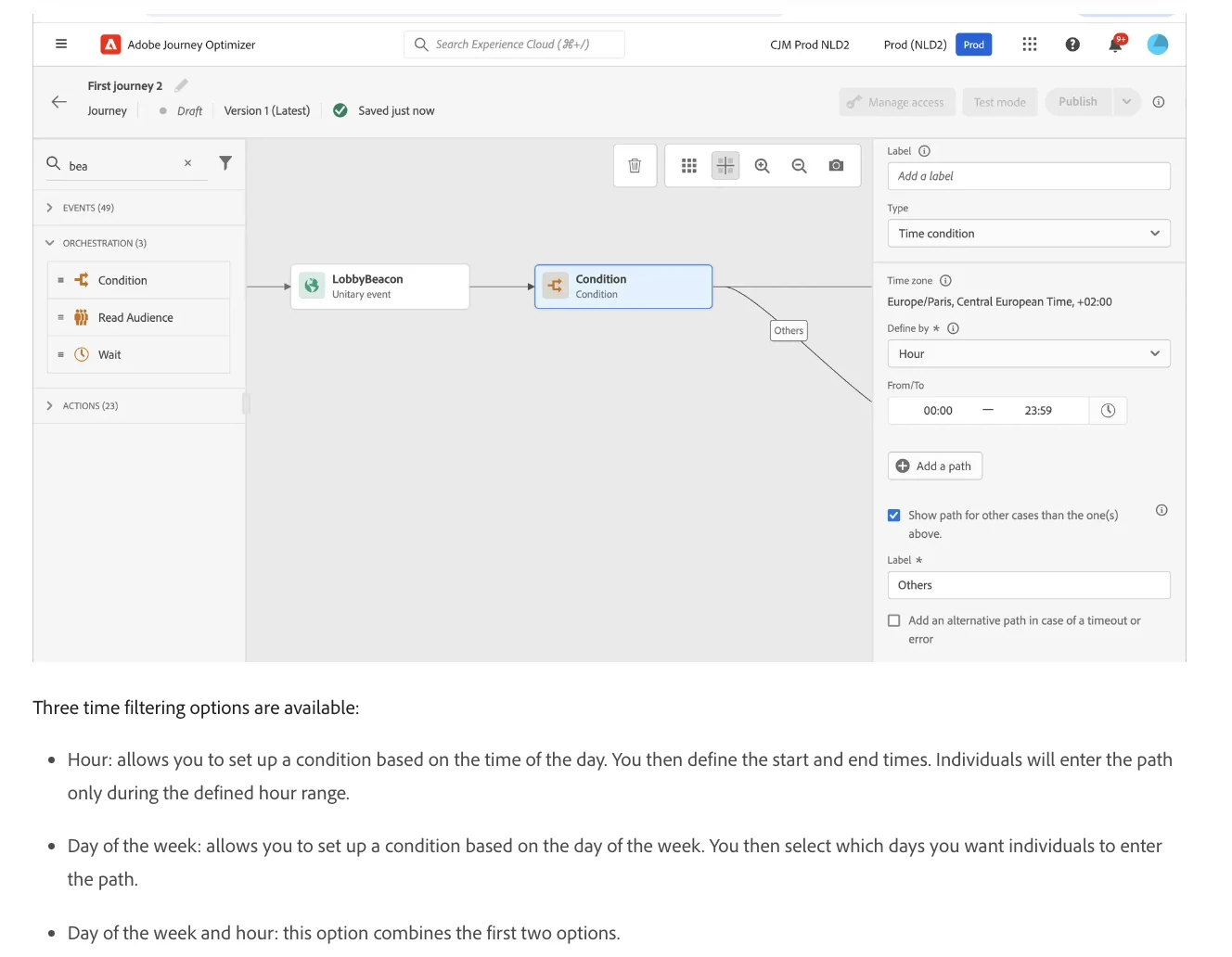
@robve2 You can use Time Condition to achieve the same. This allows profiles to get messages at a specific time of the day.


1 reply

SatheeskannaK
Community Advisor
SatheeskannaKCommunity AdvisorAccepted solution
Community Advisor
May 13, 2024

@robve2 You can use Time Condition to achieve the same. This allows profiles to get messages at a specific time of the day.


Thanks, Sathees
RobVe2Author
May 20, 2024

Hello,


This is of great help! Only thing I am now wondering is if I can delay a message to a certain time if they fall within a certain time slot. Like this: 

09:00 - 21:00: Send immediately

21:00 - 09:00: Wait till 09:00.


In the current set-up I can only cancel the mail where I would like to delay it.


Many thanks!

Rob
