How to put a date = 1 year ago in the filters for a selection of audience. | Community
Skip to main content
Level 2
December 4, 2023
Solved

How to put a date = 1 year ago in the filters for a selection of audience.

  • December 4, 2023
  • 2 replies
  • 860 views

Hello,

I would like to create an audience and select people with product id = L00122 and who subscribed to this product exactly one year ago.

I don't want to select people in the last year but those who subscribed for example if we are today 04/12/2023, I would like to select those who subscribed 04/12/2022 and each day, the same, one year ago.

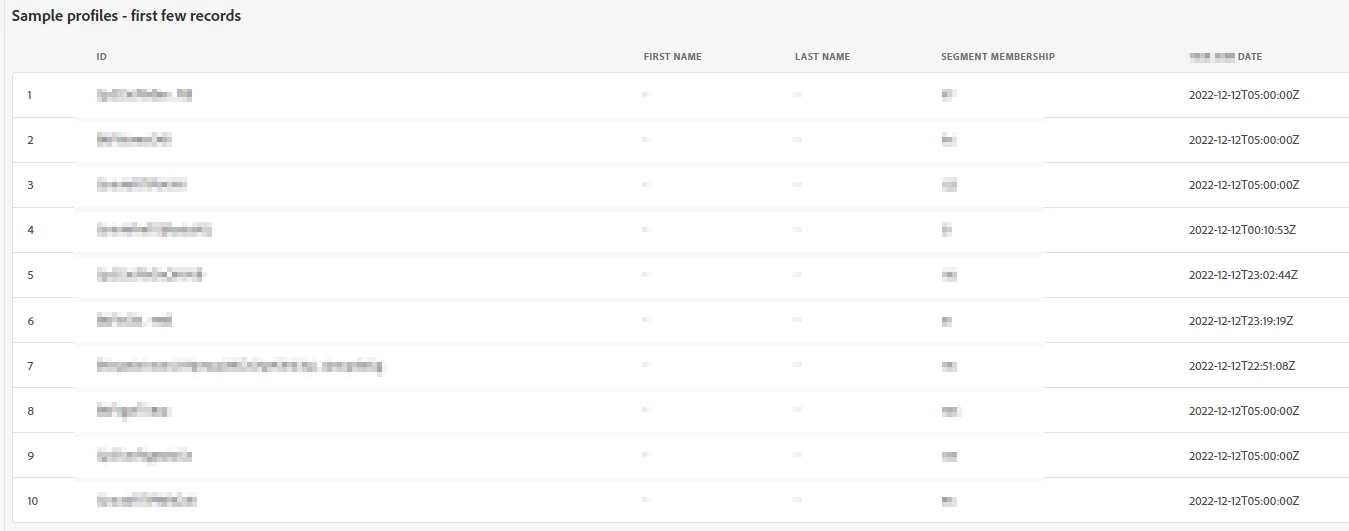
Is that possible ? Because I don't see the filter "one year ago" in the screenshot in attached.
This post is no longer active and is closed to new replies. Need help? Start a new post to ask your question.
Best answer by Mohan_Dugganab

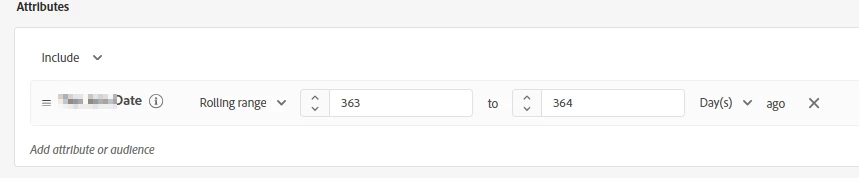
@mailyso2 Did you try the rolling range on the following lines ?


2 replies

SatheeskannaK
Community Advisor
Community Advisor
December 4, 2023

@mailyso2, I don't think you will be able to do that in the audience rule builder instead create an audience that broadly matches those criteria and use condition activity with advanced functions within the journey to get the profiles needed to go through the journey.

Thanks, Sathees
MailySo2Author
Level 2
December 12, 2023

Thanks a lot for your answer.

Mohan_Dugganab
Adobe Employee
Mohan_DugganabAdobe EmployeeAccepted solution
Adobe Employee
December 12, 2023

@mailyso2 Did you try the rolling range on the following lines ?


MailySo2Author
Level 2
December 12, 2023

Ah yes, that was also a solution, I tried it after posting my question, thanks a lot for your answer 🙂