HELP! AJO Email - Loading an ICS File | Community
Skip to main content
Level 4
August 12, 2024
Question

HELP! AJO Email - Loading an ICS File

  • August 12, 2024
  • 1 reply
  • 1244 views

All, 

 I 

How do I load an .ics file into AJO or Experience Manager Assets so I can get the link for it. Based on the documentation is a previous post,  they say load to my ESP (AJO) and get the link. I've tried a few methods and the closest I get is a shared link that doesn't work. 


If AJO has the capability to load .ics files, can someone let me know how. 


This post is no longer active and is closed to new replies. Need help? Start a new post to ask your question.

1 reply

SatheeskannaK
Community Advisor
Community Advisor
August 13, 2024

@montezh2001 Have a look at this thread and see if that helps.

Thanks, Sathees
Level 2
August 13, 2024

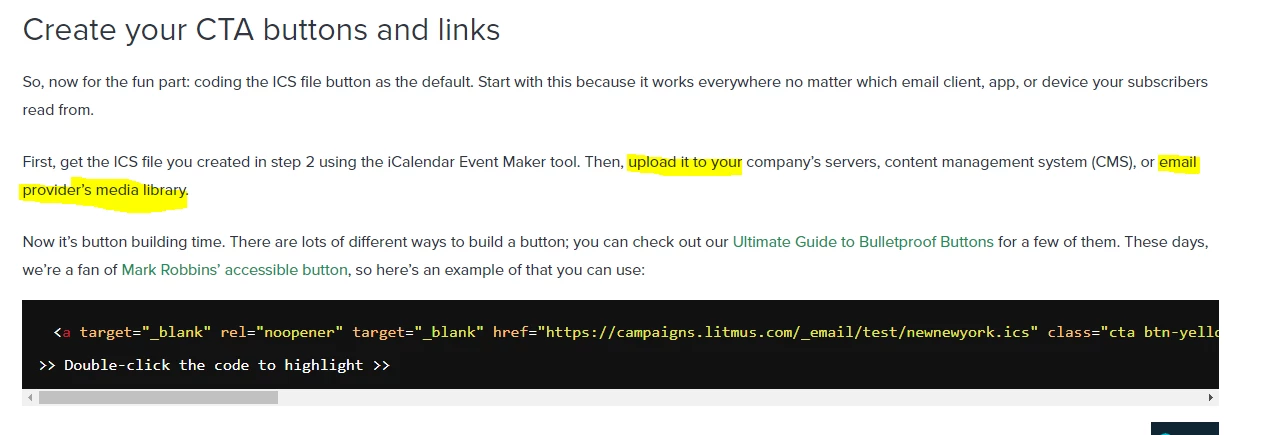
@satheeskannak thank you for your response. Your post is what I have linked in my question, also where the screenshot I supplied. The post speaks to Litmus and not Adobe. 

I tried loading the .ics files into AEM Asset Manager to get the link I need for HTML coding, but it does not seem to work. Asset Manager is not recognizing it; I can't even load it into an email when using Email Designer. 


I just need to know how I can load this into AJO or AEM Asset Manager so that I can get the https link as described in the post. 

SatheeskannaK
Community Advisor
Community Advisor
August 13, 2024

@montexho Copy the HTML code given in the litmus site and setup an HTML fragment in AJO to create the ICS file. Once you have a fragment setup, it can be included in the email templates to include it in journeys/campaigns.

Thanks, Sathees