
Dataset lookup error in fragments | Community
Skip to main content
KotiSyamala
Level 5
February 23, 2025
Solved

Dataset lookup error in fragments

  • February 23, 2025
  • 1 reply
  • 753 views

When I try to save a visual fragment with the dataset lookup function, it throws the below error but works fine in email templates.


{{datasetLookup datasetId="1234567890" id="101" result="store" required=false}} Product details: Name:{{store.productName}} Description:{{store.productDescription}} Amount: {{store.productListPrice.amount}} Conversion Date: {{store.productListPrice.conversionDate}} Currency: {{store.productListPrice.currencyCode}}


There are no errors in the expression

But when I try to save the fragment, I get the below error, but the same is working fine in the email template.
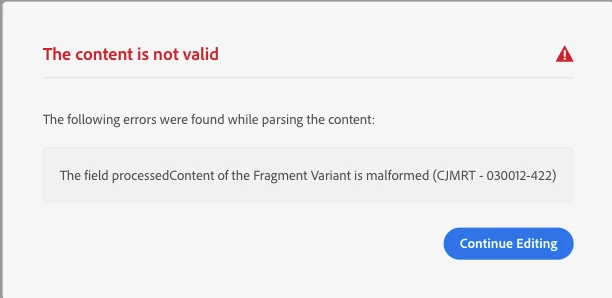
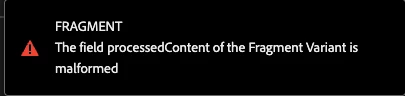
 

Is anyone on the same page? any solutions would be helpful.
Best answer by Mohan_Dugganab

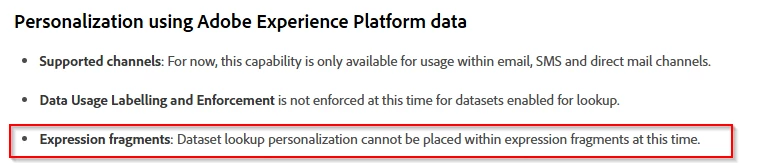
Kindly take a look at the following note https://experienceleague.adobe.com/en/docs/journey-optimizer/using/content-management/personalization/lookup-aep-data 


Dataset lookup is currently not supported in fragments. 


1 reply

Mohan_Dugganab
Adobe Employee
Mohan_DugganabAdobe EmployeeAccepted solution
Adobe Employee
February 24, 2025

Kindly take a look at the following note https://experienceleague.adobe.com/en/docs/journey-optimizer/using/content-management/personalization/lookup-aep-data 


Dataset lookup is currently not supported in fragments. 


KotiSyamala
Level 5
February 24, 2025

That's right, @mohan_dugganab . I'm not using an expression fragment; it's a visual fragment. But still not working.


Is this applicable to visual fragments as well?

Mohan_Dugganab
Adobe Employee
Adobe Employee
February 24, 2025

Yes, it is