Receiving 'fail' errors when following Edge Delivery To-do list on Adobe Cloud | Community
Skip to main content
Level 2
March 11, 2025
Solved

Receiving 'fail' errors when following Edge Delivery To-do list on Adobe Cloud

  • March 11, 2025
  • 2 replies
  • 383 views

Hey guys,


This is a very quick question, but its blocking me from setting up my projects edge delivery final production site.


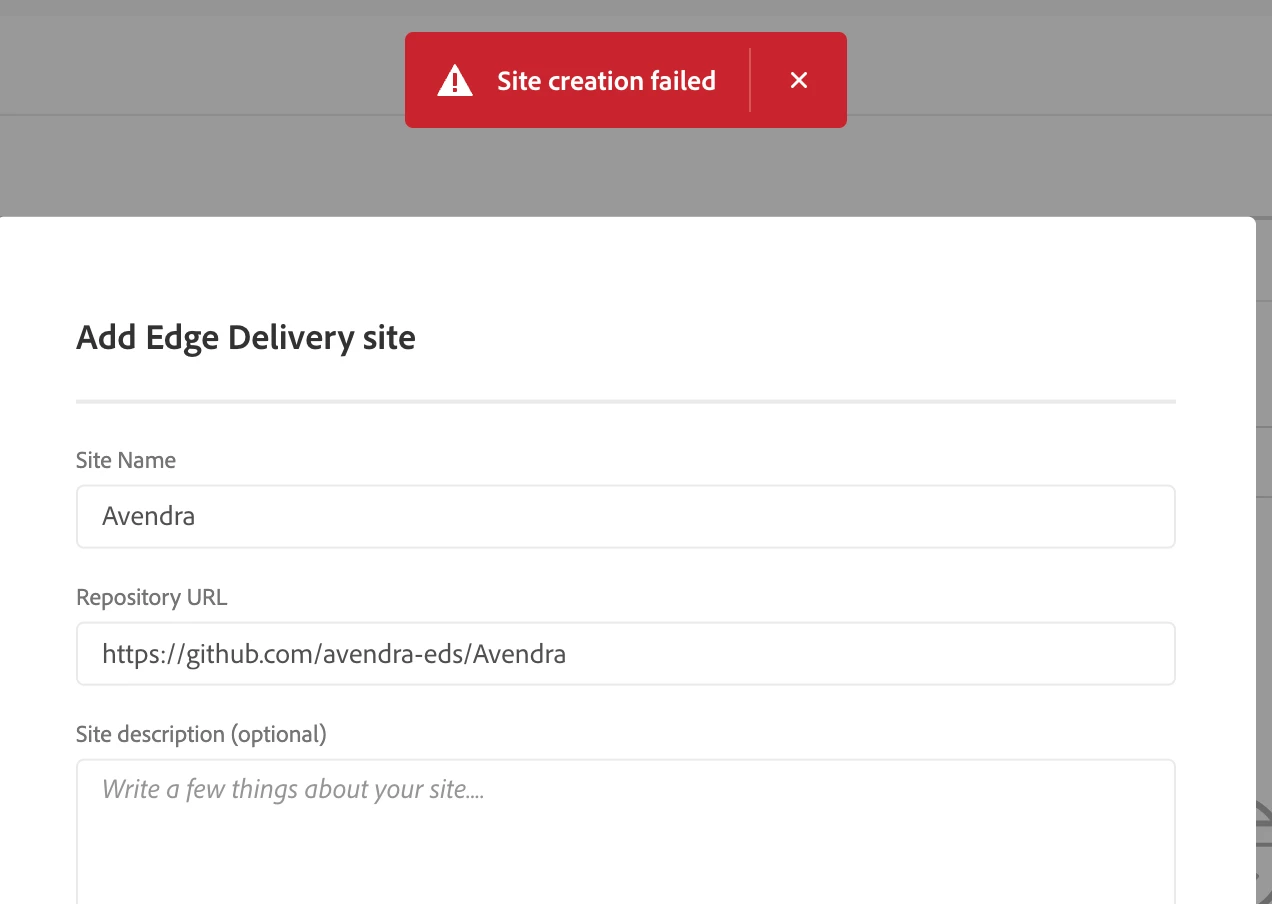
Im following the "Edge Delivery To-Do List" on Adobe Cloud within our program, and got to step 3 which is "Add Edge Delivery site". I filled out the information for that step correctly, for our teams github repo for this site and the clients name - but facing a "Site creation failed" error. (See attached screenshot)

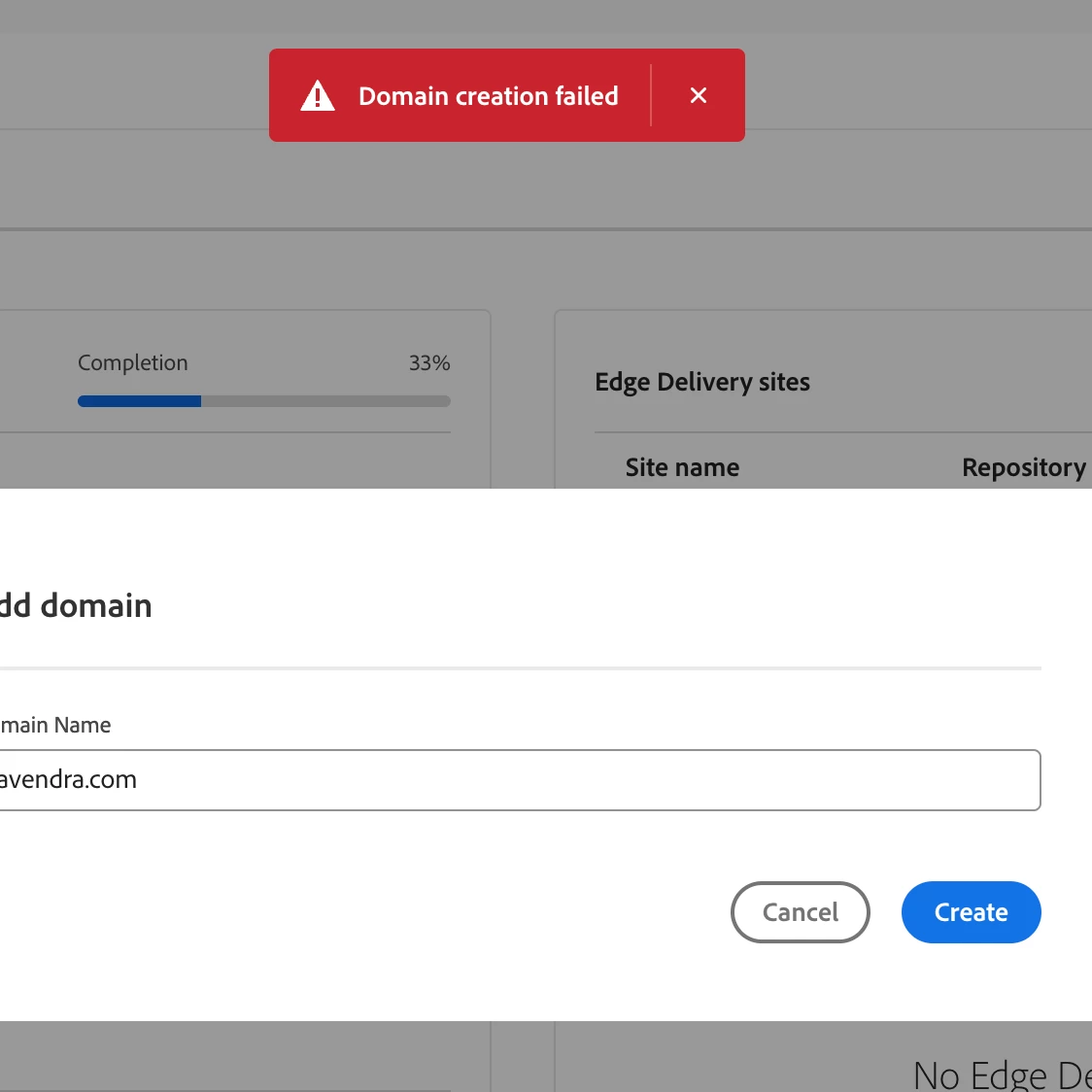
Another error comes up when I try to do Step 4 which is "Add domain". I fill out the domain name the client owns, and which will be our EDS's final site destination push, but I receive the error "Domain Creation Failed". (See attached screenshot)

Looking for assistance to overcome these errors, as its majorly blocking the pipeline setup. 
Thanks.
This post is no longer active and is closed to new replies. Need help? Start a new post to ask your question.
Best answer by narendiran_ravi

hi @saadab ,

Are you still facing this issue? I’ve tried the same steps in my Cloud sandbox and have not encountered any problems.

When a domain is added, the system automatically checks if it’s available. If you’re seeing an error, it could be due to a service-side issue or that the domain is not available.

I recommend retrying with a different domain to see if the issue persists.

2 replies

kautuk_sahni
Community Manager
Community Manager
April 8, 2025

@narendiran_ravi @josephambrose @c-piosecny @arunpatidar If you have a moment, please review this question and see if you can help. Thanks in advance!

Kautuk Sahni
narendiran_ravi
narendiran_raviAccepted solution
Level 6
April 8, 2025

hi @saadab ,

Are you still facing this issue? I’ve tried the same steps in my Cloud sandbox and have not encountered any problems.

When a domain is added, the system automatically checks if it’s available. If you’re seeing an error, it could be due to a service-side issue or that the domain is not available.

I recommend retrying with a different domain to see if the issue persists.