How to use Insert Link in Google Docs managed Document Content | Community
Skip to main content
IainClucas
Level 3
October 21, 2025
Question

How to use Insert Link in Google Docs managed Document Content

  • October 21, 2025
  • 2 replies
  • 275 views

I am using Google Docs to manage content in EDS, I am wanting to 'Insert Link' to other documents in the Google Drive, that will be converted to a proper external link at preview and publish.


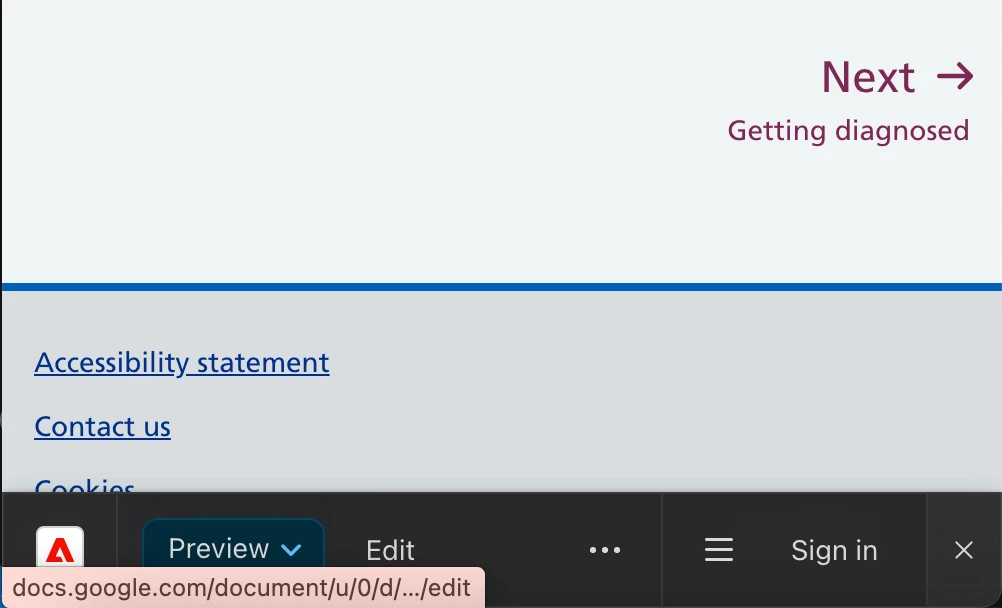
However, when I preview the document the link does not get converted to the externally rendered URL but stays pointing to the Google Docs file in a Google Drive Domain.

Is there a configuration option at the .helix level that I would need to set to make this happen?

2 replies

giuseppebaglio
Level 10
October 21, 2025

hi @iainclucas,

There is no default automatic link rewriting for internal URLs unless specified with custom mapping logic.

You need to set up path mapping for internal paths to external site URLs in your configuration. Have a look at here.

 
IainClucas
Level 3
October 21, 2025

Hi - thanks for the reply.


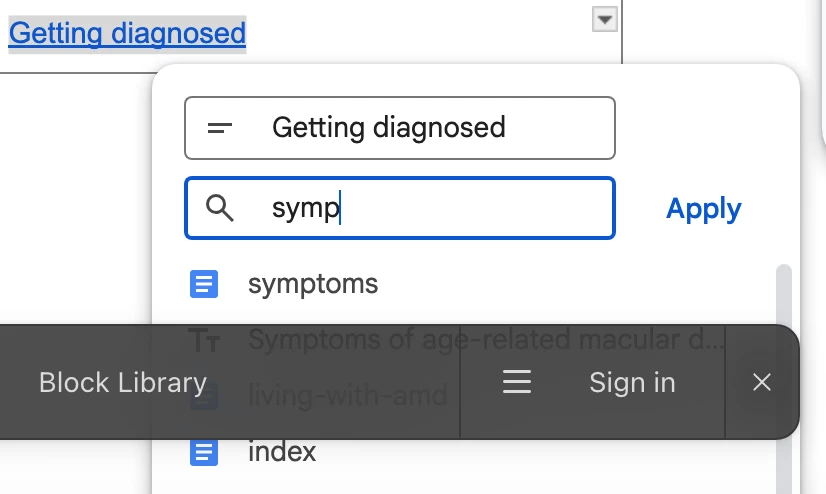
My query is in relation to document editing in Google Docs. Below is an example of what I am attempting. Symptoms is a Document in my GoogleDrive. It has been previewed and has a valid .page url (I have tried publishing to a .live url) and the same result in the 2nd photo.


You can see that the link it pointing to docs.google rather then either of the aem.live urls.


I would prefer not to hard wire the external link to a specific domain path, especially as we would like the ability to move documents around periodically, so generating the link at render time, like what I assume happens with the page url would be ideal.

Assuming this would be something in the core Franklin code, that could be switched through a config setting.


kapil_rajoria
Community Advisor
Community Advisor
November 11, 2025

Hi @iainclucas ,
EDS doesn't have such functionality which converts the authored doc links to actual external links in preview or publish.
I would suggest you to create a custom block and write the JS for it.