How do I Capture "Installed Browser Plugins" with Adobe Analytics through DTM?
Hello all.
I am having an issue with Capturing the Installed Browser Plugins through DTM for Adobe Analytics.
We are Currently using the SiteCatalyst code version: H.24.1. in Production but on Dev we are trying moving to newer JS-2.5.0-D7QN:
in our current system we are capturing Installed Browser plugins. The following images are from ObservPoint view of Adobe Analytics in Chrome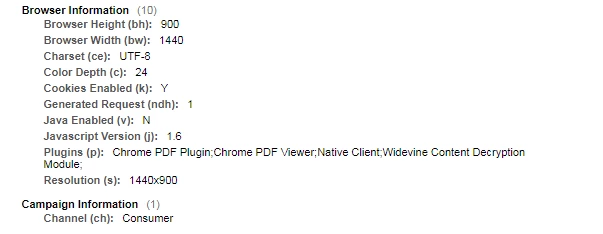
In the new system with DTM the plugins (p): is not available.
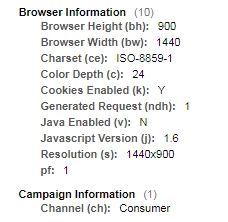
Using Chrome, when i look in Source tab and go to the watch section and put in Plugin i get the following
Plugin: ƒ Plugin()
I found this link to Adobe plugins <-link] but it's no real help, also when doing web search all I get back is browser plugins to debug DTM not this.
This is the last piece I need to be able to Deploy Adobe Analytics with DTM, without it we can go live with the newer JS.