WebSDK and data send to AEP Schema | Community
Skip to main content
chrisludwig87
Level 2
November 18, 2024
Question

WebSDK and data send to AEP Schema

  • November 18, 2024
  • 2 replies
  • 1853 views

Hi everyone,

In my current setup, I've split AA and AT into two different data collection rules. I want AT to load on the library loaded event and AA with the data layer push event. Both use the "send data" event with a guided event: AA with data collection and AT with "personalization request."


so, if I add the XDM object and/or data object to my AT rule, it seems like the schema is receiving a call with counting a page view +1 and all the web page details as those are defined in the "update variables"-event in my AA rule. I'm wondering if I'm messing up my data in the CDP because the desired AT rule tells the schema, that a page view has happened? I'm not sure about best practices here. Should I leave it blank, or build a separate data element or update/empty the variables before? How are you folks doing that?

2 replies

chrisludwig87
Level 2
November 18, 2024

/edit: Adding some insights for clarification.


If I have only one active send event which is a guided event for request personalization and I perform a page load on my test website, I can still see an edge log in the AEC-Debugger with an upstream event to AA. Shouldn't this be stopped, or is it still streamed due to the data stream configuration as a result of any send event?

SSampsa
Level 4
November 19, 2024

Hey. In this case I think you have the right idea and by populating data that is used by Analytics to identify page calls, the data is counted towards page views, regardless of its type. This seems a bit backward, but it is what it is.


The best method is to use a different data object for Target and Analytics respectively, so that Analytics specific data is not passed to Edge when only Target should be called. There could be a common base object and then separate parts used for each individual product that add to it.

chrisludwig87
Level 2
November 20, 2024

This link could help you find out the missing details in data mapping for Target's parameters: Send parameters - Migrate Target from at.js 2.x to Web SDK | Adobe Target 

While it is true that all XDM is passed to each destination (with the exception of items under data-object), it does not mean they are mapped correctly (which one would assume when statements like "will be automatically sent to all destinations" are used).

Some common elements, such as the webPageDetails ones are mapped directly and partially product information from the Commerce field group, since they replace some of the separate data structures used by AA and Target, but for parameters there are different ways the system behaves as the link I shared shows.


Thanks for providing your thoughts. Maybe I didn't get you 100%, but I was looking at the migration docs too and they're explicitly saying "All Target mbox parameters must be passed as part of the xdm object and conform to a schema using the XDM ExperienceEvent class. Mbox parameters cannot be passed as part of the data object."


To me, this means if I have a send event in place, that consists of the event type "web.webinteraction.linkClicks" and has a custom parameter anywhere in the schema (in my case it's "web.webInteraction.name"), this path should appear in the dropdown for custom parameters when building an audience in AT. Funny enough, all the objects below the path webPageDetails for which I passed values are available. I'm confused...

chrisludwig87
Level 2
November 27, 2024

One more thing, that surprises me.

I currently have 2 rules in my Tags setup. Both create a send event (guided) for personalization only, w/o XDM or data object. The only difference here is, that rule 1 fires at page top "Library Loaded" and rule 2 is triggered by a custom event "linkClick" (DL push from the page).

It's meant to have no differences in communication with the servers, but there are.

The first difference is, that rule 2 is missing all that personalization stuff. Why?

Rule1:

[{"xdm":{"eventType":"decisioning.propositionFetch","web":{"webPageDetails":{"URL":"https://aep.verrodata.com/"},"webReferrer":{"URL":""}},"device":{"screenHeight":1440,"screenWidth":2560,"screenOrientation":"landscape"},"environment":{"type":"browser","browserDetails":{"viewportWidth":2038,"viewportHeight":1184}},"placeContext":{"localTimezoneOffset":-60,"localTime":"2024-11-27T08:37:33.221+01:00"},"timestamp":"2024-11-27T07:37:33.221Z","implementationDetails":{"name":"https://ns.adobe.com/experience/alloy/reactor","version":"2.24.0+2.27.0","environment":"browser"}},"query":{"personalization":{"schemas":["https://ns.adobe.com/personalization/default-content-item","https://ns.adobe.com/personalization/html-content-item","https://ns.adobe.com/personalization/json-content-item","https://ns.adobe.com/personalization/redirect-item","https://ns.adobe.com/personalization/ruleset-item","https://ns.adobe.com/personalization/message/in-app","https://ns.adobe.com/personalization/message/content-card","https://ns.adobe.com/personalization/dom-action"],"decisionScopes":["__view__"],"surfaces":["web://aep.verrodata.com/"]}}}]

Rule 2:

[{"xdm":{"eventType":"decisioning.propositionFetch","web":{"webPageDetails":{"URL":"https://aep.verrodata.com/"},"webReferrer":{"URL":""}},"device":{"screenHeight":1440,"screenWidth":2560,"screenOrientation":"landscape"},"environment":{"type":"browser","browserDetails":{"viewportWidth":2038,"viewportHeight":1184}},"placeContext":{"localTimezoneOffset":-60,"localTime":"2024-11-27T08:37:43.638+01:00"},"timestamp":"2024-11-27T07:37:43.638Z","implementationDetails":{"name":"https://ns.adobe.com/experience/alloy/reactor","version":"2.24.0+2.27.0","environment":"browser"}}}]


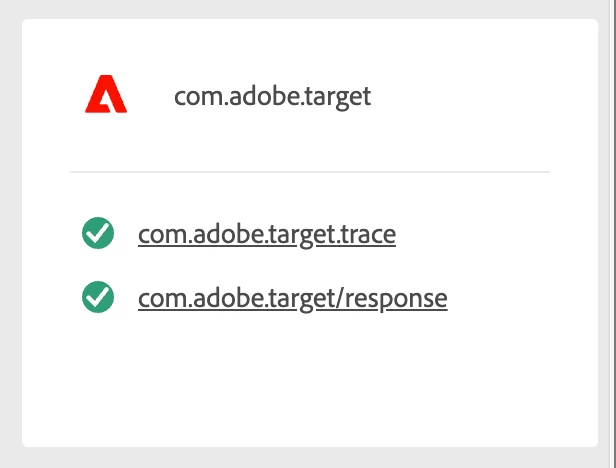
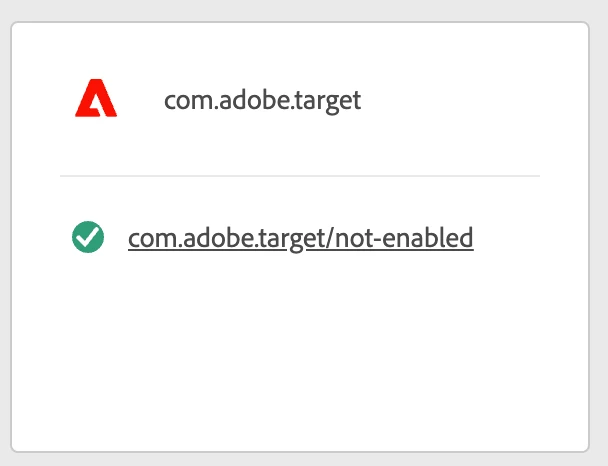
Second difference I can see while debugging (Edge Transactions) is, that the response from rule 2 (server-side) has something like "not-enabled" in the URL. Why?

Rule1:
 

Rule 2:
 

SSampsa
Level 4
November 27, 2024

I can't say off the bat why would the second, identical call not include the actual query for Target, but that is very much why the second call in debugger is not working the same, as the parts of request defining the action to Target is missing and will not have Target capability working as intended.