redirect to experience on button click | Community
Skip to main content
January 24, 2023
Solved

redirect to experience on button click

  • January 24, 2023
  • 3 replies
  • 1545 views

I am trying to set up a test, where if someone clicks on a certain button, it'll re-direct them to that pages URL, but with an experience we have setup in Target, instead of the original page
----
<a class="button-one">www.adobe.com/test</a>
on click
show experiance-1234 www.adobe.com/test

<a class="button-two">www.adobe.com/test</a>
on click
show original www.adobe.com/test

I've tried using mboxDefine and mboxUpdate without any luck - Any advice would be very appreciated! 
This post is no longer active and is closed to new replies. Need help? Start a new post to ask your question.
Best answer by vijayc88216288

Hi Jamessy,
The easiest way to this use-case is with the help of query parameters. Please find below solution.
You will need to configure two activities.
1.You will need to create the first activity on the page where you are adding the buttons. Furthermore, the configuration of buttons should look like this.
<a class="button-one">www.adobe.com/test?targetactivity=experience</a>
<a class="button-two">www.adobe.com/test?targetactivity=control</a>
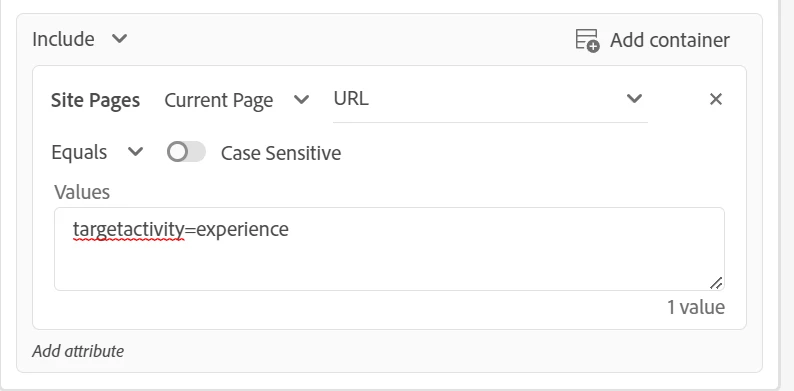
2.Now, you need to create an audiences based on above query parameters.

3.You will need to create the second activity as an XT on "www.adobe.com/test" page based on audiences you created above. Using the above audiences, you can show the default or personalized experiences to your visitors.


3 replies

Gaureshk_Kodag
Adobe Employee
Adobe Employee
January 24, 2023

Hi @jamessy 

Maybe you can try adding two different query params on both redirect URLs and setup activity basis those query params.

Level 4
January 24, 2023

Use multivariate testing

vijayc88216288
vijayc88216288Accepted solution
Level 2
February 1, 2023

Hi Jamessy,
The easiest way to this use-case is with the help of query parameters. Please find below solution.
You will need to configure two activities.
1.You will need to create the first activity on the page where you are adding the buttons. Furthermore, the configuration of buttons should look like this.
<a class="button-one">www.adobe.com/test?targetactivity=experience</a>
<a class="button-two">www.adobe.com/test?targetactivity=control</a>
2.Now, you need to create an audiences based on above query parameters.

3.You will need to create the second activity as an XT on "www.adobe.com/test" page based on audiences you created above. Using the above audiences, you can show the default or personalized experiences to your visitors.