Solved
Offer Personalization Based on User's Last Click
How to display an offer to an audience based on the most recently clicked product.
while the product is located on the homepage, the offer should be shown on a different page.
How to display an offer to an audience based on the most recently clicked product.
while the product is located on the homepage, the offer should be shown on a different page.
You can trigger an mbox in the monitoring activity like below-
adobe.target.getOffer({
"mbox": "target-global-mbox",
"params": {
"profile.product": "clothes,
}
});
Then build the audience like below-
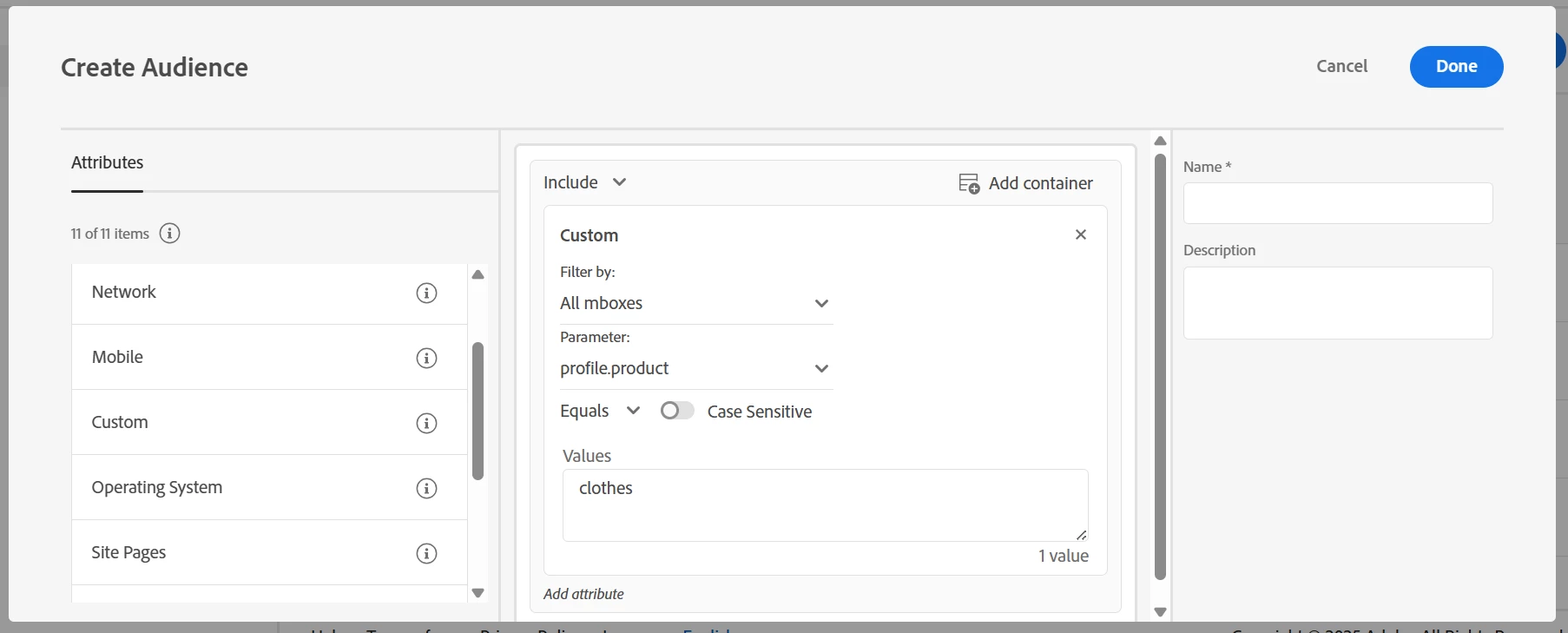
Note- the profile parameter name will not be availabe initially, fire the mbox for few times and in sometime Adobe Target will recognize it. Also, you can change mbox name from All mboxes to the name of mbox you are using.
Enter your E-mail address. We'll send you an e-mail with instructions to reset your password.