Mobile: added Target extension in Launch but don't see "import com.adobe.marketing.mobile.Target" in integration settings | Community
Skip to main content
DmytroPanchenk
Level 3
August 20, 2024
Solved

Mobile: added Target extension in Launch but don't see "import com.adobe.marketing.mobile.Target" in integration settings

  • August 20, 2024
  • 1 reply
  • 980 views

Hi,

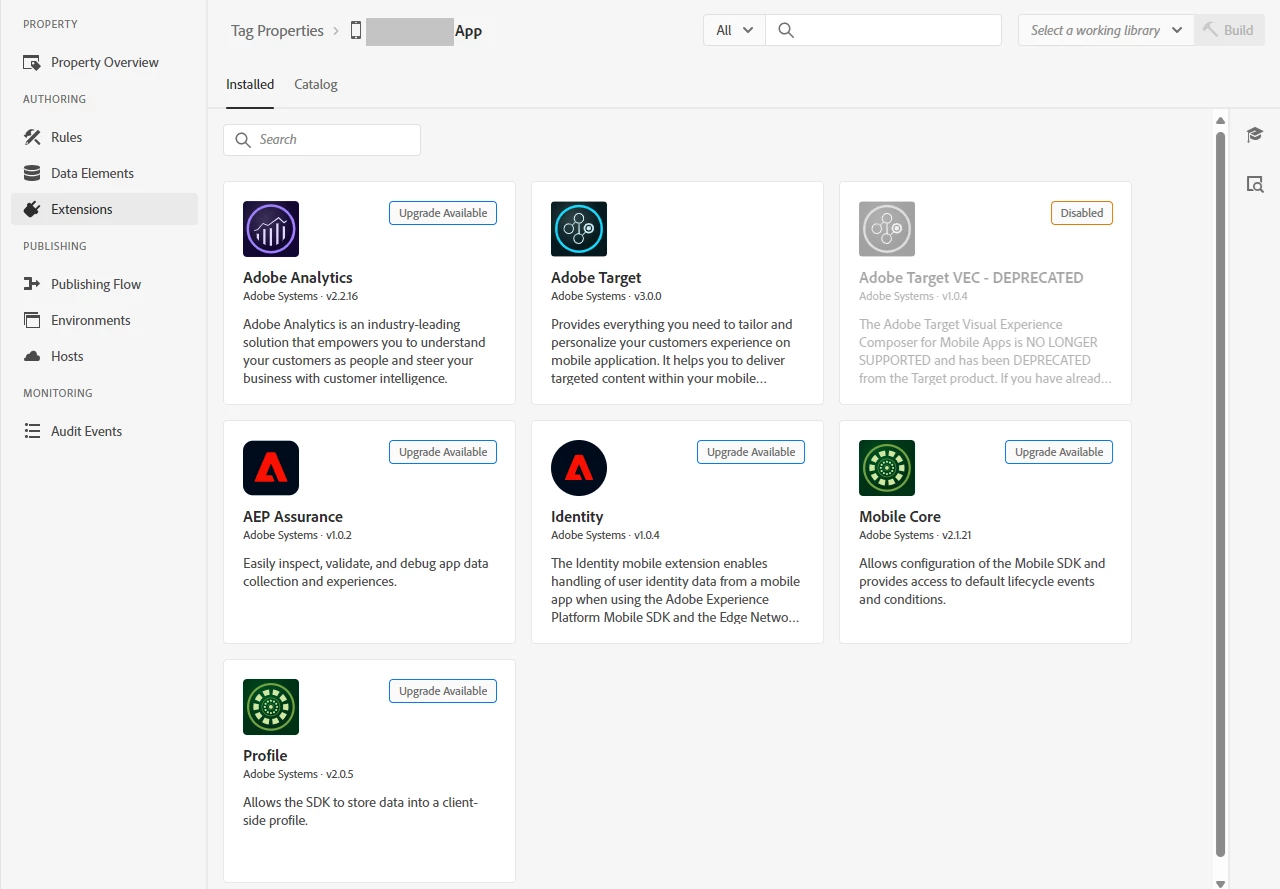
I am integrating Target into a mobile app. I have an existing Launch property where "Mobile Core", "Identity", "Profile", and "Adobe Analytics" extensions are added and promoted to Production.

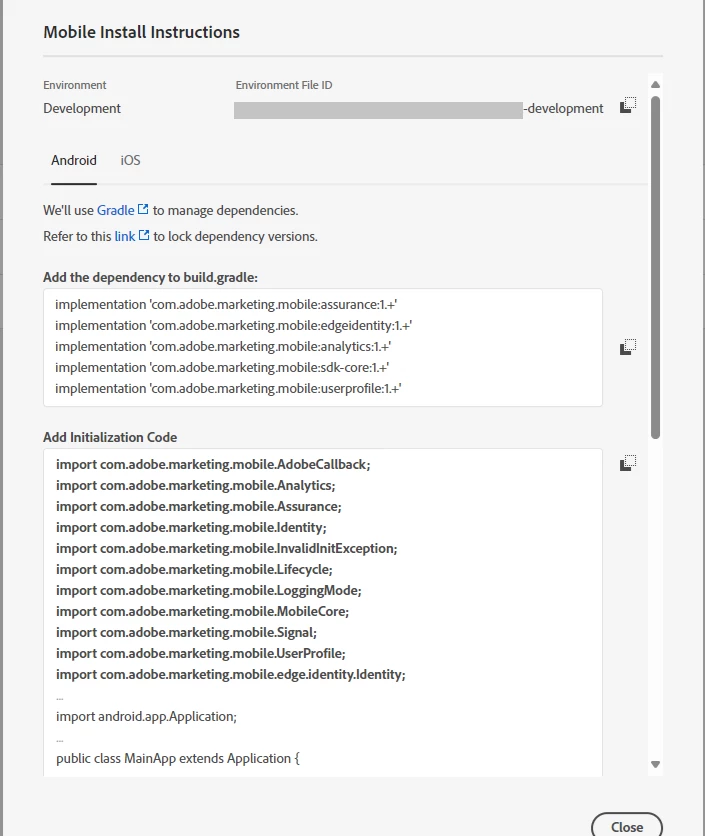
I added Target extension, placed it to in new library, and built the library to Development. The Development modification date has changed, but the "Add Initialization Code" does not contain "import com.adobe.marketing.mobile.Target". Target is not mentioned in "Add the dependency to build.gradle" field, either.

Can anyone suggest how to get Target added to the initialization code?


This post is no longer active and is closed to new replies. Need help? Start a new post to ask your question.
Best answer by Vaibhav_Mathur

Hi @dmytropanchenk ,


Please review and debug the configuration by following the steps outlined below:


Extension Configuration: After adding the Adobe Target extension, ensure that it has been properly configured. This includes verifying the Client Code and Target Workspace Property within the extension settings.


Library Publishing: When creating a new library in the publishing flow, after selecting "Add All Changed Resources", verify that the changes related to the Adobe Target extension are listed among the modified resources.


Reference Documentation: For further guidance, you can refer to the official documentation here: https://developer.adobe.com/client-sdks/solution/adobe-target/.


Best regards,
Vaibhav Mathur

1 reply

Vaibhav_Mathur
Community Advisor
Vaibhav_MathurCommunity AdvisorAccepted solution
Community Advisor
August 21, 2024

Hi @dmytropanchenk ,


Please review and debug the configuration by following the steps outlined below:


Extension Configuration: After adding the Adobe Target extension, ensure that it has been properly configured. This includes verifying the Client Code and Target Workspace Property within the extension settings.


Library Publishing: When creating a new library in the publishing flow, after selecting "Add All Changed Resources", verify that the changes related to the Adobe Target extension are listed among the modified resources.


Reference Documentation: For further guidance, you can refer to the official documentation here: https://developer.adobe.com/client-sdks/solution/adobe-target/.


Best regards,
Vaibhav Mathur

DmytroPanchenk
Level 3
August 28, 2024

Hi,

It looks like it is something more complex than the extension configuration or the contents of the library. The team decided to contact Adobe Support; we are waiting for the results of their investigation.

DmytroPanchenk
Level 3
September 2, 2024

Update: Adobe support recommended updating the extensions, which solved the problem.