Expand my Community achievements bar.

Get ready! An upgraded Experience League Community experience is coming in January.
Submissions are now open for the 2026 Adobe Experience Maker Awards

Mark Solution

This conversation has been locked due to inactivity. Please create a new post.

SOLVED

Keep users with a URL parameter in an experience

Avatar

Level 2

Hi!

I am trying to set up an activity that does the following:

Upon entry to the site with a URL that contains this parameter  PST_V2, hide two pieces of content (was using display:none to do this) and persist hiding for rest of session

That URL parameter is only present on initial entry page, it falls off should a user navigate to another page.


I tried setting up a profile scriptlike so:

try{
var mboxParam = page.query('PST_V2') || "";
if (mboxParam != "") {
return mboxParam;
}
}
catch(e){
// Error handling...
}

and then set up an audience like this:
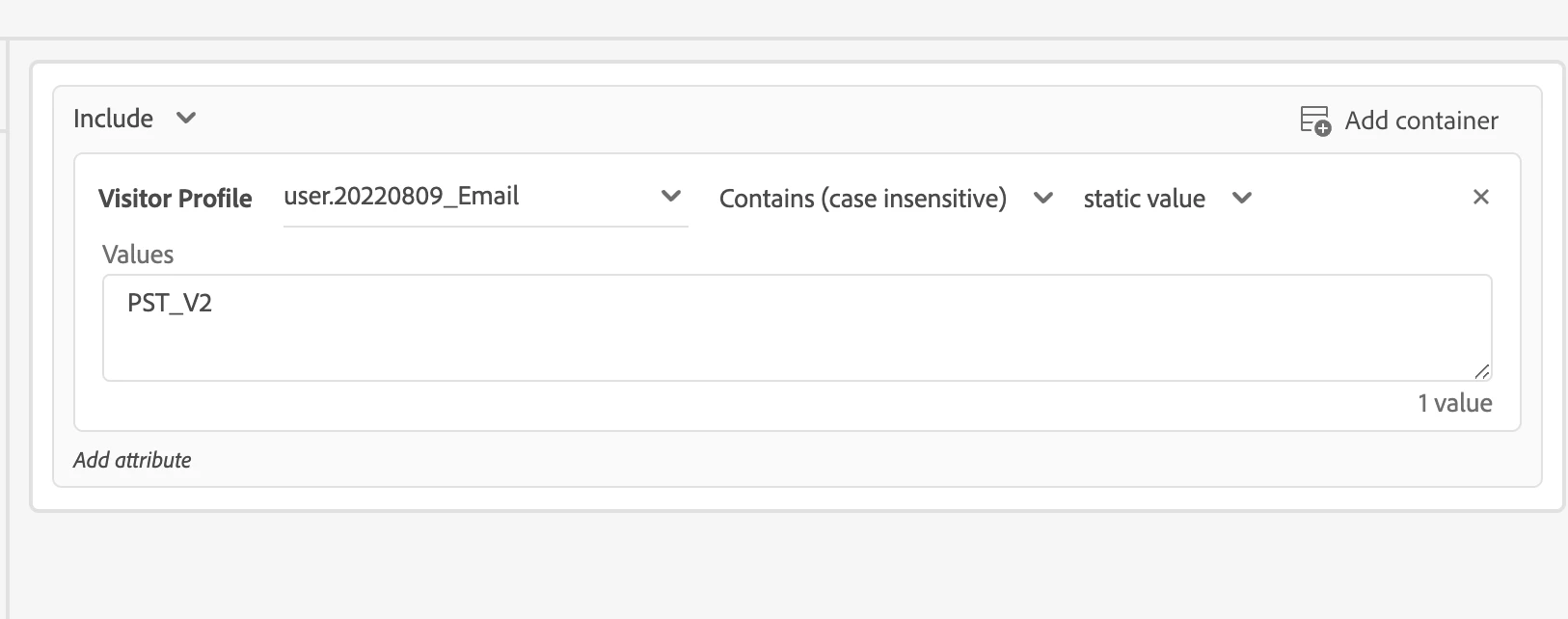
Screen Shot 2022-08-09 at 11.48.36 AM.png


I am not having any luck. What am i doing wrong? Thanks!

1 Accepted Solution

Avatar

Correct answer by
Level 2

If this helps anyone else....after a few more tries, i figured out what i was doing wrong.

My audience was fine, my profile script was keying off the wrong thing.

My url is formatted as such:
www.mysite.com?param_here=PST_V2

i was initially looking for just "PST_V2", when i really needed to use "param_here".


Updated profile script to this and I was back in business!


try{
var mboxParam = page.param('param_here').toLowerCase() || "";
if (mboxParam != "") {
return mboxParam;
}
}
catch(e){
// Error handling...
}

View solution in original post

2 Replies

Avatar

Correct answer by
Level 2

If this helps anyone else....after a few more tries, i figured out what i was doing wrong.

My audience was fine, my profile script was keying off the wrong thing.

My url is formatted as such:
www.mysite.com?param_here=PST_V2

i was initially looking for just "PST_V2", when i really needed to use "param_here".


Updated profile script to this and I was back in business!


try{
var mboxParam = page.param('param_here').toLowerCase() || "";
if (mboxParam != "") {
return mboxParam;
}
}
catch(e){
// Error handling...
}

Avatar

Employee

@strrjms thank you so much for following up here with your Target Community peers with what worked well for you! 👏 Major kudos on identifying the issue - asking for help - trying again - and then, for taking the extra step to share your knowledge here - before getting right back to business! Keep up the amazing work!!