How to track clicks and conversions in Target-only reporting when personalization is on Page A but purchase occurs on Thank You Page? | Community
Skip to main content
Level 2
September 14, 2025
Solved

How to track clicks and conversions in Target-only reporting when personalization is on Page A but purchase occurs on Thank You Page?

  • September 14, 2025
  • 1 reply
  • 382 views

Hello Community,

I have a scenario where personalization is shown on Page A, but the actual conversion (purchase) happens several steps later on a Thank You Page after 3–4 intermediate pages.

My questions are:

  1. In Target-only reporting, how does Adobe Target ensure conversions are attributed only to users who actually saw the personalization on Page A?

    • What happens if a visitor never saw Page A but still makes a purchase — is that conversion excluded from the activity results?

  2. Would using a dynamic mbox on the Thank You Page be the best way to track conversions reliably across this multi-page journey?

    • If yes, how should I configure it so that only exposed visitors are counted towards conversion metrics?

  3. In addition, I also want to track clicks on a CTA banner on Page A as an intermediate success metric, as well as the final purchase on the Thank You Page.

    • Is the right approach to use a dynamic mbox / trackEvent on the banner click to capture click data?

    • Can I configure both “click” and “purchase” as separate metrics in the same activity for full funnel reporting?

Looking for best practices and implementation guidance to make sure reporting is accurate across both micro-conversions (clicks) and macro-conversions (purchase) in this type of funnel.

Thanks in advance!
— Shoeb
Best answer by kandersen-1

Hi @shaikhshoeb ,


1. Happens automatically, you're only part of the reporting if you enter the activity/sees one of the experiences.

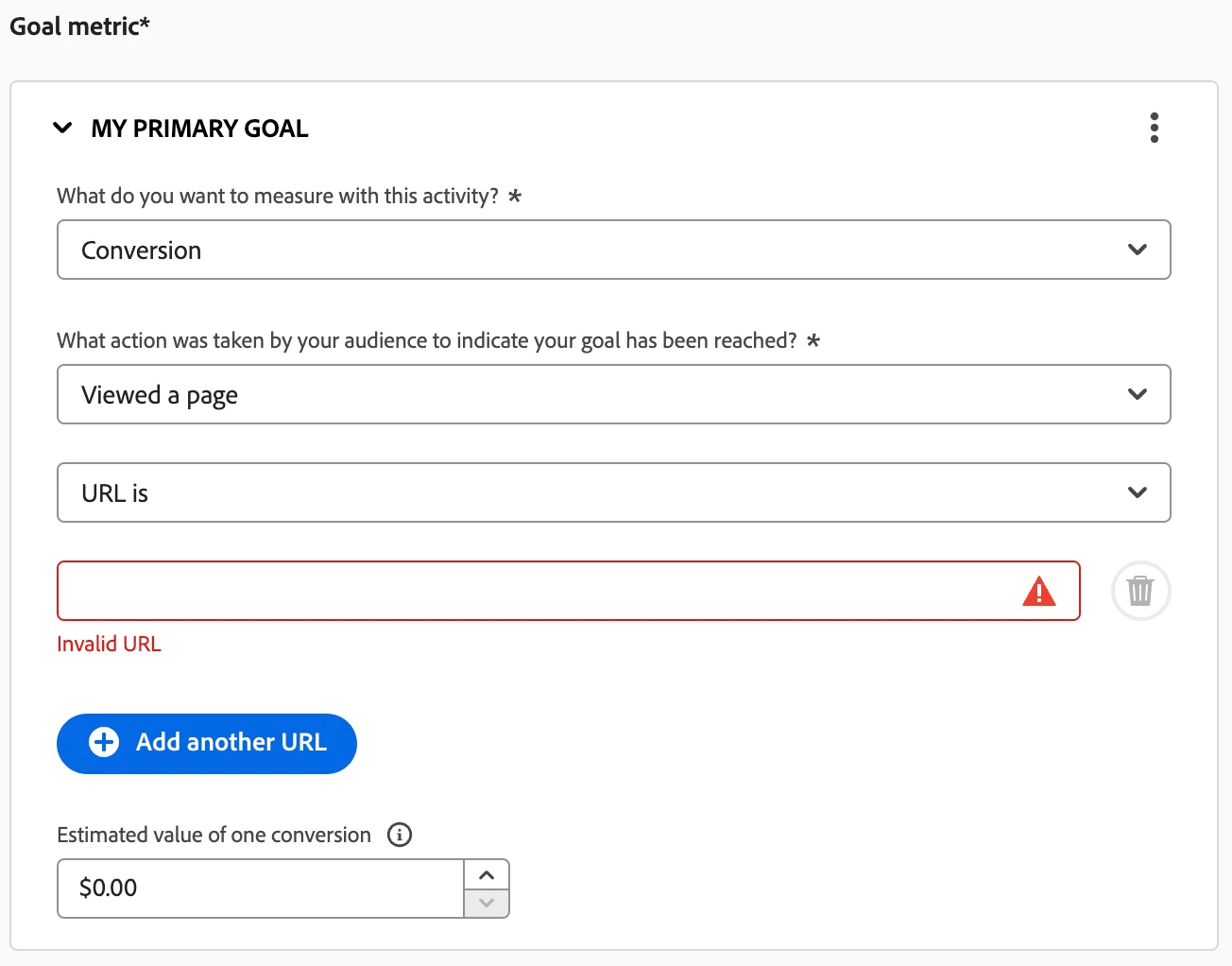
2. Not necessarily, you could define the conversion as seeing a URL. If it is an order with a value i would implement an orderConfirmPage mbox/call. This enables you to use revenue as a metric for your activity. If this isn't the case I would just simply specify the URL:


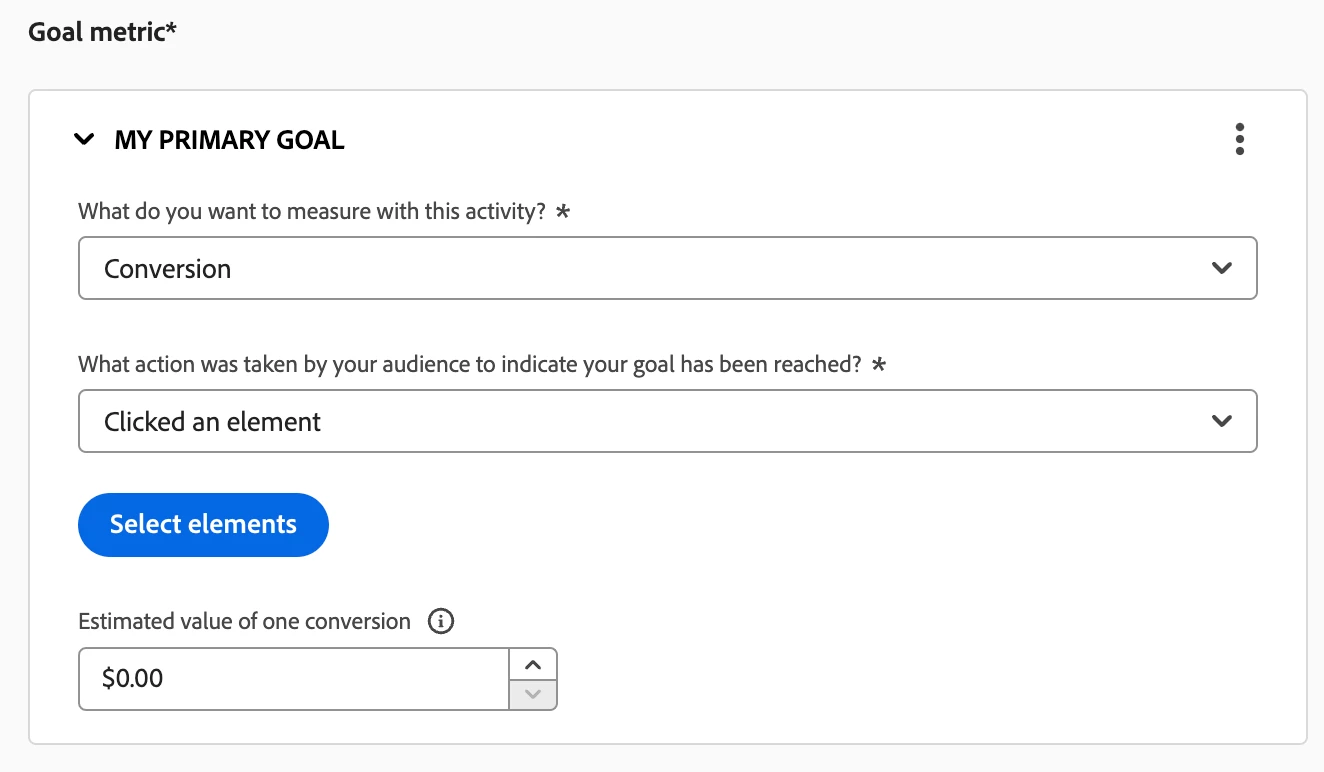
3. I would again use conversion and select 'clicked an element' and then select your element. This way you avoid having to implement further calls. 


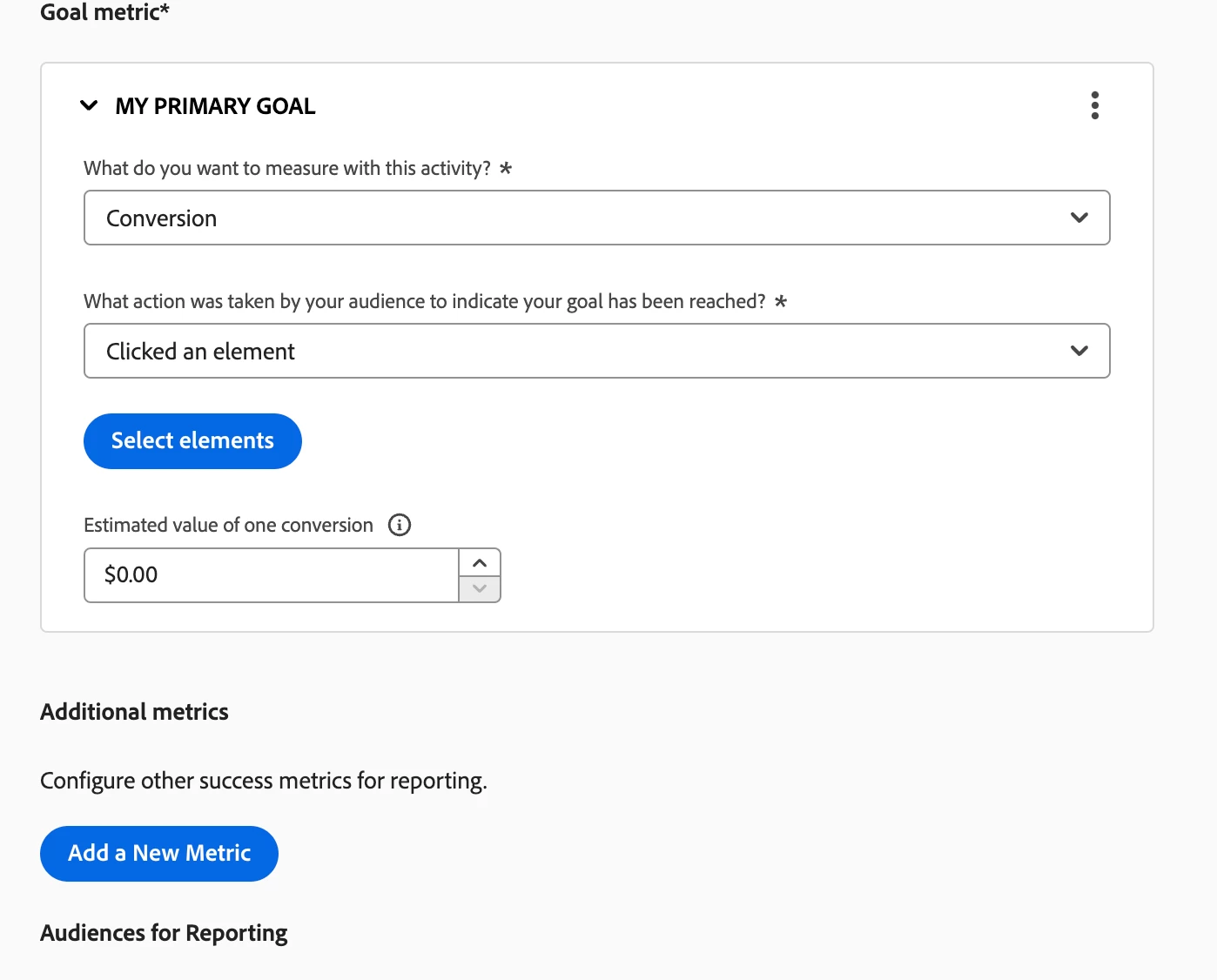
Yes you can configure several metrics. You have your primary and just below that you have 'additional metrics', click 'add a new metric' and you have the same options available as for your primary one.


Hope this helps!

Kind Regards,
Kasper


1 reply

kandersen-1
Community Advisor
kandersen-1Community AdvisorAccepted solution
Community Advisor
September 15, 2025

Hi @shaikhshoeb ,


1. Happens automatically, you're only part of the reporting if you enter the activity/sees one of the experiences.

2. Not necessarily, you could define the conversion as seeing a URL. If it is an order with a value i would implement an orderConfirmPage mbox/call. This enables you to use revenue as a metric for your activity. If this isn't the case I would just simply specify the URL:


3. I would again use conversion and select 'clicked an element' and then select your element. This way you avoid having to implement further calls. 


Yes you can configure several metrics. You have your primary and just below that you have 'additional metrics', click 'add a new metric' and you have the same options available as for your primary one.


Hope this helps!

Kind Regards,
Kasper


Test forum signature
Level 2
October 23, 2025

Thanks for the answer @kandersen-1. This really helps.