
How to analyze which mbox the user viewed as conversion (both Target and A4T) | Community
Skip to main content
chamito
Level 2
October 11, 2024
Solved

How to analyze which mbox the user viewed as conversion (both Target and A4T)

  • October 11, 2024
  • 2 replies
  • 1228 views

Hi Community,


I've searched for this answer on documentation and community but couldn't manage to find any.


We've created an A/B test activity and set the goal to "Viewed an mbox", with the following (fictional) values:
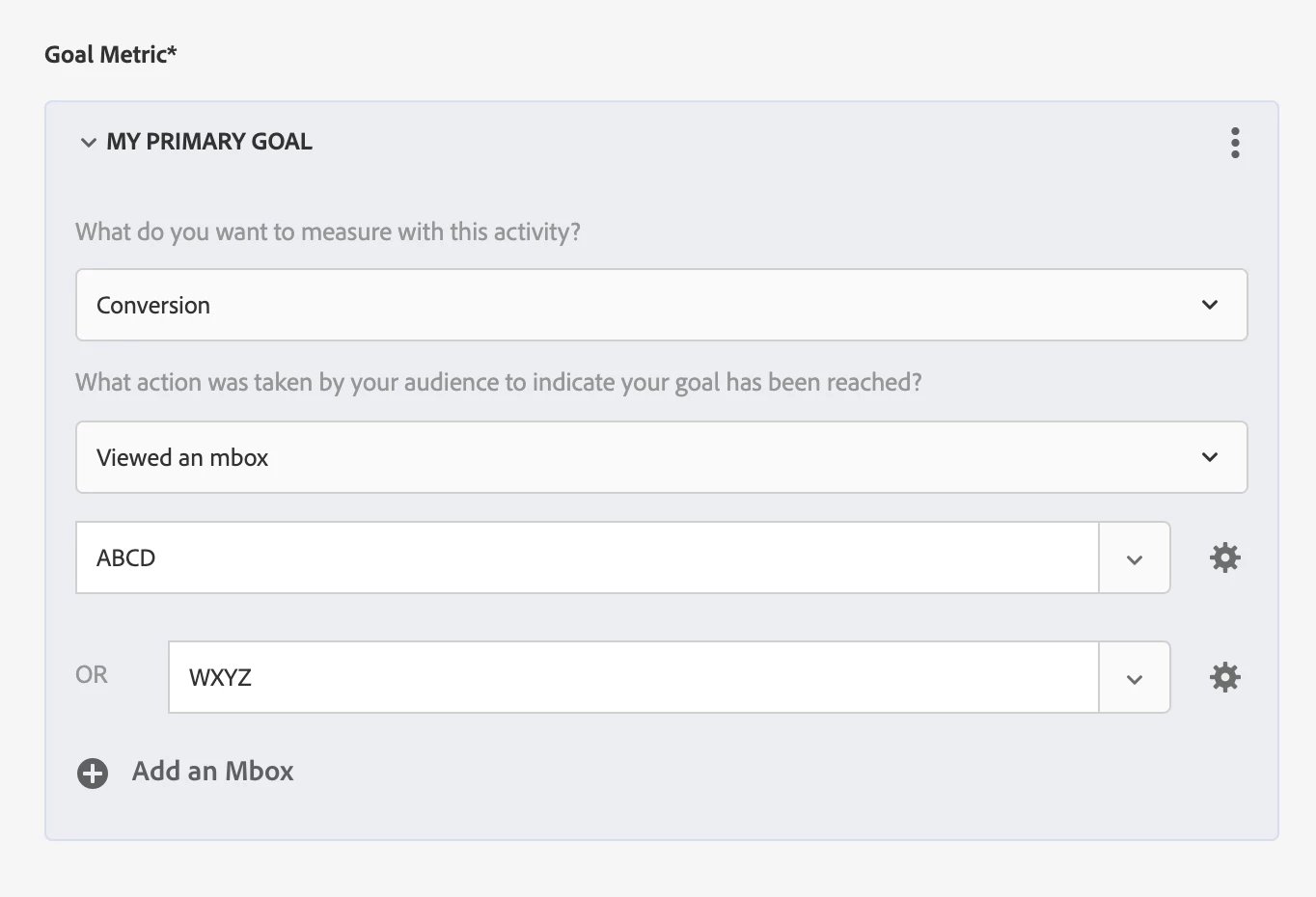


We're triggering an:

adobe.target.trackEvent({ "mbox": "ABCD" //or "WXYZ" });

when the user clicks the desired element.


We're correctly tracking the total amount of conversions, but we are unable to breakdown by ABCD/WXYZ mbox both on Target reporting and Analytics Workspace (we're using A4T as the reporting source), since there is no option or Workspace dimension to use for breaking down/segmenting the traffic.


Is there really no way to get to know this detail for the conversions, or are we missing some steps?


Kind regards,

Daniele

This post is no longer active and is closed to new replies. Need help? Start a new post to ask your question.
Best answer by SSampsa

Thank you for the added details. I will also clarify that what I meant was it takes about the same amount of effort to implement new custom metrics in Analytics as it does mboxes for Target, so I would always go with the former given the choice. 


With A4T there is a call made from Target to Analytics that synchronizes Activity Conversions, such as custom goals, but to my knowledge it's not possible to differentiate more details and only totals are available and you are stuck with this level of detail.

2 replies

pradnya_balvir
Community Advisor
Community Advisor
October 11, 2024

Hi @chamito ,


To analyze which mbox a user viewed as a conversion in Adobe Target (A4T), you can use the Analytics for Target (A4T) panel in Analysis Workspace:
  1.  Go to a report suite with A4T components enabled 
  2. Click the panel icon on the left 
  3. Drag the A4T panel into your Analysis Workspace Project 
  4. Use the panel to analyze your Target activities and experiences 
  5. View lift and confidence for up to three success metrics 
  6. Use tables and visualizations to dig deeper 
 
SSampsa
Level 4
October 14, 2024

As @pradnya_balvir instructed on Analytics, I recommend this solution as well. Target reporting is very lacking and provides very limited options for reporting.


If A4T is available, I recommend using it for conversions as well and reporting through Analytics. This doesn't require any additional effort outside of configuring the Activity, unless you don't have those conversion points in Analytics, in which case it's about the same as adding custom Target events.

chamito
chamitoAuthor
Level 2
October 14, 2024

Hi all and thanks for the replies.


Maybe I didn't explain myself correctly, but we're already using the A4T panel in Analytics workspace.

My point is that we analyze target activities -> experiences towards visits, activity conversions metrics and other segments, but I can't find any way to analyze how many conversion are coming from each mbox.


Let's say we have this:


+----------+------+--------------------+ | |Visits|Activity conversions| +----------+------+--------------------+ |Experience| 100| 1000| +----------+------+--------------------+ |Control | 50| 400| +----------+------+--------------------+ |Variant | 50| 600| +----------+------+--------------------+


Our goal is to breakdown "Activity conversions" to know how the two different mboxes (ABCD/WXYZ) contributed.

The issue is that, navigating the "Dimensions" panel, we are unable to find any TnT dimension useful for the breakdown.


@ssampsa as you stated:
"unless you don't have those conversion points in Analytics, in which case it's about the same as adding custom Target events." -> with not having conversion points, do you mean not seeing conversions incrementing at all? If so, this is not our case, because we're getting the total conversion in A4T.


Kind regards,

Daniele


SSampsa
SSampsaAccepted solution
Level 4
October 14, 2024

Thank you for the added details. I will also clarify that what I meant was it takes about the same amount of effort to implement new custom metrics in Analytics as it does mboxes for Target, so I would always go with the former given the choice. 


With A4T there is a call made from Target to Analytics that synchronizes Activity Conversions, such as custom goals, but to my knowledge it's not possible to differentiate more details and only totals are available and you are stuck with this level of detail.