Help figuring out how to set A/B Test's goal metric
Hello there,
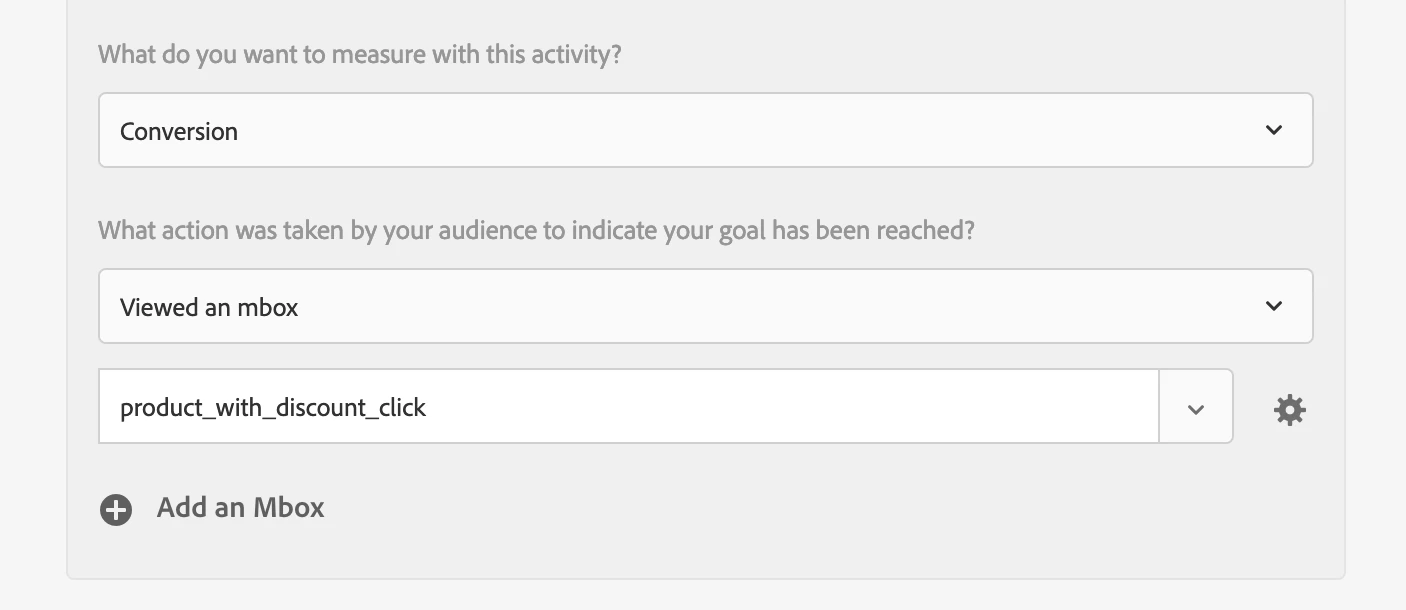
I would like some help on how to create an A/B test, whose goal metric may not be one of the OOTB offered.
Below are the variations for the test:
- Experiment A will be the control view, showing the percentage discount of the products (the site currently shows it that way);
- Experiment B will show the discount in the local currency.
These experiences are already configured, but I need help with the third tab (Goals & Settings).
The client would like to know which of these variations would generate more clicks on the product image/title (considering that there is a list of products on the respective page).
Is it advisable to use regional mboxes for this purpose? And if so, is there a way to track/debug every time the regional mbox is fired or viewed?
We tried code below for that purpose, and set it in the Target Rule inside Data Collection.
productImageLinks and productTextLinks are the links for the product's page.
      productImageLinks.addEventListener("click", () => {
        adobe.target.trackEvent({
          "mbox": "product_with_discount_click"
        });
      }, { once : true });

      productTextLinks.addEventListener("click", () => {
        adobe.target.trackEvent({
          "mbox": "product_with_discount_click"
        });
      }, { once : true });
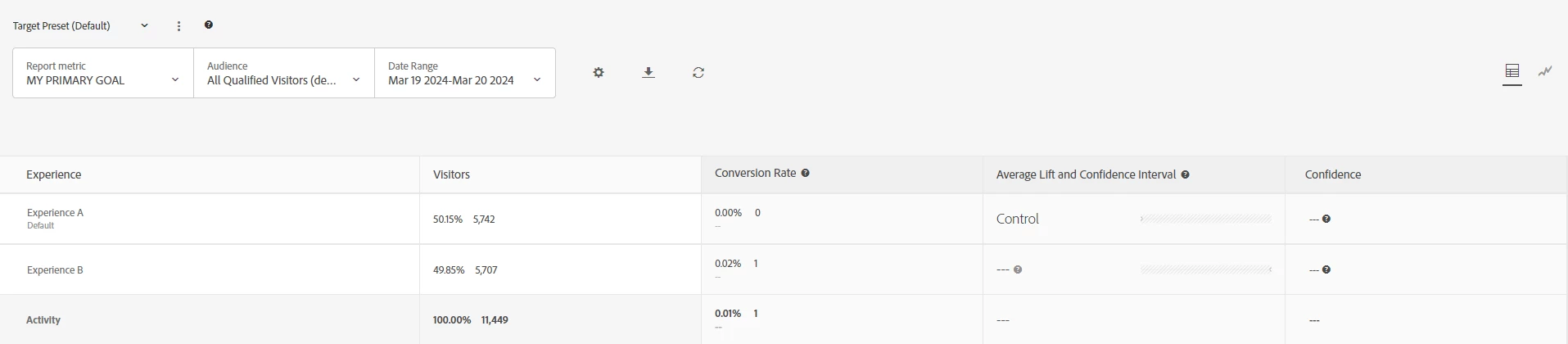
Below is the current report (the audience is set to auto-allocate):
Thank you very much!