Find the New user for website using adobe target | Community
Skip to main content
Level 2
February 5, 2025
Solved

Find the New user for website using adobe target

  • February 5, 2025
  • 2 replies
  • 519 views

Hi Everyone,


I have a usecase where I want to implement certain functionalities for the first time user visiting to a certain page. 

I have adobe target which is used to create that audience to implement this. I want to show a popup and do other stuffs for the first time users visiting the page.


challenge is how I will get to know that my user its a first time user.


Can I use Mbox cookie to understand if the user is new or repeated user. Does mbox cookie have such information.


Or is there any other way to do this?
Best answer by Gaureshk_Kodag

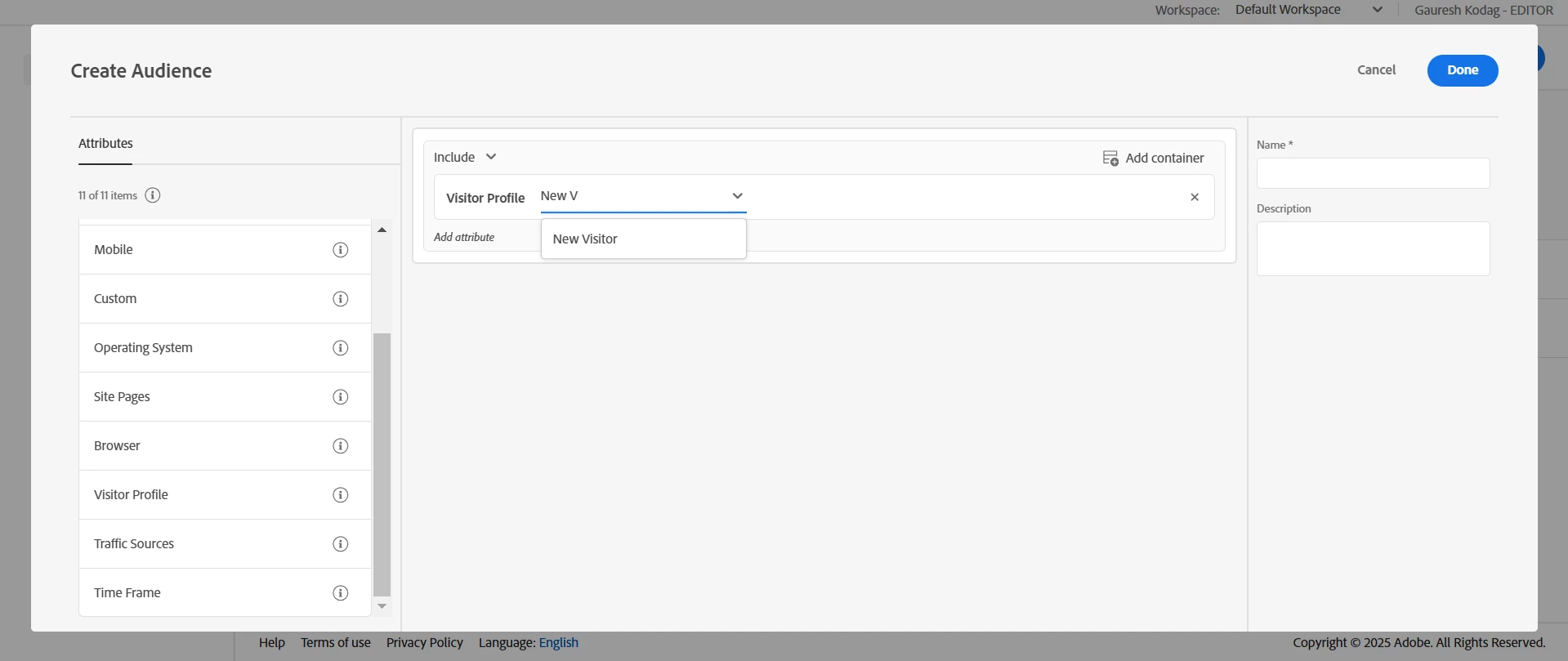
Hi @varun790, You can use the OOB "New Visitors" Attribute in the Adobe Target Audiences tab to create a New Visitors audience.

Let me know if your requirement is specific to the page - user visiting page A for the first time. For this you might need to write a custom profile script logic and create audience basis the profile script.


2 replies

Gaureshk_Kodag
Adobe Employee
Gaureshk_KodagAdobe EmployeeAccepted solution
Adobe Employee
February 6, 2025

Hi @varun790, You can use the OOB "New Visitors" Attribute in the Adobe Target Audiences tab to create a New Visitors audience.

Let me know if your requirement is specific to the page - user visiting page A for the first time. For this you might need to write a custom profile script logic and create audience basis the profile script.


pradnya_balvir
Community Advisor
Community Advisor
February 6, 2025

Hi @varun790 , You can create audience in Target.

  • Audience creation:
    When creating an audience in Target, you can select "Visitor Profile" as a parameter and set a rule to identify new visitors based on their cookie data, which tracks if it's their first visit to the site.
     

    Create audiences in Adobe Target to target visitors who meet specific profile parameters.

    1. In the Target interface, click Audiences > Create Audience.

    2. Name the audience and add an optional description.

    3. Drag and drop Visitor Profile into the audience builder pane.

    4. Click Select, then select one of the following options:


    Visitor profile parameters are passed via the mbox (profile). You can target new visitors.


    1. A visitor profile is created in the local edge memory for each mbox call with new mboxPC. After 30 minutes of inactivity, the profile is saved to the Target database and is accessible from other edges.

      When a site visitor logs in mid-session and gets a 3rdpartyId, all previously loaded profile attributes tied to the 3rdPartyId are immediately available.

      You can target custom profile parameters and user. parameters. Choose the parameter you use want to use to target your activity. If the desired parameter does not display, the parameter has not been fired by an mbox.

    2. (Optional) Set up additional rules for the audience.

    3. Click Done.

    For more information, you can go through the video from below link.