Facing issue with clicked an element with A4T activity
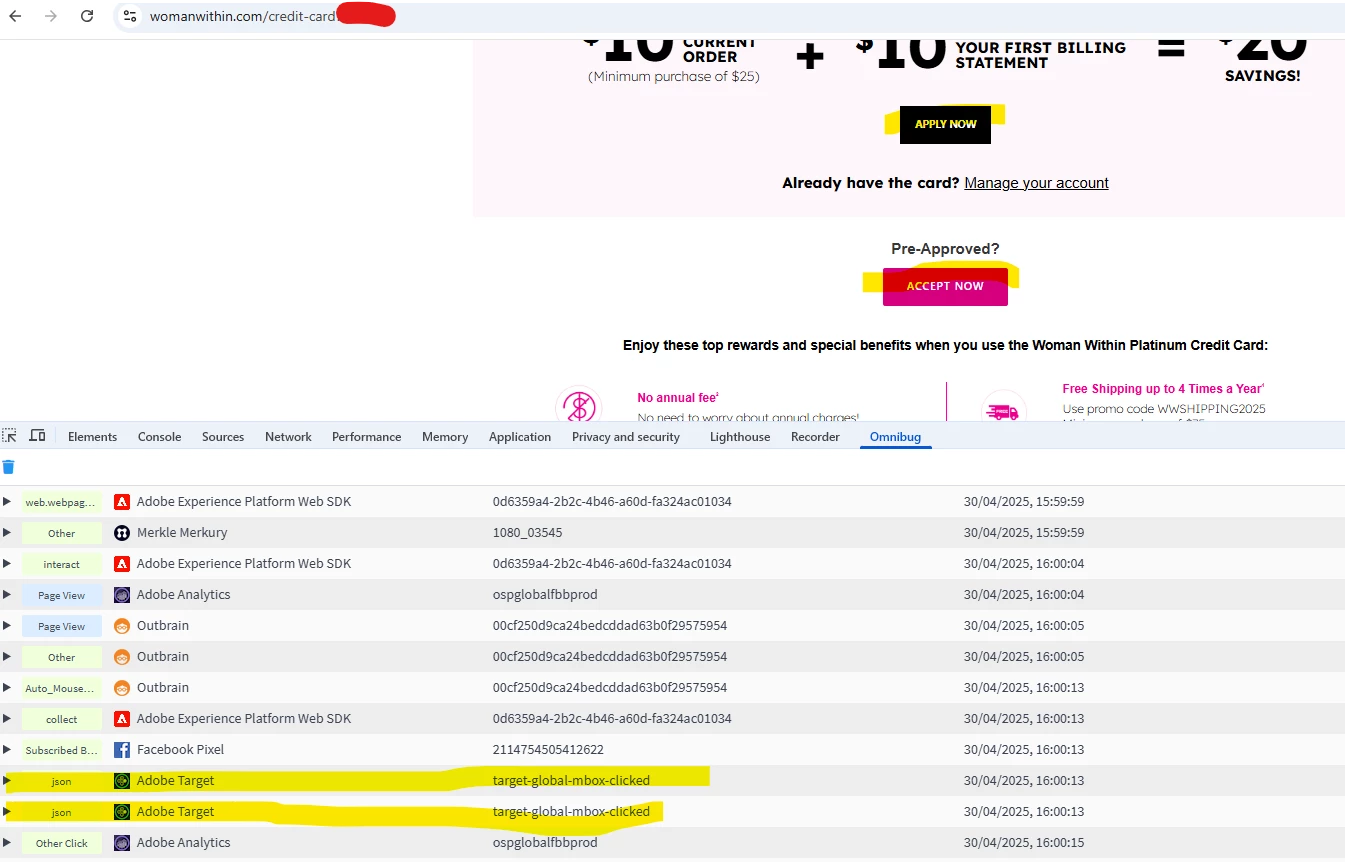
We ran one A4T activity using clicked an element as the goal metric. We selected one CTA (APPLY NOW) for which we wanted to track the clicks.
We then launched another A4T activity using clicked an element as the goal metric. This time we selected 2 CTAs (APPLY NOW and ACCEPT NOW) that we wanted to track. The first CTA was the same as in first A4T activity.
We could see conversion data in the first A4T activity for the CTA 'APPLY NOW'. But somehow we are seeing no conversion data in the second A4T activity. Its just in second A4T activity, we selected 2 CTAs (APPLY NOW and ACCEPT NOW). I need to understand if the CTAs are being tracked or not. When we click on the CTA, we get Adobe Target call as below:
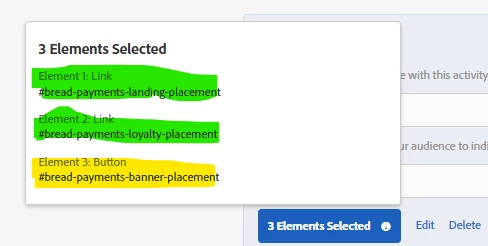
Refer the below screenshot for goal metric selection. The yellow highlighted CTA is no longer on the webpage. It was removed while the test was live.
APPLY NOW HTML - <a id="bread-payments-landing-placement" class="cta-btn brand-font-2 font-weight-bold font-weight-bold fs14 uppercase pl30 pr30 pt15 pb15 bg-black-1 text-white at-element-click-tracking" href="#" name="Apply Now" data-ep-placement="111314fc-bfbe-4b20-8e8c-bd4b2c038cc0" data-location="landing"><div class="ep-text-placement" data-action-type="SHOW_OVERLAY" data-action-target="placement-primary-cta" role="button" tabindex="0" data-action-content-id="6a51a4b7-98b7-4906-a303-aae0b589b586" bis_skin_checked="1"> <div class="epjs-body" bis_skin_checked="1"> Apply Now </div> </div></a>
ACCEPT NOW HTML - <a id="bread-payments-loyalty-placement" class="button mt-4 text-white at-element-click-tracking" href="#" data-ep-placement="b9bf4080-30d1-4daa-84fe-0989303c8b0e" data-location="loyalty"><div class="ep-text-placement" data-action-type="SHOW_OVERLAY" data-action-target="placement-primary-cta" role="button" tabindex="0" data-action-content-id="228f3c38-8061-4cdc-9fca-c5519c04e731" bis_skin_checked="1"> <div class="epjs-body" bis_skin_checked="1"> Accept Now </div> </div></a>