Brion,
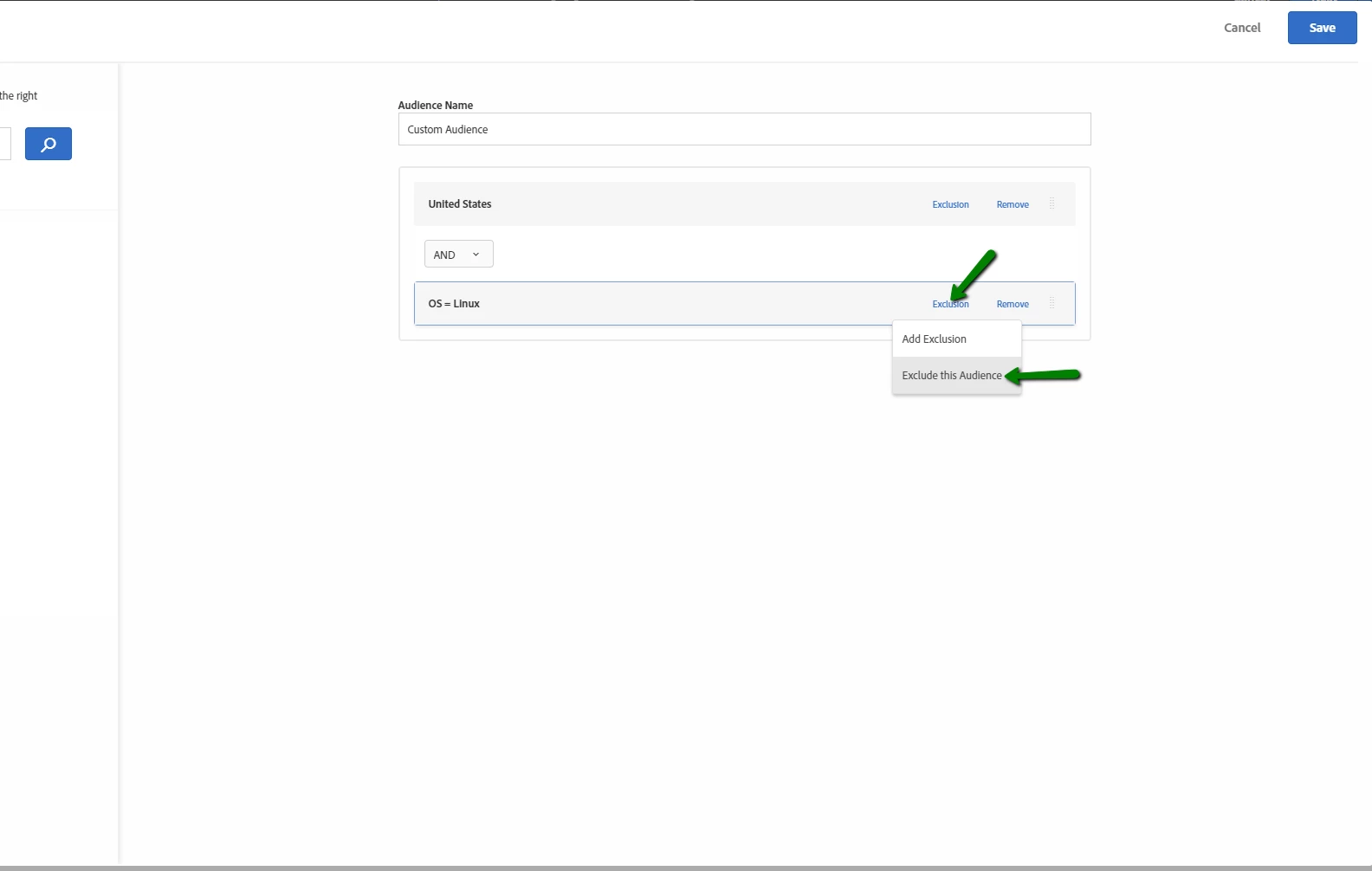
If you ever need to exclude something from an existing audience there is a way to do this. Lets say you have a United States audience but you want to exclude all visitors who are on Linux OS. You could accomplish that like this:
1. Create an audience that looks for the specific os you want to exclude save it to the audience library.
2. Edit the activity in question.
3. Click ont he audience and use the "Combine Multiple Audiences" feature to combine the "United States" audience with the "OS = Linux" audience.
4. For the "OS = Linux" audience click on Exclusion > Exclude this audience
Combine audiences:

Exclude audiences:
Hope you like this in depth explanation and that it's answered your question. If not let me know.