Custom component that works in QA but not in Live | Community
Skip to main content
Level 2
October 24, 2022
Solved

Custom component that works in QA but not in Live

  • October 24, 2022
  • 1 reply
  • 1809 views

Hello everybody,

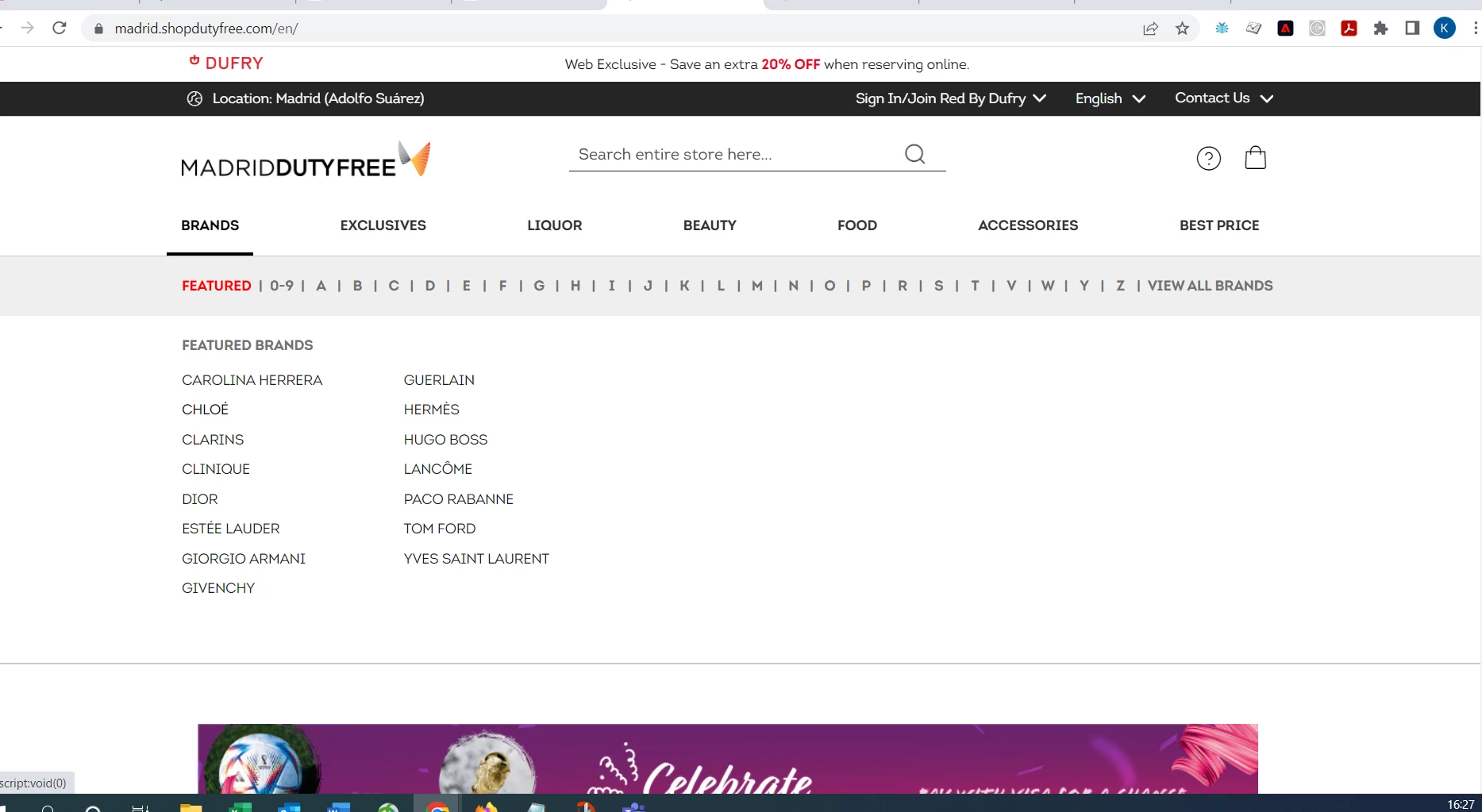
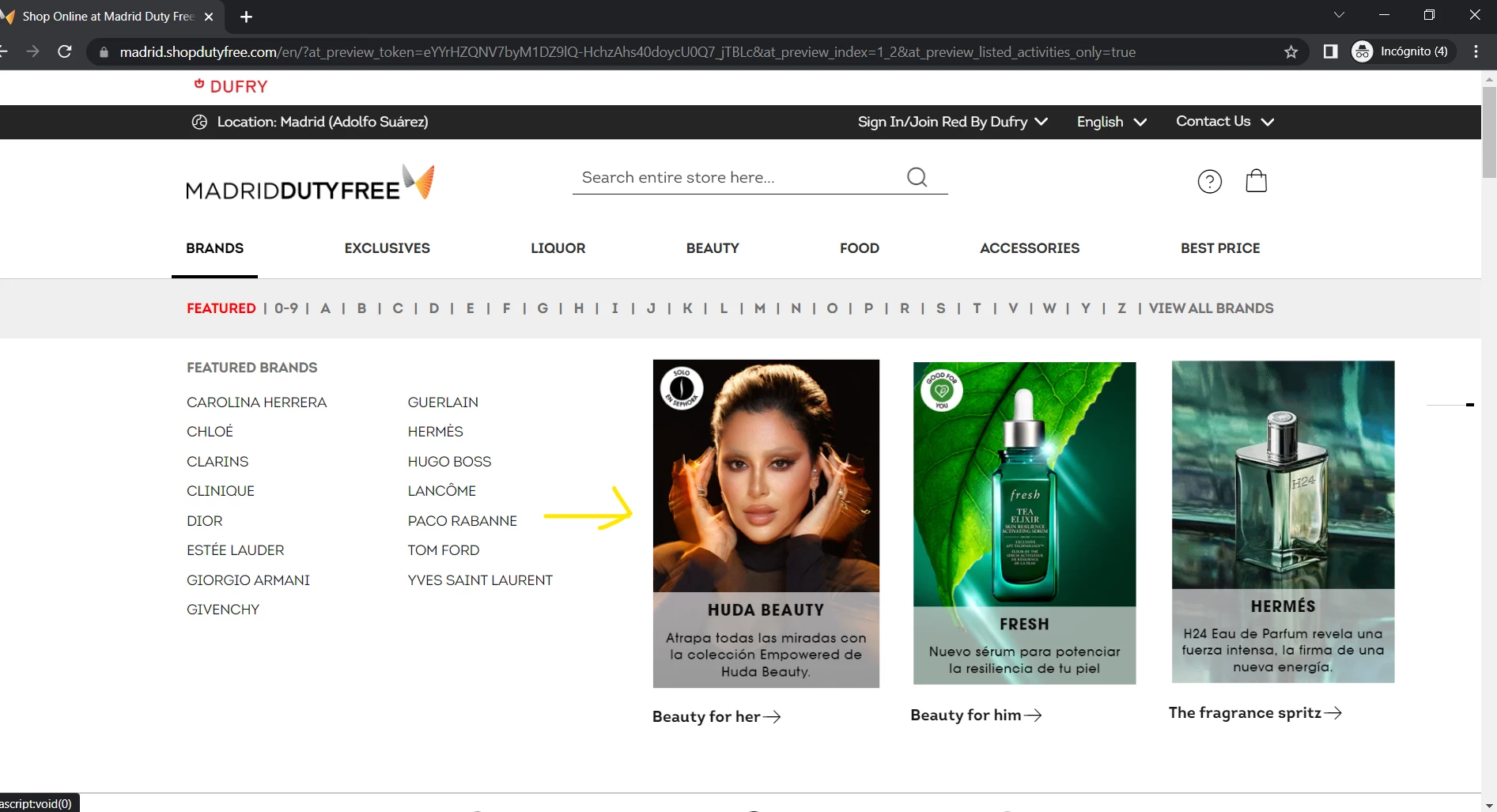
I have customised a space that appears in the submenu when you mouse over the main menu. Everything seems to be working fine, in the QA this customisation is perfectly visible. But when I activate this activity, the customisation is not visible.

I've tried with simple components like text or moving the submenu content itself but no change seems to apply. I work in production environment so these changes should be visible quickly.

I attach some screenshots of the QA version and the production version.

Has anyone had this happen with a component, could it be related to it being a non-fixed component?


Live 
QA


Thanks in advance,

Best regards,

This post is no longer active and is closed to new replies. Need help? Start a new post to ask your question.
Best answer by Perrin_Ennen

Hi @perrin_ennen,

Thank you for your response,


So, the component is not displayed because these IDs do not match? I don't understand the reason because this component "boutique menu" comes from one of our websites so it is not an unknown component.


If you have any other comments that can help us, I would appreciate it very much.


Thanks again


Best regards,


Yes exactly, the ID of the component seems to change more often. Currently the ID looks like this: brand-boutique-menu-635da8321f33d - meaning the number at the end - changes often. Therefore this selector is less suitable.
I don't know how the code of the activity is structured. If e.g. the VEC was used as composer or form based.


Is e.g. Ffrm based used and the selector retrieved via JS. This can be queried e.g. with document.querySelector('[id^="brand-boutique-menu-"]');. Here we only check if the selector starts with brand-boutique-menu-.

1 reply

Perrin_Ennen
Community Advisor
Community Advisor
October 24, 2022

Hi @katerineriera,
first of all I would check if Target on Prod is implemented or loaded at all.


For this you can e.g. look in the browser dev tools under the network tab - and filter for "delivery" (at.js 2.x) or "mbox" (at.js 1.x) and reload the page. There should be at least one request here. Alternatively, simply enter adobe.target in the console - this should exist.


If this is the case, have a look in the console to see if there are errors that belong to the activity - and only appear when the activity is live.


If all this is correct. There is probably something wrong with the activity. E.g. timing, or selectors that do not yet exist when the activity is executed.


Maybe you can give feedback where it already doesn't work?

Level 2
October 25, 2022

Hi @perrin_ennen 


Thank you very much for your help,
I have debugged the page and I can see that Target on Prod is implemented or loaded at all, but I have more than one activity activated, namely recommendations.
But I have more than one activated activity, specifically recommendations. How can I identify what is the error in my last personalisation that is not appearing?

I don't see the name of any of my activities in the Console.


Could you explain me how to identify the Adobe Target activities in the debugger?


Thanks in advance,


Regards,

Perrin_Ennen
Community Advisor
Perrin_EnnenCommunity AdvisorAccepted solution
Community Advisor
November 3, 2022

Hi @perrin_ennen,

Thank you for your response,


So, the component is not displayed because these IDs do not match? I don't understand the reason because this component "boutique menu" comes from one of our websites so it is not an unknown component.


If you have any other comments that can help us, I would appreciate it very much.


Thanks again


Best regards,


Yes exactly, the ID of the component seems to change more often. Currently the ID looks like this: brand-boutique-menu-635da8321f33d - meaning the number at the end - changes often. Therefore this selector is less suitable.
I don't know how the code of the activity is structured. If e.g. the VEC was used as composer or form based.


Is e.g. Ffrm based used and the selector retrieved via JS. This can be queried e.g. with document.querySelector('[id^="brand-boutique-menu-"]');. Here we only check if the selector starts with brand-boutique-menu-.