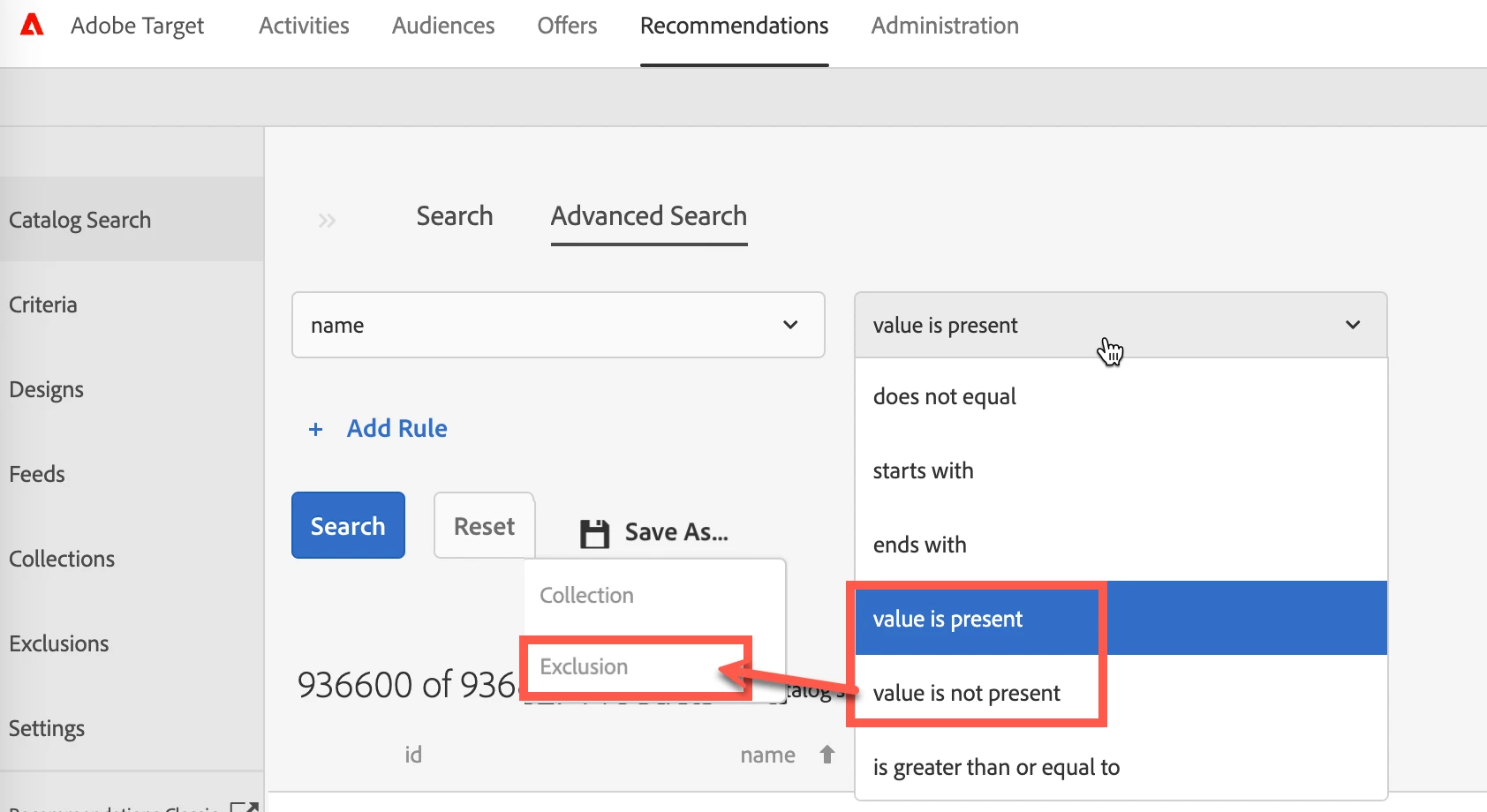
Catalog Search - it can't save as "Collection" or "Exclusion" in Advanced Search interface.
Hi all,
I'm inspired by the use case mentioned that "Products with incomplete metadata fields (missing thumbnail, price, or other important metadata)."
(source from https://experienceleague.adobe.com/docs/target/using/recommendations/entities/exclusions.html?lang=en). It's a good idea to manage feed quality, especially for the null value.
Unfortunately, I failed to implement this concept in AT. I listed what I've tried to configure below.
1. From the "Exclusion" interface, I put "null" text after the equal operator. Unfortunately, it doesn't work.
2. From "Catalog Search" > "Advanced Search," I'd found two special operators such as "value is present" and "value is not present." It seems it could solve this issue. Unfortunately, again, the drop-down selection from "Save As" doesn't allow it to be used.
Does anyone have practice managing a feed file with null values except by pointing to the source file?
As you know, by leveraging Launch, it can pass values from pages. Some null records would occur by all means.
(screenshot for the related interface)